
What is Call of Duty: Mobile?
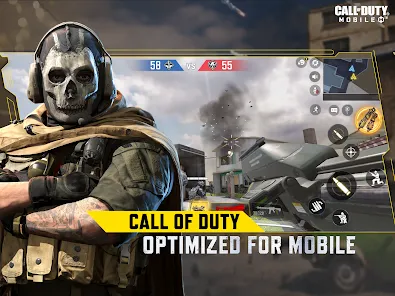
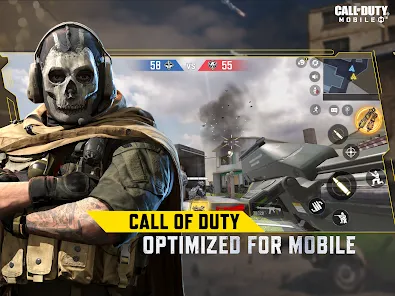
Call of Duty: Mobile is a first-person shooter (FPS) game designed specifically for mobile devices. Developed by TiMi Studios and published by Activision, it brings the thrilling Call of Duty experience to smartphones and tablets worldwide. The game combines classic multiplayer modes, battle royale gameplay, and iconic maps and characters from the Call of Duty franchise, all optimized for touch controls. Call of Duty: Mobile offers fast-paced action, competitive gameplay, and a rich variety of customization options for weapons and operators. Since its release, it has become one of the most popular mobile shooters, drawing in millions of players due to its high-quality graphics, responsive controls, and continuous content updates.
Pros and Cons of Call of Duty: Mobile
Pros
- High-Quality Graphics: Impressive visuals and smooth animations rivaling console-quality FPS games.
- Variety of Game Modes: Includes classic multiplayer, battle royale, zombies, and special limited-time events.
- Iconic Maps and Characters: Features fan-favorite maps and operators from the Call of Duty franchise.
- Regular Updates: Frequent content drops, events, and seasonal battle passes keep the gameplay fresh.
- Customizable Controls: Fully adjustable control layouts and sensitivity settings for personalized gameplay.
- Free to Play: Accessible at no cost with optional in-app purchases.
Cons
- In-App Purchases: Some skins and items require real money, which can affect gameplay balance.
- Steep Learning Curve: Competitive gameplay can be challenging for beginners.
- Battery and Data Consumption: Intensive graphics and online play can drain battery and data quickly.
- Matchmaking Issues: Occasional lag and unbalanced matchmaking reported by some players.
- Ads and Promotions: In-game ads and offers may interrupt the experience for free players.
Key Features of Call of Duty: Mobile
- Multiplayer Modes: Team Deathmatch, Domination, Search and Destroy, and more.
- Battle Royale: Large-scale survival mode with up to 100 players on a massive map.
- Zombies Mode: Cooperative gameplay where players fight waves of zombies (available during special events).
- Weapon Customization: Attachments, skins, and upgrades to personalize loadouts.
- Ranked Competitive Play: Seasonal ranking system to compete globally.
- Seasonal Events and Battle Pass: Offers rewards, exclusive items, and challenges.
- Voice and Text Chat: Communicate with teammates during matches.
- Cross-Platform Play: Limited support for some cross-play features between mobile devices.
Functions of Call of Duty: Mobile
- Real-Time Online Matches: Join fast-paced FPS battles against players worldwide.
- Matchmaking System: Automatically pairs players of similar skill levels.
- Progression and Ranking: Earn experience points to level up and improve your rank.
- Custom Loadouts: Create and switch between multiple loadouts with preferred weapons and perks.
- In-Game Store: Purchase skins, weapons, and other cosmetic items.
- Event Participation: Engage in time-limited challenges for exclusive rewards.
- Player Communication: Use voice or text chat to coordinate with teammates.
How to Use Call of Duty: Mobile
- Step 1: Download Call of Duty: Mobile from the Apple App Store or Google Play Store and install it on your device.
- Step 2: Launch the game and sign in using your preferred account (Facebook, Google, or guest login).
- Step 3: Complete the tutorial to learn the basic controls and gameplay mechanics.
- Step 4: Choose a game mode such as Multiplayer or Battle Royale to start playing.
- Step 5: Customize your loadout by selecting weapons, attachments, perks, and skins.
- Step 6: Join matches and use the on-screen controls to move, aim, shoot, and perform tactical actions.
- Step 7: Use voice or text chat to communicate and strategize with your teammates.
- Step 8: Participate in events and complete challenges to earn rewards and level up your profile.
- Step 9: Adjust control settings and graphics options to optimize performance and comfort.
- Step 10: Keep the app updated regularly to access new content, bug fixes, and improvements.


















 0
0