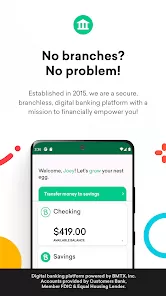
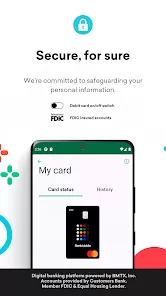
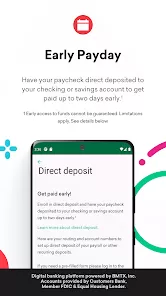
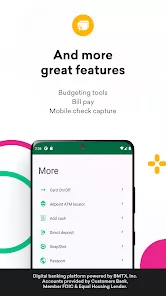
BankMobile App is a digital banking platform designed to provide users with fast, secure, and convenient access to their bank accounts directly from their smartphones. The app allows users to manage checking and savings accounts, track spending, deposit checks, transfer funds, and pay bills with ease. It emphasizes user-friendly navigation, real-time notifications, and advanced security features to protect financial information. BankMobile App also offers budgeting tools, account alerts, and support for multiple accounts, enabling users to monitor their finances effectively. With its combination of accessibility, mobile-first design, and robust functionality, BankMobile App empowers customers to handle their everyday banking needs anytime, anywhere without visiting a physical branch.
Key Features
View account balances and transaction history in real-time.
Deposit checks securely using mobile check capture.
Transfer funds between BankMobile accounts or to external banks.
Pay bills directly through the app with scheduled or one-time payments.
Set up account alerts and notifications for transactions, low balances, and deposits.
Budgeting and spending tools to track expenses and manage finances.
Support for multiple accounts and customizable account nicknames.
Advanced security features including biometric login and encryption.
Customer support access directly from the app.
Integration with external apps for personal finance management.
Pros & Cons
Convenient mobile access to banking services anytime and anywhere.
Secure transactions with encryption and biometric authentication.
Easy-to-use interface suitable for users of all tech levels.
Budgeting and tracking tools help users monitor spending efficiently.
Real-time alerts enhance financial awareness and control.
Limited in-app features compared to full online banking websites for some advanced services.
Dependent on stable internet connection for smooth operation.
Some users may find external transfer options slower than expected.
Customer service may require additional steps outside the app for complex inquiries.
Limited support for certain financial products compared to larger banks.
Notifications may be overwhelming if not customized properly.
Offline access is minimal; most functions require connectivity.
Functions
Check balances and review transaction history for all linked accounts.
Deposit checks remotely using the mobile camera feature.
Transfer money between accounts or send funds to external accounts.
Pay bills and schedule recurring payments.
Receive real-time alerts and notifications for account activity.
Set budgeting goals and track spending habits.
Access customer support for account inquiries or troubleshooting.
Securely log in using biometrics or strong authentication methods.
Export or sync financial data with compatible personal finance apps.
How to Use
Click the button "Check All Versions" below to download and install it.
Open the app and create or sign in to your BankMobile account.
Verify your identity using the provided authentication steps.
Link your BankMobile accounts or add external bank accounts as needed.
Navigate the dashboard to view balances, transactions, and account details.
Use mobile check deposit to capture checks directly from your device.
Transfer funds or pay bills through the intuitive interface.
Set alerts and notifications to monitor spending and deposits.
Access budgeting tools to track expenses and plan finances effectively.
Reach out to in-app support for any questions or assistance with account management.



 0
0