

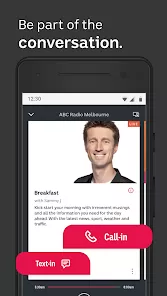
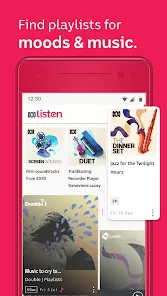
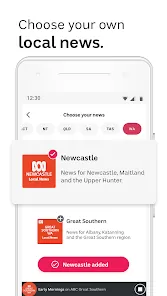
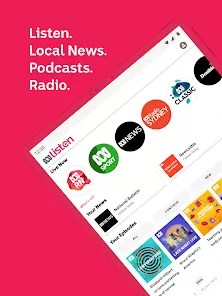
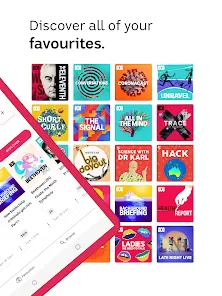

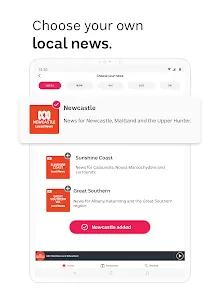
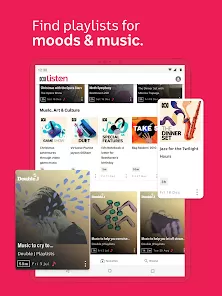
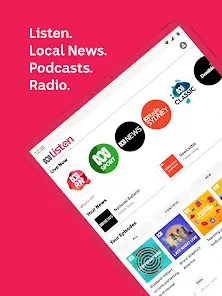
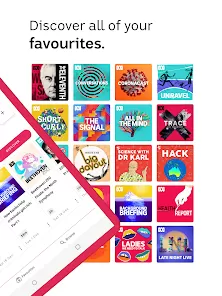

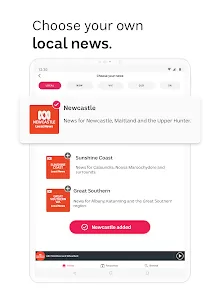
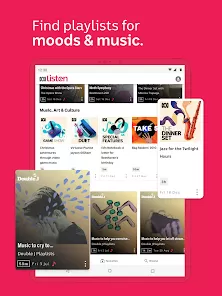
ABC Listen is an innovative audio streaming platform developed by the Australian Broadcasting Corporation (ABC) that offers live radio, podcasts, and on-demand audio content. Designed to provide easy access to a vast library of Australian news, entertainment, educational programs, and cultural content, ABC Listen aims to connect listeners with diverse audio experiences. The app features a user-friendly interface with options for live streaming ABC radio stations, exploring a wide range of podcasts, and downloading episodes for offline listening. ABC Listen supports personalized recommendations and curated playlists, enhancing user engagement. It is available across multiple devices, making it a versatile solution for users who want to stay informed and entertained through high-quality Australian audio content anytime, anywhere.
Pros and Cons
Pros:
Access to a vast range of live radio stations and on-demand podcasts.
User-friendly interface with intuitive navigation and search functions.
Ability to download content for offline listening.
High-quality audio streaming with minimal interruptions.
Personalized recommendations tailored to listener preferences.
Free to use without any subscription fees or ads interrupting content.
Supports accessibility features like screen readers and subtitles for podcasts.
Cons:
Content primarily focused on Australian audiences, which may limit international appeal.
Some users report occasional buffering or connection issues in low-signal areas.
Limited social sharing options within the app.
Less extensive podcast library compared to some global streaming platforms.
No integrated option for custom playlist creation beyond curated lists.
Key Features
Live streaming of multiple ABC radio stations, including news, music, and talk shows.
On-demand access to a wide selection of ABC-produced podcasts and audio programs.
Offline listening by downloading favorite episodes or shows.
Personalized recommendations based on listening history and preferences.
Search functionality to easily find specific shows, episodes, or topics.
Integration with smart devices such as smart speakers and car infotainment systems.
Notifications for new episodes or live event broadcasts.
Accessibility options including adjustable playback speed and captions for select podcasts.
Functions
Allows users to tune into live radio broadcasts from ABC stations nationwide.
Streams high-quality audio for a seamless listening experience.
Enables downloading of audio content for offline playback without internet connection.
Provides personalized content suggestions based on user interaction.
Facilitates easy navigation through categories such as news, entertainment, education, and culture.
Syncs user preferences across devices via login or app settings.
Supports voice commands and smart assistant integration on compatible devices.
Alerts users about breaking news and special live events through push notifications.
How to Use ABC Listen
Download the app: Install ABC Listen from the Apple App Store, Google Play Store, or access via the web browser.
Create an account (optional): Sign up or log in to sync preferences and access personalized recommendations.
Browse live radio: Select from the available ABC radio stations to listen to live broadcasts.
Explore podcasts: Use the search bar or browse categories to find podcasts of interest.
Download content: Tap the download icon on episodes to save them for offline listening.
Use playback controls: Play, pause, rewind, or fast-forward content using intuitive controls.
Set notifications: Enable alerts for new episodes or live events you don’t want to miss.
Connect devices: Link the app to smart speakers or car audio systems for hands-free listening.
Adjust settings: Customize playback speed, enable captions if available, and manage downloads in settings.
Provide feedback: Use in-app options to rate content or report issues for an improved experience.


 0
0