




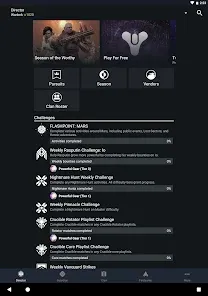
The Destiny 2 Companion is an official mobile and web-based application developed by Bungie to support players of the popular online shooter, Destiny 2. This companion app connects directly with a player’s account, allowing access to in-game progress, character details, and community features without needing to log into the game. It serves as a powerful tool to stay engaged even outside the console or PC. Players can manage gear, check quest updates, join clans, and communicate with friends or teammates. The app enhances overall gameplay by providing convenience, accessibility, and efficiency, especially for guardians who want to optimize their time in the Destiny universe.
Pros of Destiny 2 Companion
Convenient access to character inventories without needing to log in to the game.
Improves time efficiency by allowing gear transfers between characters instantly.
Offers a detailed overview of quests, milestones, and triumphs for easy tracking.
Supports community engagement through clan management and communication tools.
Free to download and supported across iOS, Android, and web platforms.
Reduces downtime by letting players prepare loadouts before logging into the game.
Provides official news, updates, and events directly from Bungie.
Enhances team coordination with messaging and group features.
Accessible user interface that is straightforward even for new players.
Encourages deeper immersion in the Destiny ecosystem beyond gameplay sessions.
Cons of Destiny 2 Companion
Requires a stable internet connection to function effectively.
Some features can feel limited compared to third-party tools.
Interface may occasionally suffer from bugs or slow loading times.
Gear transfers may not always sync instantly due to server delays.
App notifications can be overwhelming if not managed properly.
Community sections may expose players to toxic interactions.
Heavy battery usage when running in the background.
Not all in-game functions are accessible, requiring game login for complex tasks.
Occasional downtime during server maintenance can affect usage.
Learning curve for brand-new players unfamiliar with Destiny’s systems.
Key Features of Destiny 2 Companion
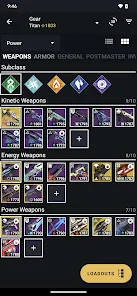
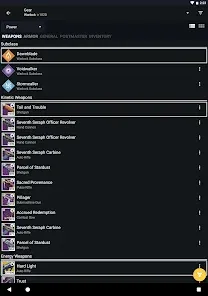
Inventory and gear management for all characters.
Loadout customization and quick item transfers.
Quest and milestone tracking with progress indicators.
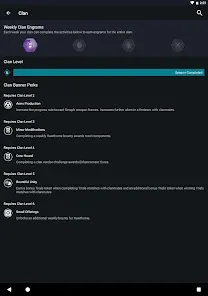
Clan management including membership, invites, and chat.
Game activity history and performance statistics.
Direct messaging with friends and clanmates.
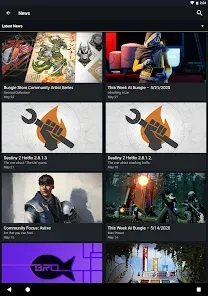
Official Bungie news feed and game announcements.
Event calendar for seasonal activities and challenges.
Marketplace access for purchasing expansions and add-ons.
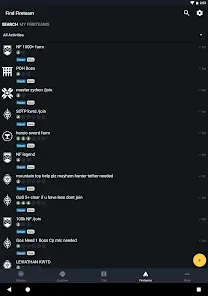
Searchable LFG (Looking for Group) functionality for finding fireteams.
Functions of Destiny 2 Companion
Transfers weapons, armor, and consumables between guardians.
Helps organize vault storage efficiently.
Allows joining and managing clans directly from mobile.
Tracks achievements, seals, and triumphs for progression goals.
Provides a communication hub for clan leaders and members.
Keeps players updated on scheduled resets and new events.
Facilitates preparation for raids and activities via loadout settings.
Offers quick access to Bungie rewards and loyalty programs.
Notifies users of friend activity, messages, and clan updates.
Acts as a bridge between the Destiny 2 community and official Bungie channels.
How to Use Destiny 2 Companion
Click the button "Check All Versions" below to download and install it.
Download the Destiny 2 Companion app from the Apple App Store or Google Play Store, or access it via web.
Log in with your Bungie account or linked platform account (PlayStation, Xbox, Steam, or Epic Games).
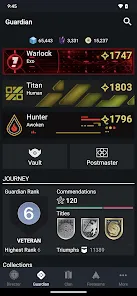
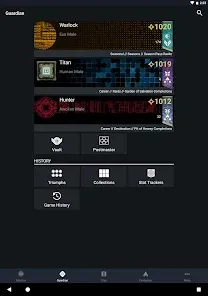
Navigate to the character screen to review gear, loadouts, and statistics.
Use the gear management tool to transfer equipment between guardians or the vault.
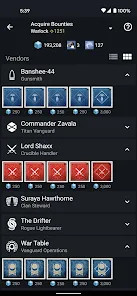
Check the quests and milestones tab for current progress on missions and seasonal challenges.
Join or manage a clan through the clan section, enabling communication with teammates.
Access the “Fireteams” tab to search for or create groups for specific activities.
Stay informed by browsing the news feed for official Bungie updates.
Adjust notification settings to receive updates without being overwhelmed.
Regularly sync the app with your gameplay to ensure real-time updates and accuracy.


 0
0