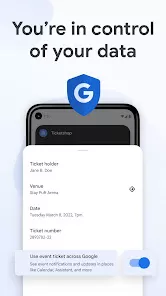
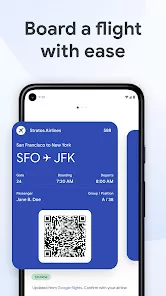
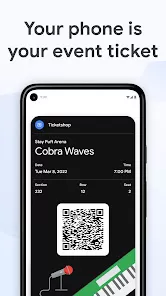
Google Wallet is a digital wallet and online payment system developed by Google. It enables users to store their credit and debit cards, loyalty cards, tickets, and even cryptocurrencies in a secure virtual space. The platform allows easy and fast payments both online and in physical stores using their Android phone or smartwatch. Google Wallet is designed to provide users with a simple and secure way to make purchases, send money, and manage payment information all in one app. It integrates seamlessly with other Google services, such as Google Pay, and supports a wide range of payment methods and currencies, making it one of the most versatile digital wallets available today.
Pros and Cons
Pros:
Convenient and Secure: Google Wallet allows for quick payments using your mobile device, and transactions are encrypted for added security.
Wide Acceptance: Accepted by a large number of retailers worldwide, both online and in physical stores that support NFC (Near Field Communication) payments.
Multiple Payment Options: It supports various payment methods including credit cards, debit cards, gift cards, loyalty cards, and even cryptocurrencies.
Easy Fund Transfers: Users can send money to friends and family directly from the app, making it easier than ever to split bills or send gifts.
Integration with Google Services: Google Wallet integrates smoothly with other Google apps such as Google Pay, making it easier to manage payments, track purchases, and access rewards.
Cons:
Limited Availability: While Google Wallet is available in many countries, it may not be accessible in certain regions, limiting its global functionality.
Compatibility Issues: Not all devices or retailers support the full range of features that Google Wallet offers, limiting its functionality for some users.
Requires Internet Connection: Google Wallet requires an internet connection to make most transactions, meaning you can’t use it offline.
Privacy Concerns: As with any digital payment system, users may have concerns about privacy and the data being shared between Google Wallet and third-party merchants.
Possible Bugs: Some users report glitches with syncing payment methods or transferring funds, although these are usually addressed through updates.
Key Features
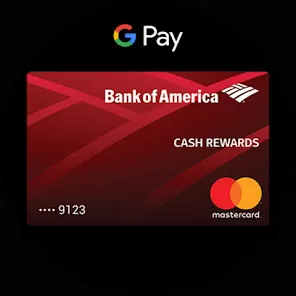
Digital Payment Storage: Store multiple payment methods, including credit and debit cards, in one secure location.
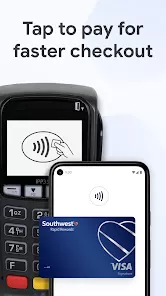
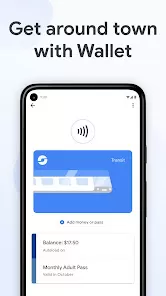
NFC (Near Field Communication) Payments: Make payments in-store by simply tapping your phone against a point-of-sale terminal that supports NFC technology.
Money Transfers: Send money to others through email or mobile number, allowing quick and easy transfers to friends or family.
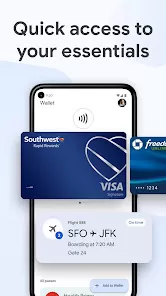
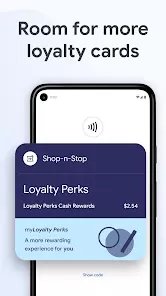
Loyalty and Gift Cards: Store loyalty cards, gift cards, and coupons directly in the app for easy access during purchases.
Cryptocurrency Storage: Google Wallet supports the storage and transaction of certain cryptocurrencies, including Bitcoin and Ethereum.
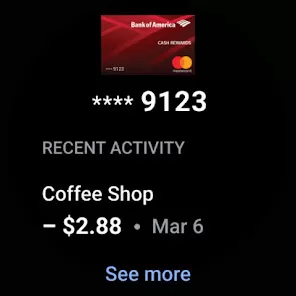
Transaction History: Keep track of your past transactions in an organized manner, helping you manage your finances better.
Integration with Google Pay: Google Wallet is integrated with Google Pay, enabling users to access payment and reward services across multiple Google platforms.
Functions
Making Payments: Use your phone or smartwatch to make fast and secure payments at physical stores or online, simply by selecting your preferred payment method stored in the app.
Money Transfers: Send money to anyone with an email address or mobile number, making it ideal for splitting bills, paying for services, or sending gifts.
Store and Use Loyalty Cards: Add loyalty and rewards cards to your Google Wallet to automatically earn rewards while shopping.
Access Cryptocurrencies: If you own cryptocurrencies, you can store and transfer them using Google Wallet’s cryptocurrency support feature.
Track Spending: Easily monitor your purchases and track your spending history, helping you stay within your budget.
Sync with Other Google Services: Google Wallet can be linked to Google Pay, allowing you to manage all your payment activities across Google services seamlessly.
How to Use Google Wallet
Click the button "Check All Versions" below to download and install it.
Step 1: Download the Google Wallet app from the Google Play Store (for Android users) or Apple App Store (for iOS users). Open the app and sign in with your Google account.
Step 2: Add payment methods by selecting the “Add a payment method” option and entering the details of your debit or credit card. You can also link a PayPal account or add gift cards and loyalty cards.
Step 3: Once your payment methods are added, you can begin making payments at stores that support NFC payments by unlocking your device and tapping it against the payment terminal.
Step 4: To send money to a friend or family member, select the “Send Money” option and enter the recipient’s details (email or mobile number). Choose the payment method and the amount to send.
Step 5: To use your loyalty or gift cards, select them from the “Cards” section and present them during your purchase. Your loyalty points or rewards will automatically be applied if applicable.
Step 6: Track your transactions and monitor spending in the “Activity” section of the app. This gives you an overview of your past payments and transfers.
Step 7: If you own cryptocurrencies, you can store them in Google Wallet by selecting the “Cryptocurrency” option and linking a supported wallet.
Step 8: Ensure your app stays updated to get the latest features and bug fixes. You can check for updates through the Google Play Store or Apple App Store.



 0
0