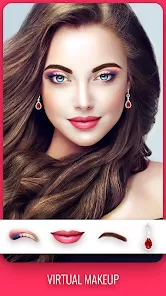
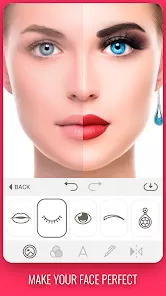
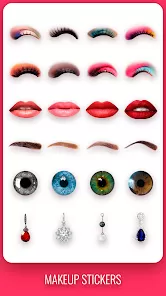
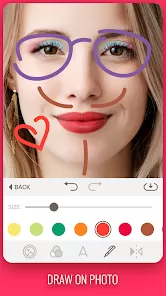
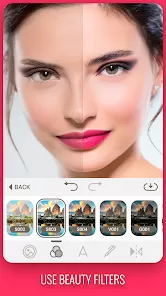
Makeup Camera is a popular mobile application designed to enhance selfies and portraits by applying virtual makeup and beauty filters in real time. Using advanced facial recognition and augmented reality technology, it allows users to try on various makeup styles such as lipstick, eyeshadow, foundation, blush, and more without physical application. Makeup Camera is widely used for social media posts, virtual makeovers, and experimenting with new looks before committing to actual products. It supports live camera previews and photo editing, offering an easy-to-use interface for users of all skill levels. The app aims to boost confidence and creativity by providing an accessible way to explore different cosmetic styles conveniently on smartphones.
Pros and Cons
- Pros:
- Real-time makeup application with instant previews.
- Wide variety of makeup styles and cosmetic options available.
- Easy to use interface suitable for beginners and advanced users alike.
- Helps users experiment with looks before applying real makeup.
- Supports photo editing and sharing directly to social media.
- Enhances selfies with beauty filters and skin smoothing features.
- Regular updates add new styles and effects.
- Cons:
- May sometimes produce unnatural or exaggerated effects.
- Heavy processing can slow down older or low-end devices.
- Some features require in-app purchases or subscriptions.
- Lighting conditions and camera quality affect accuracy of makeup application.
- Privacy concerns regarding access to camera and photos.
- Limited control over some makeup details for advanced users.
- Not a substitute for professional makeup or consultation.
Key Features
- Augmented reality-based real-time makeup application using facial recognition.
- Multiple cosmetic categories including lipstick, eyeshadow, eyeliner, blush, foundation, and contouring.
- Customizable makeup intensity and color options.
- Skin smoothing, blemish removal, and other beauty enhancement filters.
- Ability to save edited photos and share directly on social media platforms.
- Before-and-after comparison view to see transformations.
- Support for both front and rear cameras.
- Makeup tutorials and style suggestions for inspiration.
- Regular content updates with new looks and seasonal makeup trends.
- Easy-to-navigate interface optimized for mobile devices.
Functions
- Detect facial features and accurately apply virtual makeup layers on lips, eyes, cheeks, and skin.
- Provide real-time preview of makeup looks while taking selfies or videos.
- Allow manual adjustments of color tones, opacity, and makeup placement.
- Enable photo editing to refine makeup details after capture.
- Offer beauty filters that smooth skin texture, brighten complexion, and remove imperfections.
- Allow users to switch between different makeup presets quickly.
- Save makeup presets for repeated use.
- Share final images or videos via social media, messaging apps, or email.
- Provide makeup tips, tutorials, and trend ideas within the app.
- Support multi-language options for global user base.
How to Use Makeup Camera
- Download and Install: Get the Makeup Camera app from the Apple App Store or Google Play Store.
- Grant Permissions: Allow the app to access your device’s camera and photo gallery.
- Open the App: Launch the app and select the front or rear camera for selfies or portraits.
- Choose Makeup Style: Browse through makeup categories such as lipstick, eyeshadow, and blush.
- Apply Makeup: Tap on the desired makeup style to apply it in real-time to your face using the camera preview.
- Adjust Settings: Use sliders to change color intensity, size, and placement for a natural look.
- Use Beauty Filters: Enhance your skin texture and remove blemishes with optional beauty filters.
- Take Photos or Videos: Capture your look by snapping a photo or recording a video.
- Edit and Save: Use in-app editing tools to fine-tune your images and save them to your gallery.
- Share: Share your final photos or videos directly to social media platforms or with friends.
- Explore Tutorials: Access makeup tips and style inspiration inside the app to try new looks.


 0
0