
What is Persona: Beauty Camera; Pros and Cons; Key Features; Functions; How to Use
What is Persona: Beauty Camera
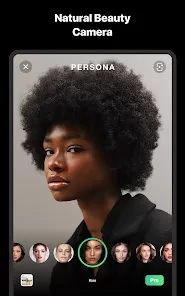
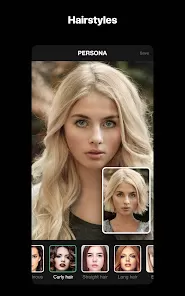
Persona: Beauty Camera is a mobile application designed to enhance selfies and videos through advanced beauty filters, AI-powered retouching, and creative editing tools. The app allows users to smooth skin, adjust facial features, apply makeup, and add a wide range of artistic effects to photos and videos in real-time. Persona provides a user-friendly interface that combines AI technology with customizable options, making it suitable for casual users and social media enthusiasts. Additionally, the app supports high-resolution image processing, AR filters, and real-time video beautification. With Persona, users can effortlessly create polished, professional-looking content to share across social media platforms or keep for personal memories.
Pros and Cons
- Pros:
- Real-time beauty filters and AI-powered enhancements.
- Wide range of makeup, skin smoothing, and facial adjustment tools.
- High-resolution photo and video processing.
- User-friendly interface suitable for beginners and advanced users.
- Supports AR effects and creative filters for videos.
- Seamless integration for sharing content on social media platforms.
- Regular updates adding new filters and features.
- Cons:
- Premium features may require a subscription or in-app purchases.
- Overuse of filters can lead to unnatural-looking photos.
- Performance may vary depending on device hardware.
- Limited editing options for users seeking professional-grade photo manipulation.
- Some users report occasional app crashes during high-resolution video processing.
Key Features
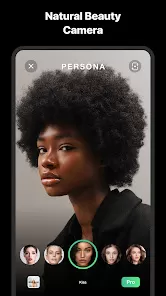
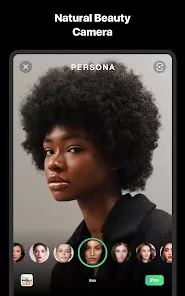
- AI-powered beauty filters for real-time selfies and videos.
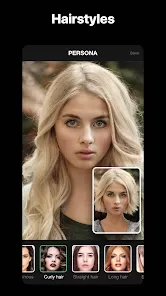
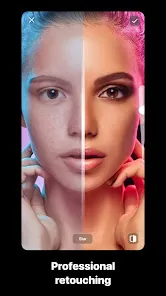
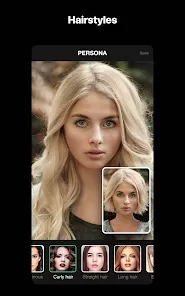
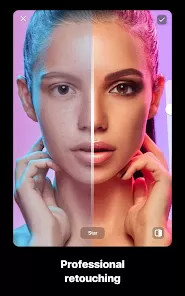
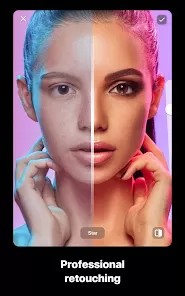
- Skin smoothing, blemish removal, and facial reshaping tools.
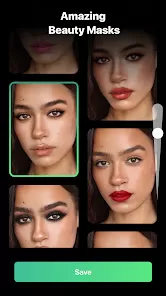
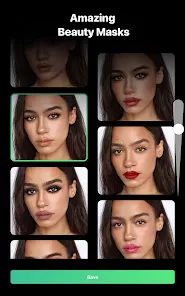
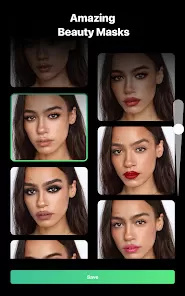
- Virtual makeup application including lipstick, blush, and eyeshadow.
- AR effects and animated filters for videos.
- High-resolution image and video processing capabilities.
- Customizable filter settings for personalized looks.
- Photo and video editing tools for brightness, contrast, and color adjustments.
- Social media sharing options for platforms like Instagram, TikTok, and Snapchat.
- Regular updates introducing new filters and effects.
- User-friendly interface optimized for mobile devices.
Functions
- Enhances selfies and videos using AI-driven beautification tools.
- Applies makeup effects and adjusts facial features in real-time.
- Offers creative AR and animated filters for video content.
- Allows high-resolution editing for professional-looking photos.
- Supports customization of filters for unique personal style.
- Provides tools for lighting, color correction, and photo enhancement.
- Enables instant sharing to social media platforms.
- Acts as a creative outlet for vloggers, influencers, and casual users.
- Helps maintain a polished digital presence through consistent photo quality.
- Facilitates video beautification for livestreams and recorded content.
How to Use
- Download and install Persona: Beauty Camera from the App Store or Google Play Store.
- Open the app and grant necessary permissions for camera and storage access.
- Select whether you want to take a photo or record a video.
- Apply real-time beauty filters or adjust facial features manually.
- Add virtual makeup effects, AR filters, or animated overlays as desired.
- Use editing tools to adjust brightness, contrast, saturation, and other settings.
- Preview your creation and make additional adjustments if needed.
- Save the final photo or video to your device.
- Share your content directly to social media platforms like Instagram, TikTok, or Snapchat.
- Regularly explore new filters and features added through app updates.





 0
0