
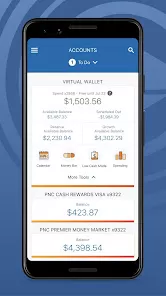
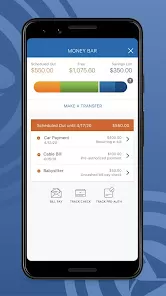
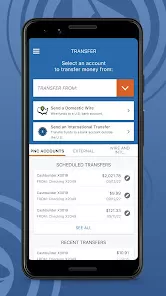
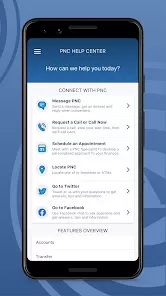
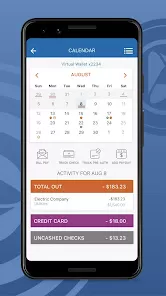
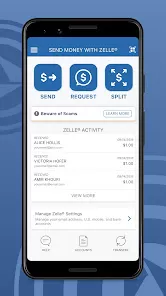
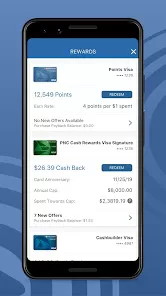
PNC Mobile is the official mobile banking application provided by PNC Bank, designed to offer customers convenient access to their banking services on smartphones and tablets. This app enables users to manage their accounts, make payments, transfer funds, deposit checks, and track spending anytime and anywhere. PNC Mobile is built with security and ease of use in mind, aiming to provide a seamless banking experience for both personal and business customers. By integrating multiple banking functions into one app, PNC Mobile helps users stay in control of their finances without the need to visit a branch or use desktop banking.
Pros and Cons of PNC Mobile
Pros:
Offers comprehensive banking features in one app.
Secure login options including fingerprint and facial recognition.
Easy-to-use interface with intuitive navigation.
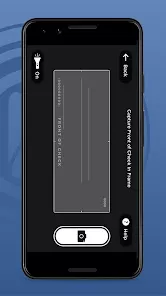
Enables mobile check deposits using the device’s camera.
Provides real-time account alerts and notifications.
Supports bill pay, fund transfers, and budgeting tools.
Available for both Android and iOS platforms.
Cons:
Some users report occasional app crashes or slow performance.
Limited customization options compared to desktop banking.
Occasional connectivity issues may hinder real-time updates.
Not all banking services are available through the app.
Security features may require frequent re-authentication.
Key Features of PNC Mobile
Account management: View balances, transaction history, and account details.
Mobile check deposit: Deposit checks quickly using your phone’s camera.
Funds transfer: Move money between PNC accounts or to external accounts.
Bill payment: Schedule and pay bills directly from the app.
Alerts and notifications: Receive instant updates on account activity.
Budgeting tools: Track spending and manage budgets within the app.
ATM and branch locator: Find nearby PNC branches and ATMs.
Secure login: Use biometrics like fingerprint or facial recognition for quick access.
Functions of PNC Mobile
Monitor account balances and recent transactions in real-time.
Deposit checks by taking photos within the app.
Pay bills to various providers without writing checks or visiting sites.
Transfer funds instantly between accounts or to other people.
Set up alerts for low balances, large transactions, or suspicious activity.
Locate the nearest branch or ATM with GPS-enabled search.
Access budgeting and spending tools to better manage finances.
Manage debit and credit card settings, including temporary card locks.
How to Use PNC Mobile
Step 1: Download and install the PNC Mobile app from the Google Play Store or Apple App Store.
Step 2: Open the app and log in using your existing PNC online banking credentials or create a new account if you are a new user.
Step 3: Set up biometric authentication (fingerprint or facial recognition) for quicker and more secure access.
Step 4: Explore the dashboard to view your account balances and recent transactions.
Step 5: Use the “Deposit Checks” feature to deposit checks by photographing the front and back of the check.
Step 6: Navigate to “Transfer Funds” or “Pay Bills” to manage your payments and money movement.
Step 7: Enable account alerts and notifications to stay informed about your banking activities.
Step 8: Use the “Find ATM/Branch” tool to locate nearby PNC locations when needed.
Step 9: Customize app settings according to your preferences, such as notification frequency and security options.



 0
0