RadarScope
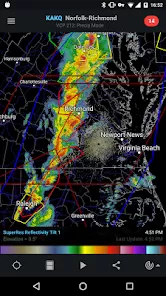
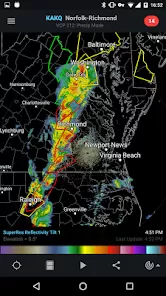
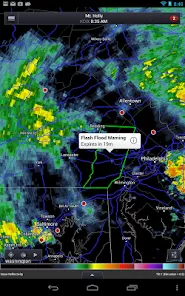
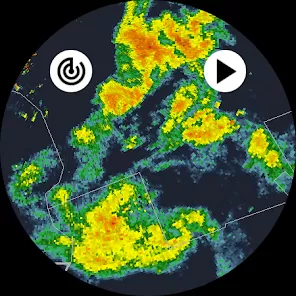
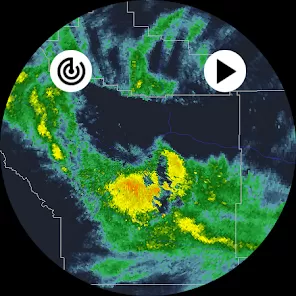
RadarScope is a professional-grade weather radar application designed for meteorologists, storm chasers, and weather enthusiasts who need precise and real-time weather data. The app provides high-resolution radar imagery, including reflectivity, velocity, and severe weather alerts, allowing users to track storms, monitor rainfall, and anticipate dangerous weather conditions. With customizable layers, animated loops, and advanced storm-tracking features, RadarScope delivers accurate and actionable information. It is available on both iOS and Android devices and integrates with data from the National Weather Service, the National Oceanic and Atmospheric Administration (NOAA), and other sources. RadarScope is a trusted tool for anyone requiring detailed and timely weather analysis.
Pros and Cons of RadarScope
- Pros:
- High-resolution radar imagery for precise weather tracking.
- Real-time storm and severe weather alerts.
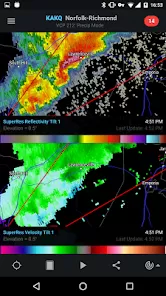
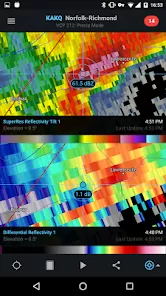
- Supports multiple radar layers including reflectivity, velocity, and dual-polarization data.
- Animated radar loops to visualize storm movement.
- Customizable settings and layers for personalized weather monitoring.
- Integration with NOAA and other official weather sources.
- Advanced storm tracking tools for professionals and enthusiasts.
- Available on iOS, Android, and desktop platforms.
- Reliable and accurate for forecasting and storm chasing.
- Offers optional subscription for additional data layers and features.
- Cons:
- Steeper learning curve for beginners or casual users.
- Subscription required for some advanced features.
- Interface can appear complex due to many data layers and options.
- Limited integration with third-party weather apps.
- App performance may vary depending on device and internet speed.
- Primarily focused on radar; lacks full weather forecasting features like temperature or precipitation maps.
- Occasional lag when rendering high-resolution loops on older devices.
- Some users may find it over-detailed for casual weather tracking.
- Premium features can be costly for occasional users.
- Requires consistent internet connection for real-time updates.
Key Features
- High-resolution radar images including reflectivity and velocity.
- Severe weather alerts and notifications.
- Dual-polarization radar data for better storm analysis.
- Animated radar loops to track storms in motion.
- Customizable overlays and layers for enhanced visualization.
- Storm tracking markers for tornadoes, hail, and other severe events.
- Multi-platform availability including iOS, Android, and desktop.
- Integration with NOAA and official weather sources.
- Advanced tools for meteorologists and storm chasers.
- Optional premium subscription for additional data layers.
Functions
- Radar Viewing: Access live radar images to track precipitation and storms.
- Severe Weather Alerts: Receive notifications for tornadoes, thunderstorms, and other hazards.
- Storm Tracking: Mark storm locations and track their movement in real-time.
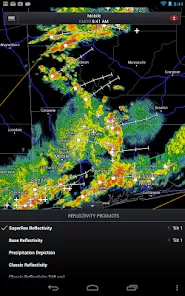
- Layer Customization: Display radar data using different layers like reflectivity, velocity, and dual-pol.
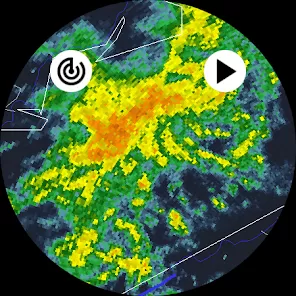
- Animation: Play animated loops to monitor storm progression and path.
- Data Integration: Pull data from NOAA, NWS, and other official weather sources.
- Zoom and Navigation: Pan and zoom on radar maps for detailed local analysis.
- Historical Data: Review past radar imagery to analyze previous weather patterns.
- Professional Tools: Use markers, overlays, and specialized visualization tools for in-depth analysis.
- Offline Caching: Cache radar images for temporary offline access in areas with weak connectivity.
How to Use RadarScope
- 1. Download and Install: Get RadarScope from the App Store, Google Play, or official website.
- 2. Launch the App: Open RadarScope and allow location permissions for local weather tracking.
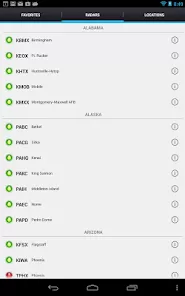
- 3. Select Radar Sources: Choose radar stations or regions you want to monitor.
- 4. Customize Layers: Enable desired radar layers like reflectivity, velocity, or dual-polarization.
- 5. Track Storms: Observe animated loops and monitor storm development in real-time.
- 6. Set Alerts: Configure notifications for severe weather, tornadoes, hail, and thunderstorms.
- 7. Zoom and Pan: Navigate maps to focus on specific areas or regions of interest.
- 8. Use Markers: Highlight and track specific storm cells for detailed analysis.
- 9. Review Historical Data: Access past radar images to analyze weather trends or incidents.
- 10. Upgrade (Optional): Subscribe to premium for additional data layers and enhanced features.
Overall, RadarScope is a powerful weather radar app for anyone needing accurate, high-resolution weather data. Its advanced features, real-time updates, and storm tracking tools make it a top choice for professionals, storm chasers, and serious weather enthusiasts.


 0
0