
Rumble is a video-sharing platform that offers an alternative to mainstream video services by focusing on free speech and content creator monetization. Launched in 2013, Rumble allows users to upload, share, and discover videos across various categories such as news, entertainment, sports, and education. It has gained popularity for its less restrictive content policies compared to other platforms, attracting creators who seek more freedom in their content. Rumble emphasizes transparency in monetization, offering competitive revenue shares and licensing opportunities for video creators. With a growing user base and a straightforward interface, Rumble is positioning itself as a viable destination for audiences and creators interested in diverse viewpoints and monetized video content.
Pros and Cons
Pros:
Less restrictive content moderation policies promoting free speech.
Attractive monetization options with transparent revenue sharing.
Simple and user-friendly interface for uploading and browsing videos.
Opportunities for content licensing and broader distribution.
Growing community with diverse video categories.
Available on multiple platforms including web, mobile, and smart TVs.
Cons:
Smaller user base compared to major platforms like YouTube.
Limited discovery tools and recommendations compared to competitors.
Content quality and variety can be inconsistent.
Less established brand and advertiser support.
Some controversial content may affect platform reputation.
Fewer community engagement features such as comments and live streaming.
Key Features
Video uploading with support for various formats and lengths.
Monetization through ad revenue sharing and licensing agreements.
Content discovery by categories, trending videos, and search functionality.
User profiles and channels for creators to showcase their videos.
Embedding options for sharing videos on external websites.
Mobile apps for iOS and Android for easy video access on the go.
Simple video analytics dashboard for creators to monitor performance.
Options to filter content by popularity, upload date, or relevance.
Integration with social media platforms for easy sharing.
Functions
Upload videos directly from desktop or mobile devices.
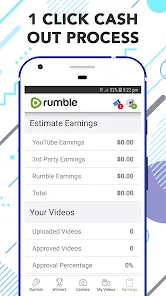
Set monetization preferences and track earnings through the creator dashboard.
Search and filter videos by keywords, categories, or trending status.
Create and manage personal channels to organize video content.
Interact with followers through video comments and shares.
License videos for use on other platforms or media outlets.
Receive notifications about channel activity and new content.
Use analytics tools to understand audience engagement and growth.
Embed videos on blogs, websites, or social media posts.
Access Rumble’s mobile apps for video streaming anytime, anywhere.
How to Use Rumble
Click the button "Check All Versions" below to download and install it.
Step 1: Visit the Rumble website or download the Rumble app on your mobile device.
Step 2: Create an account by signing up with your email or social media credentials.
Step 3: For creators, set up your profile and channel to start uploading videos.
Step 4: Click the upload button, select your video files, and add titles, descriptions, and tags.
Step 5: Choose your monetization preferences and licensing options if applicable.
Step 6: Publish your video and share it on social media or embed it on other platforms.
Step 7: Browse and search for videos by categories or trending lists to discover content.
Step 8: Engage with videos by liking, commenting, or sharing to build community interaction.
Step 9: Monitor your video performance and earnings using the analytics dashboard.
Step 10: Regularly update your channel with new content to grow your audience and maximize monetization.











 0
0