




What is Voloco: Auto Vocal Tune Studio; Pros and Cons; Key Features; Functions; How to Use
What is Voloco: Auto Vocal Tune Studio
Voloco is a real-time voice-processing app designed to auto-tune, harmonize, and enhance vocal recordings with ease. Combining pitch correction and vocal effects, it allows both amateur and professional users to create polished vocal performances quickly. The app uses advanced algorithms to detect the key and scale of songs, applying tuning that sounds natural or stylistic depending on the user's preference. Voloco supports recording over beats, layering harmonies, and exporting high-quality audio. Its user-friendly interface and powerful features make it popular among singers, rappers, podcasters, and content creators. Available on mobile platforms, Voloco offers an accessible way to experiment with vocal effects and improve recordings on the go.
Pros & Cons
- Pros:
- Real-time auto-tune and pitch correction for smooth vocal performances.
- User-friendly interface suitable for beginners and professionals.
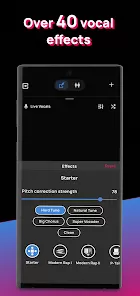
- Wide range of vocal effects including harmony, reverb, and vocoder.
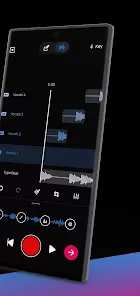
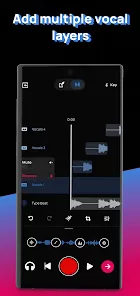
- Supports recording with beats and layering multiple vocal tracks.
- Automatic key and scale detection for easy tuning.
- Export high-quality audio files to share or use in projects.
- Mobile app enables recording anywhere, anytime.
- Cons:
- Some advanced features and effects require a paid subscription.
- Limited editing capabilities compared to professional DAWs (Digital Audio Workstations).
- Latency issues may occur on some devices during live processing.
- Occasional glitches or crashes reported in complex sessions.
- Auto-tune effect can sound artificial if overused.
- Requires internet connection for certain features and updates.
Key Features
- Auto-Tune and Pitch Correction: Corrects pitch in real time to keep vocals in tune.
- Harmony Generation: Automatically creates harmonies based on the song’s key.
- Beat Library: Access a collection of beats to record vocals over or import your own.
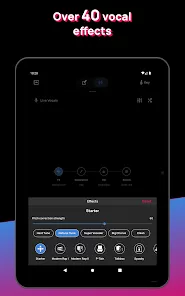
- Multiple Vocal Effects: Includes vocoder, reverb, delay, and more for creative sound shaping.
- Key and Scale Detection: Identifies the musical key and scale for accurate tuning.
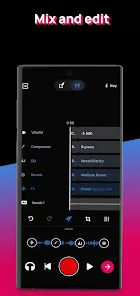
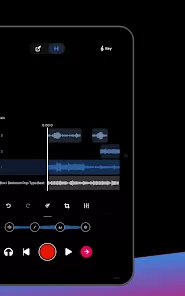
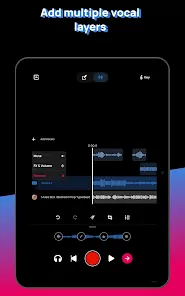
- Layering: Record and mix multiple vocal tracks within the app.
- Export Options: Save recordings in high-quality audio formats for sharing or further editing.
- Simple Interface: Intuitive layout designed for quick access to essential tools.
- Cross-Platform Availability: Available on both iOS and Android devices.
- Live Performance Mode: Use Voloco as a real-time vocal processor for performances.
Functions
- Real-Time Vocal Processing: Apply pitch correction and effects while recording or performing live.
- Beat Playback: Play beats within the app to sing or rap along with.
- Record and Playback: Capture vocal performances and listen back instantly.
- Automatic Tuning: Detects key and scale, tuning vocals accordingly for seamless integration.
- Effects Application: Add reverb, vocoder, delay, and other effects for enhanced sound.
- Layered Recording: Stack multiple vocal tracks to create harmonies and complex arrangements.
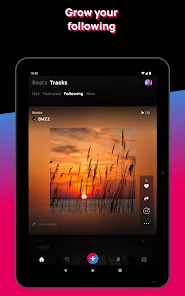
- Audio Export: Save recordings locally or share via social media and messaging apps.
- Preset Selection: Choose from various auto-tune presets or customize settings to taste.
- Settings Adjustment: Control effect intensity, tuning speed, and harmony intervals.
- Integration with Other Apps: Export recordings for use in professional editing software.
How to Use Voloco: Auto Vocal Tune Studio
- 1. Download and Install: Get Voloco from the Apple App Store or Google Play Store.
- 2. Launch the App: Open Voloco and grant microphone permissions for recording.
- 3. Choose a Beat: Select a beat from the built-in library or upload your own track.
- 4. Set Key and Scale: Let the app auto-detect or manually select the key and scale for your song.
- 5. Select Vocal Effects: Pick from presets like Auto-Tune, Harmony, Vocoder, or customize your own effect.
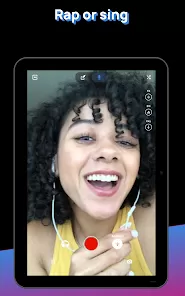
- 6. Start Recording: Press the record button and perform your vocals over the beat.
- 7. Layer Vocals: Add multiple vocal tracks by recording additional takes and harmonies.
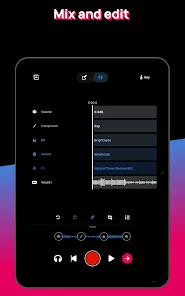
- 8. Adjust Effects: Modify effect intensity, tuning speed, or harmony settings for desired sound.
- 9. Playback and Review: Listen to your recordings and make any necessary adjustments.
- 10. Export and Share: Save your final track as an audio file or share it directly on social media.
- 11. Upgrade for More Features: Consider subscribing to unlock premium effects and unlimited recordings.
- 12. Experiment and Practice: Use Voloco regularly to improve vocal skills and explore creative ideas.



 0
0