Amazon Shopping is the official mobile application of Amazon.com, one of the world’s largest and most comprehensive online marketplaces. It allows users to browse, search, and purchase millions of products across various categories including electronics, fashion, home goods, books, groceries, and much more. The app brings the entire Amazon shopping experience to the palm of your hand, making it easy and convenient to shop anytime, anywhere. With personalized recommendations, secure payment options, and fast delivery services, Amazon Shopping is designed to simplify online shopping and enhance user convenience.
Pros and Cons
Pros:
Access to a vast product selection across numerous categories.
Convenient and fast shopping experience with user-friendly navigation.
Personalized recommendations based on browsing and purchase history.
Secure payment options including credit cards, debit cards, and Amazon Pay.
Features like one-click purchasing and saved payment methods streamline checkout.
Integration with Amazon Prime offers benefits such as free shipping and exclusive deals.
Order tracking and delivery notifications keep users informed.
Customer reviews and ratings assist in making informed purchase decisions.
Cons:
Some sellers may have variable product quality or delivery reliability.
Can be overwhelming due to the sheer volume of products and options.
Not all products are eligible for Prime shipping, which may result in longer wait times.
Occasional technical glitches or slow app performance during peak times.
Return policies vary by seller, which can complicate returns and refunds.
Heavy dependence on internet connectivity for browsing and purchasing.
Key Features
Comprehensive product catalog with millions of items in diverse categories.
Personalized home screen and product recommendations.
One-click purchasing and easy checkout process.
Secure payment options including saved credit/debit cards and Amazon Pay.
Order tracking with real-time delivery updates and estimated arrival times.
Customer reviews, star ratings, and Q&A sections for product insights.
Wish lists and gift registries for organizing desired products.
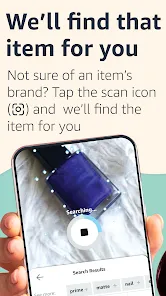
Barcode scanner to compare prices and check product details in-store.
Integration with Alexa for voice-assisted shopping.
Access to exclusive deals, discounts, and Prime member benefits.
Functions
Search and browse products by category, brand, price, and popularity.
View detailed product descriptions, images, specifications, and reviews.
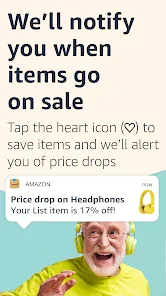
Add items to cart or wish list for future purchases.
Make purchases securely using multiple payment methods.
Track orders and receive notifications on shipping status.
Manage account settings, addresses, and payment methods.
Scan barcodes in-store to find products on Amazon for price comparison or reviews.
Access and redeem digital content such as Kindle books or Amazon Music.
Participate in Amazon’s loyalty programs and promotions.
How to Use Amazon Shopping
Click the button "Check All Versions" below to download and install it.
Step 1: Download and install the Amazon Shopping app from the Google Play Store or Apple App Store.
Step 2: Open the app and sign in with your existing Amazon account or create a new account.
Step 3: Use the search bar to find specific products or browse categories to explore options.
Step 4: Review product details, ratings, and customer reviews to make informed choices.
Step 5: Add desired items to your shopping cart or wish list.
Step 6: When ready, proceed to checkout, select a shipping address, and choose a payment method.
Step 7: Confirm your order and track its status through the app.
Step 8: Utilize features like barcode scanning for price comparisons and Alexa integration for voice commands.
Step 9: Manage your account, payment settings, and shipping addresses anytime within the app.
Step 10: Explore deals, promotions, and Amazon Prime benefits for a better shopping experience.







 0
0