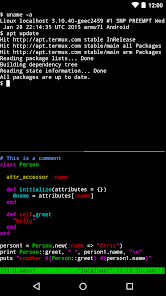
Coding Python is an educational and productivity app that allows users to learn, practice, and develop Python programming skills directly on mobile devices. Designed for beginners and advanced users alike, the app provides an interactive coding environment with syntax highlighting, error detection, and real-time code execution. It features guided lessons, challenges, and example projects to reinforce learning. Coding Python enables users to experiment with algorithms, data structures, and Python libraries, supporting hands-on learning without needing a desktop setup. Its intuitive interface, offline capabilities, and ability to save and share code make it a versatile tool for aspiring developers, students, and hobbyists looking to build programming proficiency efficiently.
Key Features
Interactive Python code editor with syntax highlighting.
Real-time code execution and output display.
Preloaded examples, templates, and mini-projects.
Step-by-step coding tutorials for beginners.
Error detection and debugging tools.
Offline support for coding without internet.
Ability to save, share, and export code projects.
Support for Python libraries and basic algorithm testing.
Pros & Cons
Ideal for learning Python on mobile devices.
Supports both beginners and intermediate coders.
Hands-on practice with real-time output feedback.
Portable and usable offline.
Mobile screen size may limit complex coding projects.
Advanced library support may be restricted.
Free version may include ads or limited features.
Some features may require in-app purchases for full access.
Functions
Allows writing and testing Python scripts on mobile devices.
Provides guided tutorials and coding exercises.
Supports debugging and error correction in real time.
Enables project creation and storage.
Teaches coding concepts like loops, functions, and data structures.
Facilitates sharing code with peers or mentors.
Supports learning algorithms and Python library usage.
Tracks progress across lessons and projects.
How to Use
Click the button "Check All Versions" below to download and install it.
Open the app and choose your learning level.
Follow tutorials or start a coding project.
Write Python code in the editor and run scripts.
Analyze outputs and debug errors.
Save or export your code projects.
Practice coding challenges to improve skills.
Track progress and complete exercises for mastery.

 505
505