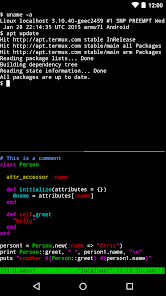
Hacker Keyboard is a utility keyboard app designed for Android devices, offering a full-featured keyboard experience similar to traditional computer keyboards. It provides all standard keys, symbols, and function keys, making it ideal for programmers, developers, and power users who need more comprehensive input options. The app supports custom layouts, multiple languages, and fast typing with familiar key arrangements. It is particularly useful when using terminal emulators, coding apps, or text editors on mobile devices, allowing users to access keys that are normally unavailable on standard mobile keyboards.
Key Features
Full keyboard layout with all symbols and function keys.
Supports multiple languages and layouts.
Customizable keyboard themes and appearance.
Optimized for coding, terminal emulation, and advanced input.
Lightweight and responsive with minimal lag.
Optional key vibration and feedback settings.
Pros & Cons
Pros: Provides keys not available on default keyboards.
Pros: Highly customizable layouts for different user needs.
Pros: Ideal for coding and technical tasks on mobile devices.
Pros: Lightweight and easy to install.
Cons: Not beginner-friendly for casual users.
Cons: Appearance and design are basic.
Cons: Some features require manual configuration.
Functions
Enables access to function keys and symbols.
Supports typing in multiple languages.
Customizes key layouts for optimized productivity.
Integrates with apps requiring advanced input.
Improves efficiency for programmers and technical users.
How to Use
Click the button "Check All Versions" below to download and install it.
Open the app and enable Hacker Keyboard in settings.
Select your preferred keyboard layout and language.
Use it in coding apps, terminal emulators, or text editors.
Adjust settings like vibration and theme as needed.


 505
505