

What is Automatic Call Recorder Pro
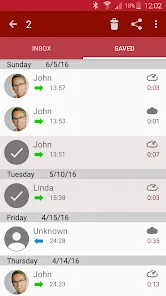
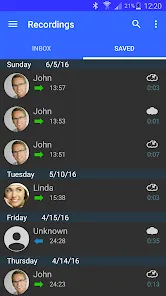
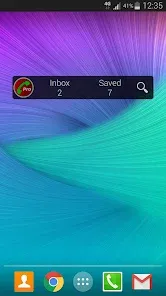
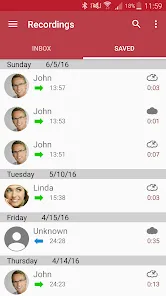
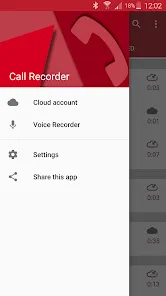
Automatic Call Recorder Pro is a mobile application designed to automatically record phone calls on Android devices. It provides users with an easy and reliable way to save important conversations without the need for manual activation during each call. This app caters to professionals, journalists, and anyone who wants to keep a record of their phone calls for legal, personal, or business reasons. Featuring a user-friendly interface, it offers high-quality audio recordings and various customization options, including automatic or manual recording modes, cloud backups, and different audio formats. The Pro version typically includes Advanced features like unlimited recording storage, no ads, and priority customer support, making it a popular choice for those who require dependable call recording solutions.
Pros & Cons
- Pros:
- Automatic recording of incoming and outgoing calls with minimal user effort.
- High-quality audio recordings with multiple format options (MP3, WAV, etc.).
- Cloud integration for backup and easy access to recordings (Google Drive, Dropbox).
- Easy to use interface suitable for beginners and professionals alike.
- Ability to exclude specific contacts or numbers from recording.
- Option to manually save or delete individual call recordings.
- Pro version offers ad-free experience and unlimited recording storage.
- Cons:
- Some Android devices or versions restrict call recording due to privacy policies.
- Occasional recording failures or low audio quality on certain phones.
- Requires access to phone permissions which may raise privacy concerns.
- Legal restrictions vary by region, so users must ensure compliance with laws.
- Cloud backup requires an internet connection and may consume data.
Key Features
- Automatic recording of all calls or selective recording based on contact lists.
- Multiple audio formats supported (MP3, WAV, AMR) for versatile playback.
- Cloud backup integration with Google Drive and Dropbox for secure storage.
- Smart filters to exclude unwanted calls or include only selected numbers.
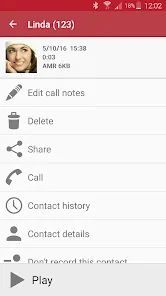
- Easy access to recordings with options to play, share, rename, or delete files.
- Customizable recording settings including audio source and recording quality.
- Playback speed control and in-app audio player for convenience.
- Lock important recordings to prevent accidental deletion.
Functions
- Automatic Call Recording: Automatically capture and save both incoming and outgoing calls without manual intervention.
- Contact-based Recording: Enable or disable recording for specific contacts or phone numbers to manage privacy.
- Cloud Backup: Synchronize call recordings to cloud services for secure access and data protection.
- File Management: Organize, rename, delete, and share recordings directly within the app.
- Audio Quality Control: Adjust recording formats and quality to balance storage and clarity.
- Playback Features: Listen to recordings inside the app with controls like pause, rewind, and speed adjustment.
- Security Options: Lock recordings to protect sensitive conversations from accidental removal.
- Notifications and Alerts: Receive reminders or alerts regarding recording status and storage limits.
How to Use Automatic Call Recorder Pro
- Download and install Automatic Call Recorder Pro from a trusted app store like Google Play.
- Open the app and grant necessary permissions, including access to your phone, microphone, and storage.
- Configure the settings by choosing whether to record all calls automatically or only selected contacts.
- Set your preferred audio format and recording quality based on your needs.
- Enable cloud backup by linking your Google Drive or Dropbox account for automatic synchronization.
- Make or receive phone calls normally; the app will record calls automatically according to your settings.
- After calls, access recorded files through the app’s interface where you can listen, rename, share, or delete recordings.
- Use the lock feature to safeguard important recordings from accidental deletion.
- Regularly review storage usage and manage backups to avoid running out of space.
- Stay informed of local laws regarding call recording to ensure compliance with privacy regulations.


 0
0