
Bird is a popular electric scooter sharing service designed to provide a convenient, eco-friendly transportation option in urban areas. Founded in 2017, Bird enables users to rent electric scooters on-demand via a mobile app, making short-distance travel faster and more sustainable. The service aims to reduce car usage, alleviate traffic congestion, and lower carbon emissions by offering an alternative mode of transport. Bird scooters are typically dockless, allowing riders to pick up and drop off scooters anywhere within designated zones. The app offers real-time scooter availability, maps, and payment options. Bird has expanded globally and has become a favored choice for commuters, tourists, and city dwellers seeking quick and affordable mobility solutions.
Pros and Cons
Pros:
Environmentally friendly alternative to cars and public transport.
Convenient, on-demand access to scooters via mobile app.
Reduces traffic congestion and parking hassles in cities.
Affordable compared to taxis or ride-hailing services for short trips.
Easy to use with GPS-based scooter location and unlocking.
Encourages active outdoor mobility and last-mile connectivity.
Dockless system provides flexibility in scooter pick-up and drop-off.
Cons:
Limited range and speed compared to other transport options.
Safety concerns including accidents and lack of helmet usage.
Availability can be inconsistent depending on location and time.
Occasional maintenance issues with scooters affecting ride quality.
Weather-dependent usability—less practical in rain or snow.
Regulatory restrictions in some cities limit service areas.
Costs can add up for frequent users if not subscribing to plans.
Key Features
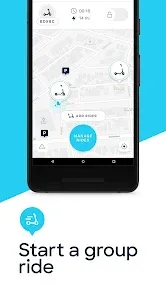
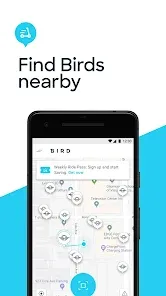
App-based scooter rental with real-time GPS location and availability.
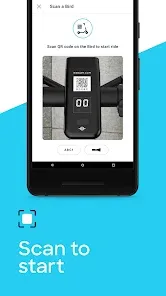
Easy unlocking and locking of scooters via QR code scanning.
Flexible, dockless system allowing drop-off almost anywhere within service zones.
Automatic billing with transparent pricing and payment via the app.
Built-in speed limiters and safety features for rider protection.
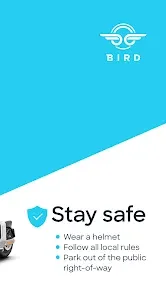
Helmet reminders and safety guidelines integrated into the app.
Ride history and trip tracking available in user accounts.
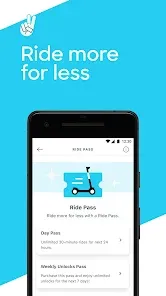
Subscription plans and promotions for frequent riders.
Customer support and incident reporting within the app.
Global presence with multiple cities supported across North America, Europe, and beyond.
Functions
Provides short-distance transportation solutions in urban areas.
Enables users to locate and rent electric scooters via a smartphone app.
Supports contactless payments and digital invoicing.
Tracks rides for billing, safety, and performance analysis.
Offers navigation assistance to help users find scooters and optimal routes.
Promotes sustainable and low-emission mobility alternatives.
Facilitates last-mile connectivity, bridging gaps between transit stops and destinations.
Monitors scooter status for maintenance and safety purposes.
Allows users to report issues or unsafe conditions directly through the app.
Enables community engagement through rewards and referral programs.
How to Use Bird
Step 1: Download and install the Bird app from Google Play Store or Apple App Store.
Step 2: Create an account by signing up with your email or social media.
Step 3: Enable location services on your smartphone to find nearby scooters.
Step 4: Use the app’s map to locate available Bird scooters near you.
Step 5: Walk to your chosen scooter and scan the QR code on its handlebar to unlock it.
Step 6: Follow safety guidelines, wear a helmet if available, and start your ride.
Step 7: Control the scooter using the throttle and brakes; adhere to traffic rules.
Step 8: When you reach your destination, park the scooter responsibly within allowed zones.
Step 9: End your ride by locking the scooter through the app, which will automatically bill your account.
Step 10: Review your ride summary and manage your account settings or payment options as needed.



 0
0