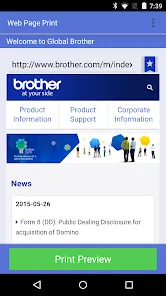
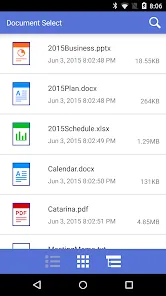
Brother iPrint&Scan is a mobile and desktop application created by Brother Industries to simplify everyday printing and scanning tasks for home and office users. The app connects smartphones, tablets, and computers directly to compatible Brother printers and scanners over wireless or USB networks. It allows users to print documents, photos, emails, and web pages without complex driver setup. Scanning becomes faster because files can be captured, previewed, edited, and saved in common formats instantly. With a clean interface and guided controls, the app reduces technical barriers. It is designed for convenience, efficiency, and reliable device communication across different operating systems. Regular updates ensure stability, security, and compatibility, helping users manage workflows confidently while maintaining consistent output quality every day worldwide.
Key Features
Wireless printing support that enables users to send print jobs directly from smartphones, tablets, or computers without connecting cables.
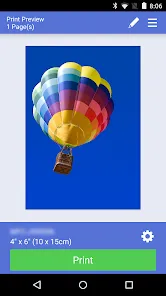
High-quality photo printing with adjustable settings for paper size, color mode, and layout, ensuring visually accurate results.
Integrated scanning tools that allow users to scan documents and images directly to their devices in formats such as PDF, JPEG, or PNG.
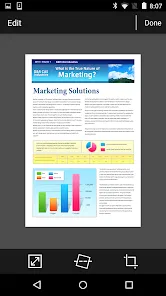
Document preview options that help users review scanned files before saving or sharing them.
Cloud connectivity support, allowing scanned documents to be saved to popular cloud services for easy access and backup.
User-friendly interface designed to reduce learning time for first-time users while remaining efficient for experienced users.
Compatibility with a wide range of Brother printers and scanners, covering both home and professional models.
Customizable print settings that let users adjust resolution, brightness, and contrast for better output control.
Secure device connection features that help protect data during wireless printing and scanning tasks.
Cross-platform availability for Android, iOS, Windows, and macOS systems, ensuring flexible usage.
Pros & Cons
Pro: Simple installation process that does not require advanced technical knowledge, making it accessible to most users.
Pro: Stable performance when connected to compatible Brother devices, even during frequent daily use.
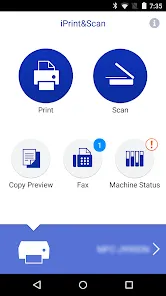
Pro: Time-saving workflow by combining printing and scanning functions within a single application.
Pro: Clean layout and clear icons that reduce confusion and improve overall usability.
Pro: Reliable wireless connectivity that minimizes the need for physical connections.
Con: Limited functionality when used with non-Brother printers or scanners.
Con: Advanced editing features for scanned documents are basic compared to dedicated document management software.
Con: Occasional connection delays may occur in environments with weak or unstable networks.
Con: Some older printer models may not support all available features.
Con: Customization options for professional print workflows are somewhat limited.
Functions
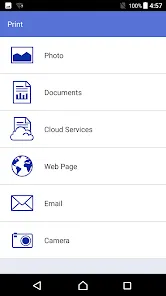
Printing documents directly from local storage, emails, or supported applications without exporting files manually.
Scanning physical documents and images into digital formats for archiving or sharing.
Adjusting print layouts, including orientation, scaling, and paper selection.
Enhancing scanned images by adjusting brightness, contrast, and sharpness.
Saving scanned files to local storage, cloud platforms, or email destinations.
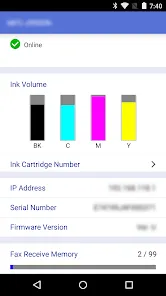
Managing multiple Brother devices within the same network from a single interface.
Supporting batch scanning for handling multi-page documents efficiently.
Providing real-time status updates for print and scan jobs.
Allowing quick reprints of previously used files without reconfiguration.
Facilitating smooth communication between devices to reduce errors and interruptions.
How to Use
Click the button "Check All Versions" below to download and install it.
Install Brother iPrint&Scan on your device and ensure your Brother printer or scanner is powered on.
Connect your device and printer to the same wireless network or use a USB connection if supported.
Launch the app and allow necessary permissions for device discovery and file access.
Select your Brother printer or scanner from the detected device list.
Choose whether you want to print or scan, then select the relevant file or document.
Adjust settings such as paper size, color mode, or scan resolution based on your needs.
Preview the output to confirm accuracy before starting the task.
Tap the print or scan button and wait for the process to complete.
Save, share, or reprint the output as required.
Close the app or continue with additional tasks using the same connected device.


 0
0