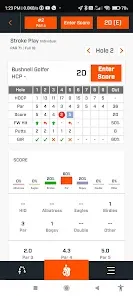
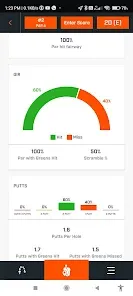
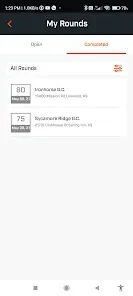
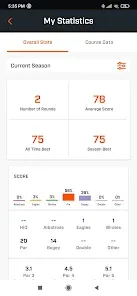
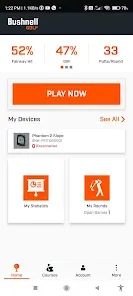
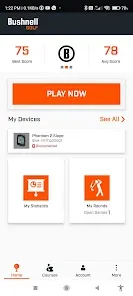
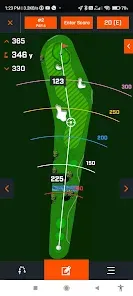
Bushnell Golf Mobile is a comprehensive golf app designed to enhance the experience of golfers of all skill levels. Developed by Bushnell, a trusted name in golf optics and technology, this app provides GPS distances, digital scorecards, and shot tracking features to help players improve their game. The app includes detailed course maps for thousands of golf courses worldwide and integrates with Bushnell golf devices for enhanced performance insights. Whether playing casually or competitively, users benefit from real-time data such as yardages, hazard locations, and statistical analysis, helping to make informed decisions on the course. Bushnell Golf Mobile is a versatile tool that combines convenience with advanced technology to support golfers' progress.
Pros & Cons
Pros:
Accurate GPS distance measurements on thousands of courses worldwide.
Intuitive digital scorecard with easy shot tracking and statistics.
Integration with Bushnell golf devices for enhanced data and swing analysis.
Ability to track shots, putts, and overall performance metrics.
User-friendly interface suitable for beginners and advanced golfers.
Regular course updates and database expansions.
Offline functionality after downloading course data.
Cons:
Some features require a subscription or in-app purchases.
GPS accuracy can vary depending on device and signal strength.
Occasional glitches reported during shot tracking or syncing with devices.
Limited compatibility with non-Bushnell golf devices.
Battery consumption can be high during extended use.
May have a learning curve for first-time users.
Key Features
GPS Distance Measurement: Provides precise yardages to greens, hazards, and targets.
Digital Scorecard: Easy-to-use score tracking with support for multiple players.
Shot Tracking: Record shot locations and distances for detailed round analysis.
Statistics & Insights: Track putting, fairways hit, greens in regulation, and more.
Course Database: Access maps and data for over 35,000 courses worldwide.
Device Integration: Sync with Bushnell rangefinders and GPS watches.
Offline Mode: Download course data to use without internet connection.
Leaderboard and Social Features: Compare scores and share rounds with friends.
Interactive Course Maps: Visual layouts to assist with course management and shot planning.
Customizable Settings: Adjust units, scoring formats, and notifications.
Functions
Distance Calculation: Measures exact distances to front, center, and back of greens as well as hazards.
Scorecard Management: Record scores in real time, including strokes, putts, and penalties.
Shot Logging: Log each shot’s location and distance for post-round review.
Performance Tracking: Analyze trends in fairways hit, greens in regulation, and putting accuracy.
Course Navigation: Use digital maps to plan shots and avoid hazards efficiently.
Device Syncing: Connect with Bushnell devices to enhance data accuracy and add features.
Offline Accessibility: Access course info and GPS data without needing a cellular connection.
Sharing & Leaderboards: Share your round details and compete with friends or other users.
Notifications & Reminders: Get alerts for tee times and game pace.
Customization: Set personal preferences for units, scoring, and display options.
How to Use Bushnell Golf Mobile
1. Download and Install: Get Bushnell Golf Mobile from the Apple App Store or Google Play Store.
2. Create an Account: Sign up or log in to access personalized features and sync data.
3. Download Course Data: Select your golf course and download its map for offline use.
4. Start a New Round: Enter player details and begin recording your scores and shots.
5. Use GPS for Distances: Use the app’s GPS to get accurate yardages to greens and hazards.
6. Track Shots: Log each shot by marking its location on the course map for detailed analysis.
7. Analyze Statistics: Review performance metrics such as putts, fairways hit, and scoring averages.
8. Sync Devices: Connect compatible Bushnell devices for enhanced data and real-time updates.
9. Share Results: Share your scores and rounds with friends or on social media platforms.
10. Review and Improve: Use collected data to identify strengths and areas for improvement.
11. Customize Settings: Adjust units, notifications, and display preferences to suit your style.
12. Keep Updated: Regularly update the app and course data for best performance and features.


 0
0