What is Carly — OBD2 Car Scanner; Pros and Cons; Key Features; Functions; How to Use
What is Carly — OBD2 Car Scanner
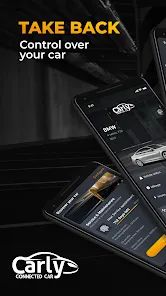
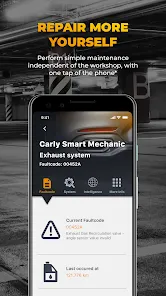
Carly is a mobile application paired with an OBD2 adapter that allows car owners to diagnose, monitor, and maintain their vehicles efficiently. Designed for both professional mechanics and car enthusiasts, Carly provides detailed insights into engine health, fault codes, and live sensor data. It supports a wide range of car brands and models, enabling users to perform advanced diagnostics, reset service intervals, and even customize certain vehicle settings through coding features. The app displays real-time vehicle performance metrics and generates comprehensive reports, helping users prevent costly repairs. Available for iOS and Android, Carly simplifies car maintenance, giving drivers greater control over their vehicle’s health, performance, and customization.
Pros and Cons
- Pros:
- Accurate diagnostic reading of engine faults and OBD2 codes.
- Supports multiple car brands and models with extensive compatibility.
- Provides live sensor data and real-time performance monitoring.
- Allows resetting service intervals and other maintenance tasks.
- Vehicle customization and coding features for supported models.
- User-friendly interface suitable for both beginners and professionals.
- Generates detailed reports for easier vehicle analysis.
- Reduces the need for frequent visits to professional garages.
- Cons:
- Advanced features may require premium subscription.
- Not all features are available for every car brand or model.
- Requires a compatible OBD2 adapter for proper functionality.
- Learning curve for vehicle coding and advanced diagnostics.
- App performance depends on smartphone compatibility and hardware.
- Some error codes may still require professional interpretation.
Key Features
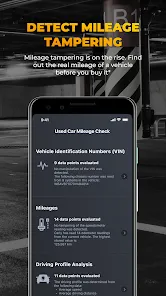
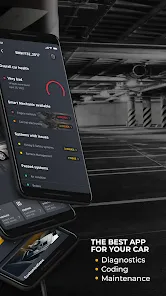
- Full OBD2 diagnostics and fault code reading for engines and systems.
- Live data visualization for sensors, performance metrics, and fuel consumption.
- Service reset tools for oil, brake, and inspection intervals.
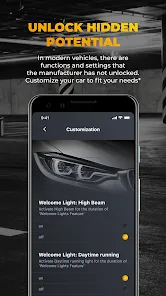
- Advanced vehicle coding and customization for supported models.
- Comprehensive reports with analysis and recommendations.
- Compatibility with multiple car brands and OBD2-enabled vehicles.
- Real-time monitoring of engine health and performance parameters.
- Easy-to-use interface optimized for mobile devices.
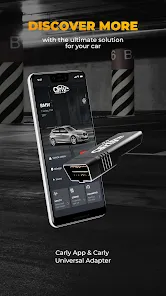
- Integration with Carly adapter for plug-and-play diagnostics.
- Offline functionality for previously scanned data and reports.
Functions
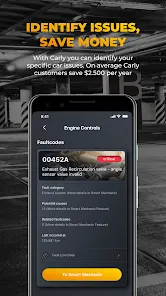
- Scan engine and vehicle systems to detect faults and error codes.
- Monitor live sensor data including RPM, temperature, and fuel consumption.
- Reset maintenance and service intervals for routine car care.
- Customize certain vehicle settings through coding features.
- Generate diagnostic reports for personal records or mechanic use.
- Track vehicle performance over time to identify potential issues.
- Provide insights to reduce repair costs and optimize car health.
- Share diagnostic results with garages or fellow car enthusiasts.
- Manage multiple cars and maintain logs for each vehicle.
- Receive updates and recommendations for supported car models.
How to Use Carly — OBD2 Car Scanner
- Download the Carly app from the App Store or Google Play Store.
- Purchase a compatible Carly OBD2 adapter and plug it into your car’s OBD2 port.
- Pair the adapter with your smartphone via Bluetooth or Wi-Fi.
- Open the app and select your car’s brand and model for proper compatibility.
- Run a full diagnostic scan to check for error codes and vehicle health.
- View live data from sensors to monitor engine performance and fuel usage.
- Use service reset options to update maintenance schedules after repairs.
- Access vehicle coding features to customize settings where supported.
- Save and export diagnostic reports for personal reference or professional use.
- Regularly update the app and adapter firmware to access the latest features.

 0
0