What is Dots Iconpack; Pros and Cons; Key Features; Functions; How to Use
What is Dots Iconpack
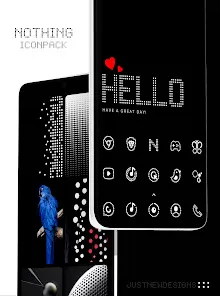
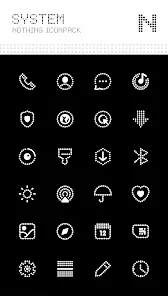
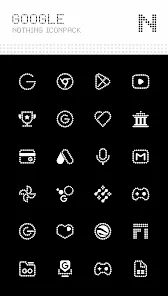
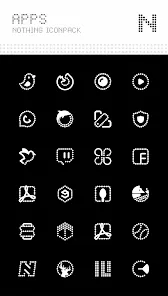
The Dots Iconpack is a minimalist design collection that brings a clean and modern touch to Android home screens. It features circular icons with flat, simple visuals that blend seamlessly across themes and wallpapers. Designed for users who value consistency and simplicity, Dots Iconpack replaces standard app icons with neatly designed dots that enhance visual harmony without clutter. The pack supports many popular launchers and offers regular updates to include new app icons. Whether you prefer a subtle aesthetic or a stylish, unified interface, Dots Iconpack provides a refreshing way to personalize your smartphone’s appearance.
Pros and Cons
Pros
- Clean and minimalist circular design suitable for any wallpaper.
- Uniform icon shapes create a neat and balanced layout.
- Regular updates ensure support for new apps.
- Compatible with most popular Android launchers.
- High-resolution icons with smooth edges and consistent colors.
- Lightweight installation that doesn’t affect phone performance.
Cons
- Some lesser-known apps may not have matching icons yet.
- Requires a compatible launcher for full functionality.
- Customization options are limited compared to dynamic icon packs.
- Premium features might require an in-app purchase.
Key Features
- Minimalist Design: Simple circular icons with balanced color tones.
- High Quality: Crisp vector-based icons optimized for modern displays.
- Wide Compatibility: Works with major launchers like Nova, Apex, and Smart Launcher.
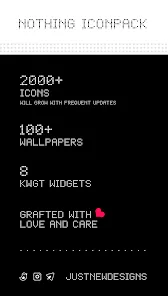
- Frequent Updates: New icons added regularly for emerging apps.
- Dynamic Calendar Support: Automatically updates date icons for calendar apps.
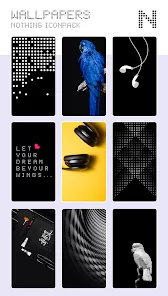
- Custom Wallpapers: Includes matching backgrounds to complete the look.
- Cloud-Based Icon Request: Users can suggest missing app icons easily.
Functions
- Icon Replacement: Replaces default app icons with matching minimalist versions.
- Launcher Integration: Compatible with third-party Android launchers for customization.
- Dynamic Icons: Supports changing icons like calendar or clock automatically.
- Customization Options: Allows resizing and adjusting icon shapes within launcher settings.
- Cloud Updates: Keeps icon pack up-to-date through online synchronization.
- Search Feature: Lets users find specific icons quickly within the app.
How to Use
- Download and install Dots Iconpack from the Google Play Store.
- Open your preferred launcher’s settings menu.
- Navigate to the “Look & Feel” or “Icon Style” section.
- Select Dots Iconpack from the list of available icon packs.
- Apply the theme to update all supported app icons instantly.
- If desired, request missing icons directly through the app’s request tool.



 0
0