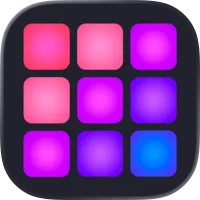
Drum Pad Machine - Beat Maker is a music production app designed for creating beats, rhythms, and electronic music directly on mobile devices. It provides a virtual drum pad interface that allows users to trigger sounds, samples, and loops easily. The app supports real-time recording, layering multiple tracks, and adjusting tempo and effects for customized beats. Suitable for beginners and experienced producers alike, Drum Pad Machine - Beat Maker encourages experimentation, creativity, and practice in music composition. With high-quality sounds, intuitive controls, and sharing options, it offers a complete beat-making experience for hobbyists, performers, and aspiring music creators.
Key Features
Interactive drum pad interface for live beat creation.
Wide library of sounds, samples, and loops.
Real-time recording and track layering.
Customizable tempo, pitch, and effects.
Pre-made beat templates for inspiration.
Export audio for sharing or production.
Multi-touch support for complex rhythms.
Looping and repeat functions.
Simple and intuitive layout.
Regular content updates with new sounds.
Pros & Cons
Pros:
Easy to use for beginners.
Supports creative beat experimentation.
High-quality sound options.
Allows recording and exporting tracks.
Fun and interactive interface.
Cons:
Advanced features may require in-app purchase.
Limited sample variety in free version.
Touchscreen precision can affect performance.
Requires headphones for best audio experience.
Functions
Triggers sounds and samples using virtual drum pads.
Records beats in real time.
Layers multiple tracks for complex compositions.
Adjusts tempo, pitch, and effects.
Plays loops and pre-made beat patterns.
Exports finished tracks to audio files.
Saves favorite beats for later use.
Allows sharing creations with others.
How to Use
Click the button ""Check All Versions"" below to download and install it.
Open the app and select a beat template or empty project.
Tap drum pads to trigger sounds and create a rhythm.
Layer tracks to build complex beats.
Adjust tempo, pitch, and effects as desired.
Record your session for playback.
Export or share your finished track.
Save projects for future editing.

 0
0