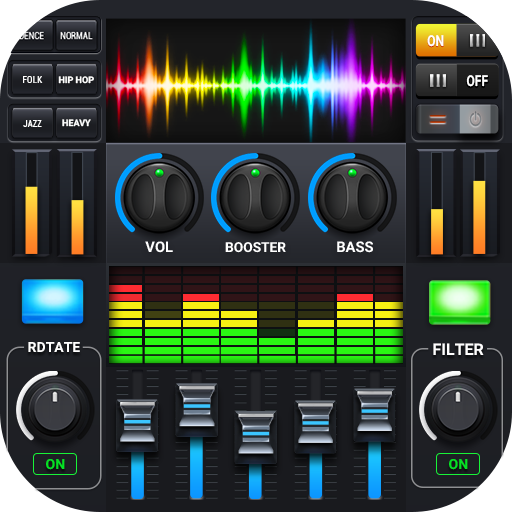
Equalizer – Bass Booster & Volume is an audio enhancement app designed to improve sound quality and provide users with greater control over their music listening experience. The app features a powerful equalizer with multiple preset modes, bass booster settings, and a volume amplifier, allowing users to adjust audio output to suit their preferences. Compatible with most music players and streaming apps, it enhances both headphones and speaker output. Users can customize frequency bands, choose from visual audio effects, and optimize sound for different genres. Equalizer – Bass Booster & Volume caters to audiophiles and casual listeners alike, offering a user-friendly interface that makes managing audio settings straightforward and enjoyable.
Key Features
5 or more band equalizer for precise sound customization.
Bass booster to enhance low-frequency audio output.
Volume amplifier to increase overall sound intensity.
Predefined presets for various music genres.
Real-time visual audio effects and spectrum analyzer.
Compatible with popular music players and streaming apps.
Headphone and speaker optimization settings.
Customizable user interface with themes and layouts.
Save and manage personal audio presets.
Lightweight and optimized for minimal battery consumption.
Pros & Cons
Pros:
Significant improvement in audio quality for music and videos.
Customizable equalizer allows personalized listening experience.
Easy-to-use interface with intuitive controls.
Supports various audio output devices including headphones and speakers.
Presets make it simple to optimize sound quickly.
Cons:
Excessive bass or volume amplification may distort sound on some devices.
Some advanced features may require in-app purchases.
Limited functionality on certain streaming apps due to device restrictions.
May drain battery faster when high volume or visual effects are used.
Functions
Enhances audio playback with adjustable equalizer settings.
Boosts bass for richer, deeper sound experience.
Amplifies volume for clearer, louder playback.
Applies presets for different music genres automatically.
Displays real-time audio visualizations and spectrum.
Optimizes output for headphones or external speakers.
Allows saving and switching between custom audio profiles.
Integrates seamlessly with most media and streaming apps.
How to Use
Click the button “Check All Versions” below to download and install it.
Open the app and allow necessary audio permissions.
Select a preset mode or manually adjust the equalizer sliders.
Activate the bass booster or volume amplifier if desired.
Play music from your favorite music player or streaming app.
Adjust settings in real-time while listening for optimal sound.
Save your preferred configuration as a custom preset.
Switch between presets quickly depending on music or device.


 0
0