
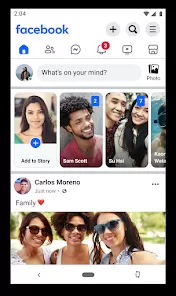
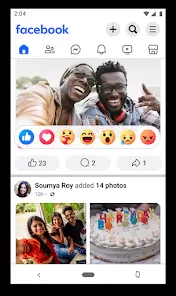
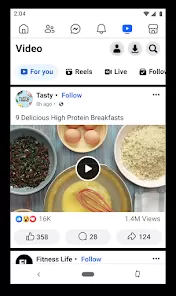
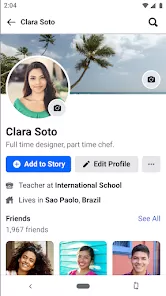
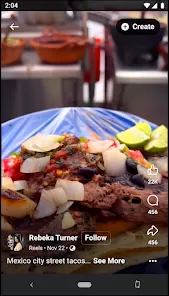
Facebook Lite is a streamlined version of the popular Facebook app designed for smartphones with limited storage, lower processing power, or slow internet connections. It delivers the core Facebook experience—news feed, messaging, notifications, and posting updates—while using minimal data and operating efficiently on 2G networks. Developed by Facebook Inc., the app prioritizes speed and reliability over advanced multimedia features. Despite its lightweight design, it allows users to stay connected with friends and family, engage with groups, and access notifications quickly. Facebook Lite is ideal for users in emerging markets or those who prefer a faster, data-efficient social media experience without sacrificing essential functionality.
Pros and Cons
Pros:
Consumes less storage space and memory compared to the full Facebook app.
Optimized for slower internet connections and low-end devices.
Faster loading times and reduced data usage.
Provides core Facebook functions like posting, messaging, and notifications.
Compatible with older Android devices and limited hardware.
Cons:
Lacks advanced features like high-quality video streaming and Stories effects.
Interface is simpler and less visually appealing than the standard app.
Some Facebook functions may be limited or slower to update.
Notifications may not be as responsive as the full app.
Fewer multimedia and interactive options compared to the main Facebook app.
Key Features
Access to news feed and timeline with friends’ updates.
Messaging support integrated with Facebook Messenger Lite.
Post status updates, photos, and links efficiently.
Notifications for likes, comments, and friend requests.
Group and page management features for community engagement.
Search functionality for friends, pages, and groups.
Low data usage with optimized performance for 2G or slow connections.
Lightweight installation size suitable for devices with limited storage.
Functions
Allows users to stay connected with friends and family in real-time.
Facilitates sharing of posts, photos, videos, and links efficiently.
Supports group discussions and participation in communities.
Provides instant notifications for social interactions.
Enables event creation and RSVP tracking for social gatherings.
Integrates with Messenger Lite for quick messaging without heavy data usage.
Allows following of pages, interests, and trending topics.
Maintains Facebook’s core functionalities while minimizing device resource usage.
How to Use Facebook Lite
Click the button "Check All Versions" below to download and install it.
Download Facebook Lite from the Google Play Store or official sources.
Install the app and log in with your Facebook credentials.
Browse your news feed to view posts from friends, pages, and groups.
Use the post button to share status updates, photos, or links.
Access Messenger Lite to chat with friends individually or in groups.
Enable notifications to receive alerts for likes, comments, and friend requests.
Search for friends, pages, or groups using the search bar.
Customize settings to manage privacy, notifications, and data usage preferences.



 0
0