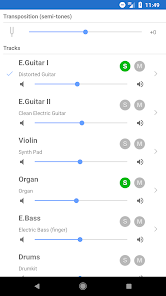
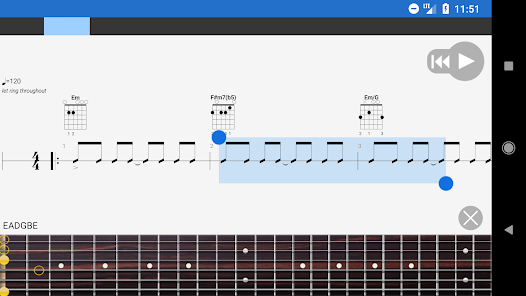
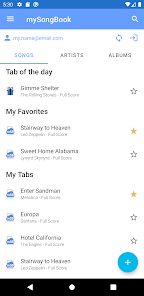
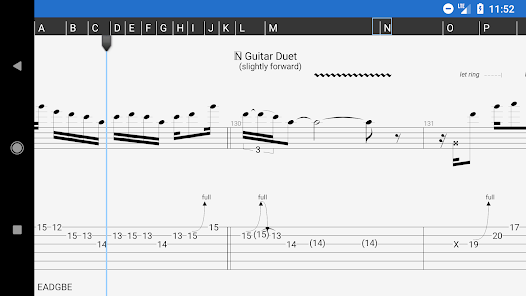
Guitar Pro is a versatile music application designed for guitarists, bassists, and other musicians to compose, edit, and learn musical scores. It provides interactive tablature, standard notation, and chord diagrams, allowing users to visualize music accurately. The app supports multiple instruments, making it useful for arranging full band compositions. Users can play back their compositions with realistic instrument sounds, adjust tempo, and loop sections for practice. Guitar Pro also offers tools for transposing, creating backing tracks, and exporting files in various formats. By combining notation, practice, and composition features in one platform, Guitar Pro helps musicians improve skills, compose original music, and collaborate efficiently with others.
Key Features
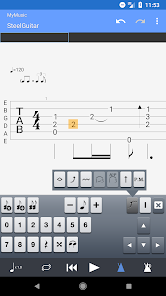
Interactive tablature and standard notation support.
Playback with realistic instrument sounds.
Multi-instrument composition and arrangement.
Tempo adjustment and looping for practice.
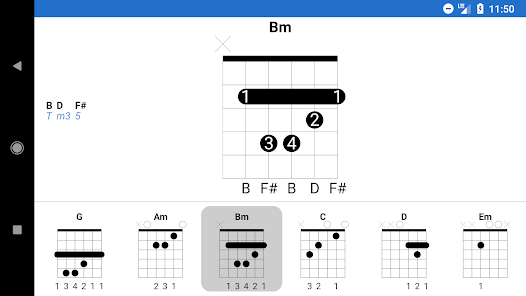
Chord and scale library for reference.
Export to multiple formats including MIDI and PDF.
Transposition tools for different keys.
Backing track creation for practice.
Customizable interface and sheet music display.
Regular updates with new features and sound banks.
Pros & Cons
Pros:
Comprehensive music composition tools.
Interactive playback aids learning and practice.
Supports multiple instruments for full arrangements.
Export options simplify sharing and printing.
User-friendly for both beginners and advanced musicians.
Cons:
Some features are complex for beginners.
Premium version required for full functionality.
Initial learning curve for advanced editing tools.
Functions
Displays and edits tablature and standard notation.
Plays back compositions with realistic sounds.
Adjusts tempo and loops sections.
Transposes music to different keys.
Manages chords, scales, and riffs.
Exports files to MIDI, PDF, or audio formats.
Creates backing tracks and accompaniments.
How to Use
Click the button ""Check All Versions"" below to download and install it.
Open the app and select a new project or existing file.
Add or edit notes using tablature or notation tools.
Use playback to review sections and practice.
Loop and adjust tempo for focused practice.
Export or share compositions as needed.
Save your project for future editing.


 0
0