



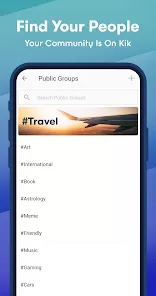




What is Kik — Messaging & Chat App; Pros and Cons; Key Features; Functions; How to Use
Kik is a free messaging and chat application designed primarily for smartphones, enabling users to connect and communicate through text, images, videos, and more. Launched in 2010, Kik gained popularity especially among younger audiences due to its anonymity features — users sign up with just an email and username without requiring a phone number. The app supports one-on-one chats, group messaging, and includes multimedia sharing capabilities. With its built-in web browser and bot integration, Kik offers an interactive social experience beyond simple messaging. Known for privacy and ease of use, Kik continues to attract millions worldwide who prefer quick, casual conversations in a lightweight and fun environment.
Pros and Cons
- Pros:
- Does not require a phone number, only an email and username to sign up, enhancing privacy.
- Supports anonymous chatting, which appeals to users wanting discretion.
- Offers group chats with multiple participants.
- Allows sharing of multimedia including photos, videos, gifs, and sketches.
- Includes fun features like chatbots and in-app browser for extended interaction.
- Available for both iOS and Android platforms with a simple interface.
- Cons:
- Lacks end-to-end encryption, which raises privacy concerns for sensitive conversations.
- Because of anonymity, some users misuse the platform, leading to safety concerns.
- Has been criticized for being a platform where cyberbullying can occur.
- Limited video and voice calling capabilities compared to other apps.
- App moderation and reporting tools are sometimes considered insufficient.
Key Features
- Username-based registration without needing phone numbers.
- One-on-one and group chat capabilities.
- Multimedia sharing: photos, videos, GIFs, emojis, and sketches.
- Chatbots integrated for games, news, and interactive experiences.
- Built-in web browser to explore links without leaving the app.
- Customizable chat themes and notifications.
- Read receipts and typing indicators for real-time interaction.
- Profile personalization with avatars and status updates.
Functions
- Send and receive instant text messages with friends or groups.
- Share multimedia content easily within chats.
- Interact with chatbots for entertainment, information, or services.
- Browse the internet directly within the app using the built-in browser.
- Manage contacts by searching for usernames instead of phone contacts.
- Customize notifications and chat appearance for personalized experience.
- Report and block users to maintain safety within the app environment.
How to Use
- Download the App: Install Kik from the Apple App Store or Google Play Store on your smartphone.
- Create an Account: Sign up with your email and choose a unique username; no phone number required.
- Find Friends: Search for contacts by username or scan Kik codes to add friends quickly.
- Start Chatting: Open a chat window to send text messages, images, videos, or GIFs.
- Create Group Chats: Add multiple users to a single conversation for group messaging.
- Explore Bots: Use the Discover section to find chatbots for games, quizzes, and info services.
- Customize Settings: Adjust notification preferences, chat themes, and privacy settings.
- Stay Safe: Use the block and report features to manage unwanted interactions or harassment.



 0
0