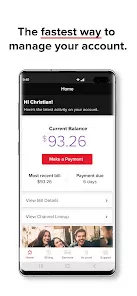
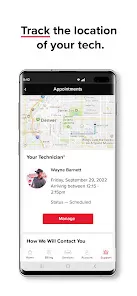
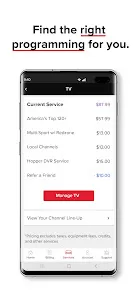
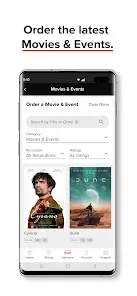
MyDISH is a user-friendly mobile and web application designed to enhance the experience of DISH Network subscribers. It serves as a convenient platform for managing TV services, accessing on-demand content, scheduling recordings, and controlling the DISH receiver remotely. The app integrates live TV streaming, guide navigation, and account management into one interface, allowing users to watch their favorite shows anytime, anywhere. It also supports parental controls, DVR scheduling, and alerts for upcoming programs. MyDISH simplifies the interaction with DISH's vast content library while providing a seamless way to personalize the viewing experience. It is compatible with multiple devices and ensures subscribers stay connected with their entertainment even when away from home.
Pros & Cons
Pros:
Convenient remote control and DVR management from mobile devices.
Access to live TV and on-demand content on the go.
Easy scheduling and modification of recordings remotely.
User-friendly interface with intuitive navigation.
Parental control features to restrict content for children.
Integration with DISH services for billing and account management.
Ability to set reminders and receive notifications for favorite shows.
Cons:
Streaming quality may depend heavily on internet connection.
Some features require a DISH Hopper or compatible DVR device.
Limited availability of live TV streaming outside the home network in some regions.
Occasional app glitches and slow loading times reported by users.
On-demand content library may be limited compared to competitors.
Requires regular updates to fix bugs and maintain compatibility.
Key Features
Live TV Streaming: Watch live television channels directly through the app on supported devices.
Remote Control: Use your smartphone or tablet as a remote control for your DISH receiver.
DVR Management: Schedule, modify, or cancel DVR recordings remotely from anywhere.
On-Demand Library: Access a broad range of movies, shows, and specials available on demand.
Program Guide: View detailed TV schedules and set reminders for upcoming shows.
Account Management: Monitor billing, view statements, and manage subscription preferences.
Parental Controls: Restrict access to content based on ratings and block specific channels.
Notifications: Receive alerts for favorite shows, billing updates, and special offers.
Multi-Device Compatibility: Supports smartphones, tablets, and web browsers.
Profile Customization: Create personalized watchlists and favorite channels.
Functions
Remote Scheduling: Add or cancel recording requests on your DISH DVR remotely.
Live Streaming: Stream live TV channels while connected to Wi-Fi or cellular data.
Guide Navigation: Browse through channel lineups, upcoming shows, and detailed program descriptions.
Account Overview: Check current subscription plans, upcoming bills, and payment history.
Search Function: Quickly find shows, movies, or channels using keywords or voice commands.
Parental Controls: Enable restrictions to prevent children from accessing inappropriate content.
Notifications and Reminders: Stay informed about scheduled recordings, new content, and account alerts.
Remote Control: Navigate your DISH receiver menus and control playback functions like pause, rewind, and fast forward.
Content Filtering: Customize what types of content appear based on personal preferences or family settings.
Multi-User Support: Manage multiple profiles within the app for personalized experiences.
How to Use MyDISH
Click the button "Check All Versions" below to download and install it.
1. Download the App: Install the MyDISH app from the Apple App Store or Google Play Store.
2. Sign In: Log in using your DISH Network credentials to access your account.
3. Connect to Your Receiver: Ensure your mobile device is on the same Wi-Fi network as your DISH receiver for full remote control capabilities.
4. Explore Live TV: Use the app to browse and stream live channels available in your subscription.
5. Schedule Recordings: Select programs in the guide and tap “Record” to add them to your DVR remotely.
6. Manage DVR Library: View and manage your recorded shows directly within the app.
7. Set Parental Controls: Access settings to restrict channels or content ratings to protect younger viewers.
8. Receive Notifications: Enable alerts to stay updated on upcoming shows, billing reminders, or app updates.
9. Customize Profiles: Create and switch between user profiles for personalized recommendations and watchlists.
10. Use Account Features: Review billing details, upgrade plans, or request support through the account management section.
11. Troubleshoot: Restart the app or your receiver if issues arise, and check for updates regularly to maintain performance.
12. Explore Additional Features: Take advantage of on-demand content and explore extra services as offered by DISH Network.


 0
0