


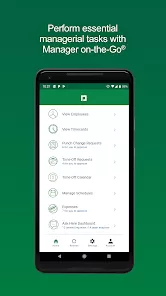


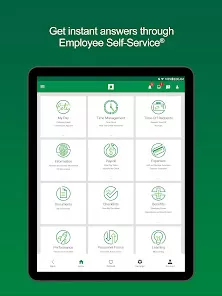
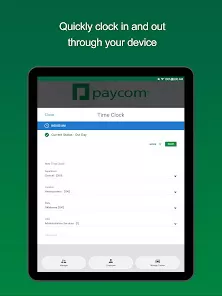
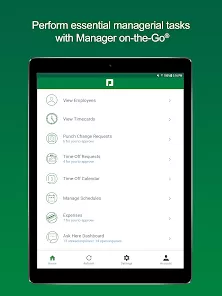
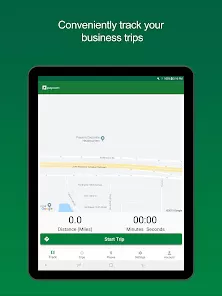
Paycom is a comprehensive, cloud-based human resources (HR) and payroll management software solution designed for businesses of all sizes. Founded in 1998, Paycom aims to streamline and automate critical HR processes, including payroll processing, talent management, benefits administration, time and attendance tracking, and more. This software is accessible through its intuitive web-based platform and mobile app, providing HR professionals and employees with a user-friendly interface for managing and accessing HR data. Paycom’s core strength lies in its end-to-end HR solution that integrates all aspects of human capital management, providing both employees and employers with the tools needed for efficient, accurate, and secure workforce management. The platform is widely used in industries such as healthcare, retail, manufacturing, and education.
Pros and Cons of Paycom
Pros:
All-in-One Solution: Paycom combines payroll, talent management, benefits administration, time tracking, and more into a single platform, which reduces the need for multiple separate systems.
User-Friendly Interface: The software is designed with ease of use in mind, both for HR administrators and employees, making navigation simple and intuitive.
Real-Time Payroll Processing: Paycom allows for real-time payroll updates, ensuring that employees are paid accurately and on time without delays or errors.
Mobile Access: With the Paycom mobile app, employees and HR staff can access key HR features from anywhere, including pay stubs, benefits, and time off requests.
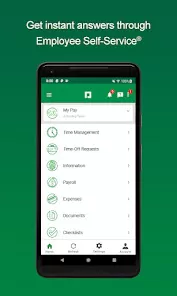
Employee Self-Service Portal: Paycom’s self-service features allow employees to view and manage their personal information, time off requests, pay history, and more, reducing the administrative burden on HR departments.
Customizable Reporting: Paycom provides a wide range of reporting options that can be tailored to an organization’s specific needs, from payroll summaries to compliance reports.
Cons:
Cost: Paycom’s pricing can be on the higher side for smaller businesses, which might make it less cost-effective for companies with fewer employees.
Learning Curve: Although the platform is user-friendly, new users may experience a learning curve when first navigating through the extensive features and options.
Limited Integrations: While Paycom integrates well with its own suite of tools, its compatibility with third-party software or legacy systems can be limited, which may require workarounds or additional configurations.
Customer Support: Some users have reported that Paycom's customer support can be slow to respond or not as responsive as expected, which could lead to frustration in case of issues.
Complex Features for Small Companies: Small businesses might find some features too complex or unnecessary, as the software is tailored more toward medium to large enterprises with more intricate HR needs.
Key Features of Paycom
Payroll Management: Automates payroll processing, ensuring timely and accurate payment to employees. It also includes tax calculations and compliance with local, state, and federal regulations.
Talent Acquisition: Paycom helps with recruiting, onboarding, and managing talent. It includes tools for job posting, applicant tracking, and digital onboarding forms.
Employee Self-Service: Employees can view their pay stubs, request time off, update personal information, and more without needing HR assistance, which improves efficiency and employee satisfaction.
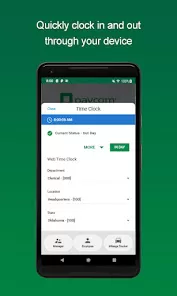
Time and Attendance Tracking: The software provides accurate time tracking and attendance management, including clocking in and out, PTO requests, and overtime tracking.
Benefits Administration: Streamlines benefits enrollment, management, and compliance, making it easier for HR teams to handle employee benefits such as health insurance, retirement plans, and more.
Compliance Support: Paycom helps ensure businesses stay compliant with various labor laws and regulations, including the Affordable Care Act (ACA), FMLA, and EEOC reporting.
Customizable Reporting: Paycom allows businesses to generate customized reports for payroll, employee performance, benefits, and tax compliance, offering greater insight into organizational operations.
Functions of Paycom
Payroll Processing: Simplifies payroll processing by calculating wages, deductions, and taxes, and issuing direct deposits or printed checks to employees.
Applicant Tracking: Assists in managing the recruitment process by tracking candidates, reviewing resumes, and scheduling interviews. It also helps streamline the hiring process for HR professionals.
Time and Attendance Management: Tracks employee hours, attendance, and absences, ensuring accurate time reporting and minimizing payroll errors.
HR Compliance: Assists in maintaining compliance with federal and state regulations through automatic updates to tax codes and regulations, reducing the risk of costly compliance issues.
Employee Performance Management: Offers tools for managing employee performance reviews, goal setting, and employee development, helping businesses foster a productive work environment.
Benefits Administration: Allows employers to manage employee benefits programs, from open enrollment to ongoing benefits changes, providing employees with a transparent view of their benefits packages.
Learning Management System (LMS): Paycom includes a built-in LMS to deliver training and development programs to employees, ensuring continuous growth and skill enhancement.
How to Use Paycom
Step 1 - Sign Up: To get started, visit the Paycom website and create an account. You'll need to provide some basic information about your business to customize your account setup.
Step 2 - Set Up Your Company Profile: Enter your company details such as business structure, tax information, and employee data into the Paycom system to start configuring your HR processes.
Step 3 - Add Employees: Input your employees' personal and payroll information into the platform. This can be done manually or by importing data from a spreadsheet.
Step 4 - Configure Payroll Settings: Set up your payroll schedules, tax withholding, and deduction rules according to your business needs. Paycom will automatically calculate employee pay based on these settings.
Step 5 - Set Up Time Tracking: Configure time tracking options for your employees, including work schedules, attendance policies, and overtime rules. Employees can then clock in and out using Paycom’s platform.
Step 6 - Manage Benefits: Use Paycom to manage employee benefits such as health insurance, retirement plans, and other perks. Set up benefits enrollment periods and ensure employees can access and modify their benefits details.
Step 7 - Process Payroll: Once all settings are configured, use Paycom to process payroll. Review employee hours, make any necessary adjustments, and issue payments to employees through direct deposit or paper checks.
Step 8 - Access Reporting and Analytics: Use Paycom’s reporting tools to generate custom reports that help you analyze payroll costs, employee performance, and compliance with tax regulations.


 0
0