Reolink is a leading brand in the security camera industry, providing a variety of surveillance solutions for both home and business use. The company offers high-quality, affordable security cameras and systems designed for easy installation and reliable performance. Reolink's range includes wired and wireless cameras, PoE (Power over Ethernet) cameras, NVR (Network Video Recorder) systems, and smart home-compatible devices. These cameras provide advanced features such as 4K resolution, night vision, motion detection, two-way audio, and integration with mobile devices via the Reolink app. With its focus on providing affordable yet high-performance security solutions, Reolink has become a popular choice for DIY home security setups.
Pros and Cons of Reolink
Pros:
Affordable: Reolink cameras are competitively priced compared to other high-end security camera brands, making them accessible for both home and business owners on a budget.
High-Resolution Video: Reolink cameras offer up to 4K resolution, providing clear and detailed video footage, which is essential for accurate monitoring and identification.
Easy Installation: Many of Reolink's cameras, especially the wireless options, are designed for easy DIY installation, with no professional help needed.
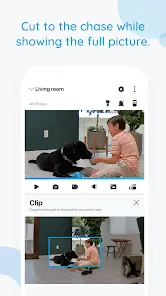
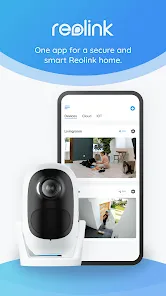
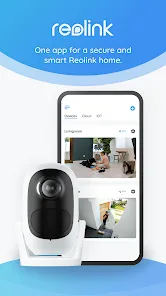
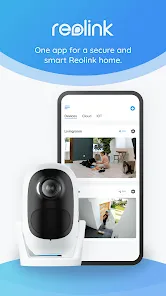
Mobile App Access: The Reolink app allows users to access live feeds, view recorded footage, and receive alerts on their smartphones from anywhere.
Night Vision: Reolink cameras come with powerful night vision capabilities, ensuring clear video even in low-light conditions.
Two-Way Audio: Many Reolink models feature two-way audio, allowing users to communicate with people through the camera’s built-in speaker and microphone.
Cons:
Limited Cloud Storage Options: Reolink offers cloud storage, but it can be expensive compared to competitors, and there are limitations in terms of storage capacity.
Integration with Smart Home Devices: While Reolink does offer smart home integration, it is more limited compared to some other security systems that work with Alexa, Google Assistant, or other home automation platforms.
Requires Stable Internet Connection: To access live streams and recorded footage remotely, a stable internet connection is necessary, which could be an issue in areas with unreliable internet.
Limited Compatibility with Third-Party Software: Reolink's software and ecosystem are somewhat closed, limiting compatibility with third-party monitoring platforms.
No Local Storage on Some Models: Some cameras require the use of an NVR for local storage, which adds to the overall cost of the system.
Key Features of Reolink
4K Ultra HD Resolution: Reolink offers cameras that support 4K video, providing exceptional clarity and detail for both live monitoring and recorded footage.
Power Over Ethernet (PoE): PoE cameras can transmit both power and data over a single Ethernet cable, making setup more streamlined and reducing the need for additional power sources.
Two-Way Audio: The two-way audio feature allows users to listen and speak to people through the camera, adding a layer of interaction and security.
Motion Detection and Alerts: Reolink cameras come with motion sensors that trigger alerts to your phone or email, ensuring you’re notified immediately of any unusual activity.
Night Vision: Reolink’s cameras offer infrared night vision, allowing you to monitor areas even in complete darkness, with a range of up to 100 feet depending on the model.
Cloud and Local Storage Options: Users can store footage either on the cloud or on local storage devices such as an SD card or an NVR, providing flexible options based on user needs.
Weatherproof Design: Many of Reolink’s cameras are built to withstand the elements, making them suitable for both indoor and outdoor installations in various weather conditions.
Mobile App and Remote Access: The Reolink app allows for easy access to live streams and stored footage, as well as remote control of camera settings from any smartphone or tablet.
Functions of Reolink
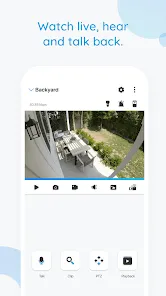
Live Streaming: Watch real-time footage from your cameras via the Reolink app or web portal, giving you access to security video from anywhere in the world.
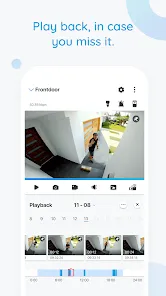
Recording and Playback: Reolink cameras continuously record video, which can be stored on cloud services or local devices like SD cards or NVRs, and later reviewed or downloaded.
Motion Detection Alerts: Set up motion detection zones on your cameras and receive alerts when unusual activity is detected in those areas, keeping you informed and secure.
Two-Way Communication: Communicate with people near the camera using built-in microphones and speakers, which can be particularly useful for front door cameras or areas requiring interaction.
Integration with NVRs: Reolink’s cameras work seamlessly with Network Video Recorders (NVRs), allowing users to set up multi-camera systems for comprehensive monitoring.
Smart Motion Zones: Customize your motion detection zones to ensure you only receive alerts for relevant events, such as human motion or movement in designated areas.
How to Use Reolink
Click the button "Check All Versions" below to download and install it.
Step 1 - Choose Your Reolink Camera: Depending on your needs, choose from a range of Reolink cameras, including indoor or outdoor models, wireless or PoE options, and cameras with 4K resolution.
Step 2 - Set Up Your Camera: For wireless models, power on the camera and follow the app setup instructions. For wired models, connect your camera to your router or NVR system using the appropriate cables.
Step 3 - Download the Reolink App: Download the Reolink mobile app from your phone’s app store (available on iOS and Android). This app will allow you to monitor the cameras, receive alerts, and adjust settings remotely.
Step 4 - Connect Your Camera to the App: Follow the in-app instructions to connect your camera to your mobile device via Wi-Fi or your NVR. The app will guide you through the process step-by-step.
Step 5 - Set Motion Detection Zones: Configure the motion detection settings on your camera to define specific areas for surveillance. You can set up alert notifications to be sent to your phone when motion is detected in those zones.
Step 6 - Monitor and Record: Use the Reolink app to view live footage, record videos, and playback past recordings. You can access your recordings directly from the app or through the cloud storage or NVR.
Step 7 - Adjust Settings: Customize your settings for video quality, alert preferences, and audio. Reolink cameras also allow you to adjust the camera’s field of view and night vision range based on your needs.






 0
0