


What is Sideline: 2nd Phone Line App; Pros and Cons; Key Features; Functions; How to Use
What is Sideline: 2nd Phone Line App
Sideline is a mobile application that provides users with a second phone number on their existing smartphone. Designed for personal, business, or professional use, Sideline allows users to separate work and personal communications without needing an additional device. The app supports calling, texting, voicemail, and custom caller ID, making it a versatile communication tool. Sideline also integrates features like auto-reply, number porting, and team collaboration options for business users. Its user-friendly interface, reliability, and security make it ideal for entrepreneurs, remote workers, freelancers, or anyone looking to manage multiple phone lines efficiently while keeping personal and professional communications distinct.
Pros and Cons
- Pros:
- Provides a second phone line without requiring a new device.
- Supports calling, texting, and voicemail with customizable settings.
- Enables separation of personal and professional communications.
- User-friendly interface and easy setup process.
- Includes features like auto-reply, number porting, and team collaboration.
- Reliable and secure, maintaining privacy for users.
- Works on both Android and iOS devices.
- Ideal for freelancers, entrepreneurs, and remote workers.
- Cons:
- Some advanced features may require a paid subscription.
- Dependent on internet or mobile data connection for certain features.
- Limited integration with other apps or services compared to full telecom services.
- Calls and messages may consume device battery and data resources.
- Minor delays in call or message delivery may occur in low-signal areas.
Key Features
- Second phone number for personal, business, or professional use.
- Support for calls, texts, voicemail, and custom caller ID.
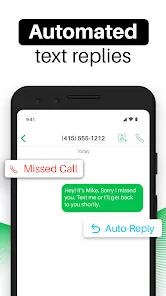
- Auto-reply feature for missed calls or messages.
- Number porting to transfer an existing number to Sideline.
- Team collaboration tools for business users and group management.
- Integration with device contacts and notifications for seamless usage.
- Secure and private communications with reliable performance.
- Customizable ringtones, signatures, and alerts for individual numbers.
- Available on both Android and iOS platforms with cross-device support.
Functions
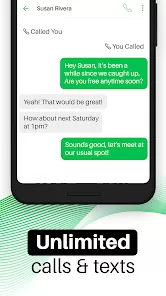
- Allows sending and receiving calls and text messages using a second phone number.
- Provides voicemail and call management for efficient communication.
- Enables auto-reply messages for missed calls or busy status.
- Supports number porting for seamless integration of existing numbers.
- Tracks message history, call logs, and contact interactions.
- Facilitates team collaboration through shared lines and group communication features.
- Maintains privacy and separation between personal and professional communications.
- Allows customization of ringtones, alerts, and caller ID for each number.
How to Use
- Download and install Sideline: 2nd Phone Line App from the official app store.
- Launch the app and sign up using your primary phone number or email.
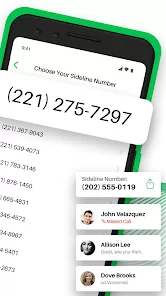
- Select a second phone number from the available options or port an existing number.
- Configure calling, texting, and voicemail settings according to your preferences.
- Use the app to send and receive calls and messages through the second line.
- Enable auto-reply for missed calls or busy periods if desired.
- Organize contacts and groups for personal, business, or team communication.
- Customize ringtones, alerts, and caller ID for the second number.
- Use notifications and message history to manage communications efficiently.


 0
0