Workday is a cloud-based enterprise software platform designed to help organizations manage their human resources (HR), finance, and planning functions more efficiently. It integrates a range of applications, including workforce management, payroll, talent acquisition, financial accounting, and analytics, into one unified system. Workday is widely used by businesses to streamline operations, improve data accuracy, and enable real-time decision-making through its intuitive interface and powerful reporting tools. By leveraging cloud technology, Workday offers flexibility, scalability, and continuous updates, making it a popular choice for companies looking to modernize their enterprise resource planning (ERP) and HR management processes.
Pros and Cons of Workday
Pros:
Comprehensive suite covering HR, payroll, finance, and planning in a single platform.
Cloud-based system offering anytime, anywhere access with high security standards.
Regular updates and improvements without the need for manual installations.
Highly customizable workflows and dashboards tailored to organizational needs.
Robust analytics and reporting tools that enable data-driven decisions.
User-friendly interface designed to improve employee engagement and ease of use.
Strong integration capabilities with third-party software and other enterprise systems.
Cons:
Implementation can be complex and time-consuming, especially for large organizations.
Cost may be high for small to mid-sized companies due to subscription and customization fees.
Some users report a steep learning curve, requiring dedicated training and support.
Occasional system performance issues or downtime during updates can disrupt workflow.
Customization options may sometimes complicate standard processes and require expert help.
Key Features of Workday
Human Capital Management (HCM) for employee lifecycle management, including recruitment, onboarding, and performance.
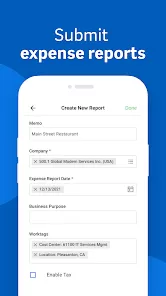
Financial Management with accounting, expense tracking, procurement, and budgeting.
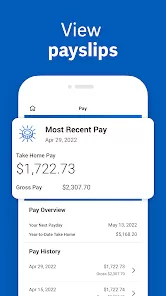
Payroll automation supporting multiple countries and compliance with local regulations.
Workforce planning tools to optimize staffing and manage labor costs.
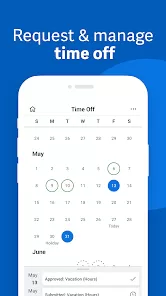
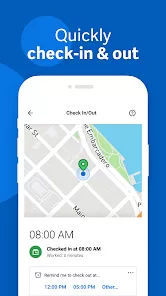
Time tracking and absence management for streamlined attendance monitoring.
Talent management including career development, succession planning, and learning modules.
Advanced analytics and dashboards for real-time insights across HR and finance.
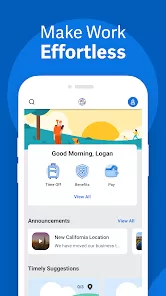
Mobile accessibility allowing employees and managers to perform tasks on the go.
Functions of Workday
Manage employee data and HR processes from hiring to retirement in one centralized system.
Automate payroll calculations and ensure compliance with tax laws and regulations.
Track and analyze financial performance to support budgeting and forecasting.
Facilitate employee self-service for leave requests, benefits enrollment, and personal information updates.
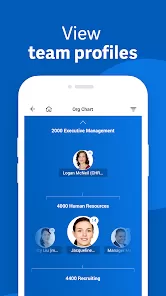
Support managers with tools for performance reviews, goal tracking, and team management.
Streamline procurement and vendor management with integrated financial workflows.
Generate customizable reports to monitor key performance indicators (KPIs) and operational metrics.
How to Use Workday
Click the button "Check All Versions" below to download and install it.
Step 1: Obtain access credentials from your organization’s Workday administrator.
Step 2: Log in to the Workday portal using your username and password on a web browser or mobile app.
Step 3: Navigate the dashboard to find key modules such as Personal Information, Time Tracking, Payroll, or Finance.
Step 4: For employees, update your profile, submit time sheets, request time off, and access pay statements.
Step 5: Managers can review team performance, approve requests, and run reports for better decision-making.
Step 6: Use the search bar to quickly find tasks, documents, or reports within the system.
Step 7: Customize your homepage with widgets and shortcuts for frequently used functions.
Step 8: Access learning resources and support materials directly through Workday for help and training.


 0
0