Features and Functions
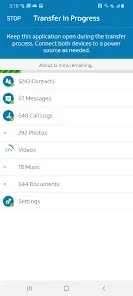
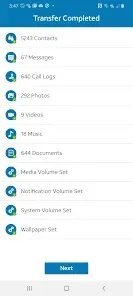
The AT&T Mobile Transfer app makes it easy to move contacts, photos, and other content from your old phone to your new phone. Here are some of the app's features:
-Compatibility with a wide range of devices: The AT&T Mobile Transfer app is compatible with most Android and iOS devices.
- Easy to use: The app is designed to be simple and easy to use.
- Secure: The AT&T Mobile Transfer app uses a secure connection to transfer data between devices.
How to Use AT&T Mobile Transfer
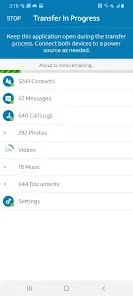
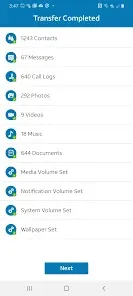
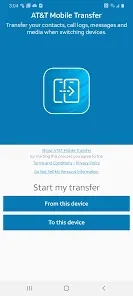
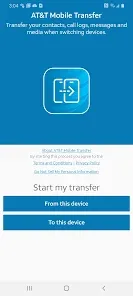
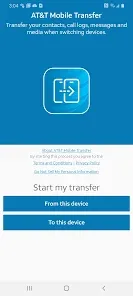
AT&T Mobile Transfer is an app that allows you to transfer contacts, photos, and other data from one device to another. Here's how to use it:
1. Download the AT&T Mobile Transfer app from the App Store or Google Play.
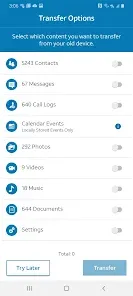
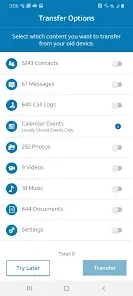
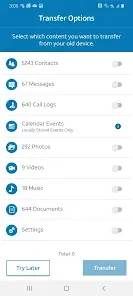
2. Open the app and choose what you want to transfer.
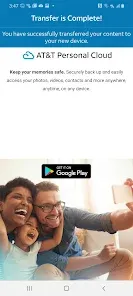
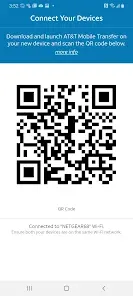
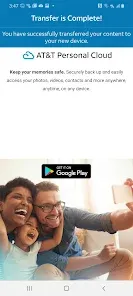
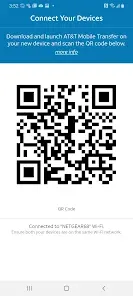
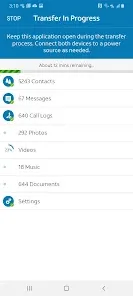
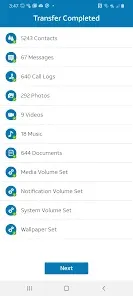
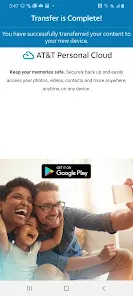
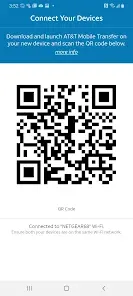
3. Follow the prompts to connect your devices and start the transfer process.
Pros & Cons
There are a few upsides and downsides to the AT&T Mobile Transfer App. On the plus side, the app is free to download and use, and it's available for both Android and iOS devices. The app makes it easy to transfer files between your phone and your computer, which can be a big time-saver.
On the downside, the app only works with AT&T phones, so if you have a different carrier, you're out of luck. Additionally, some users have reported that the app can be unreliable and occasionally crashes. Overall, the AT&T Mobile Transfer App is a helpful tool if you have an AT&T phone and need to transfer files between your device and your computer.


 0
0