
Features for TotalAV Mobile Security Mobile App
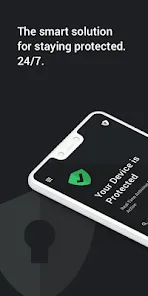
The TotalAV Mobile Security mobile app comes with a number of features to help keep your device safe and secure. Here are just some of the features available:
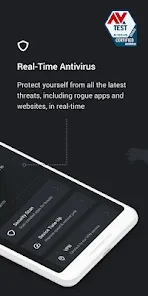
- Antivirus protection: This is the main feature of the app, and it offers real-time protection against malware and other threats.
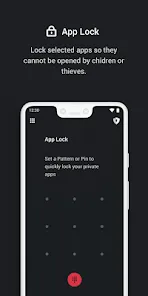
- App lock: This feature allows you to lock certain apps on your device, so that only you can access them. This is great for keeping your personal data safe.
- Call blocker: This feature lets you block unwanted calls from coming through to your phone. You can also set up a whitelist of numbers that are always allowed through.
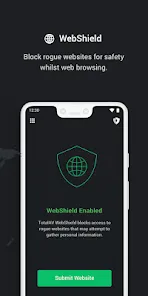
- Safe browsing: The app includes a safe browser which will warn you if you visit any malicious or phishing websites. It will also block pop-ups and other annoying ads.
- Battery saver: This feature helps to extend the battery life of your device by managing power consumption.
- Anti-theft: If your device is lost or stolen, this feature allows you to remotely lock it down so that no one can access your data. You can also track its location so that you can find it again.
How do I Use TotalAV Mobile Security App?
Assuming you have already downloaded the TotalAV Mobile Security app from either the App Store or Google Play, open the app and sign in. If you haven’t made an account yet, create one now.
After signing in or creating an account, you will be brought to the main dashboard of the TotalAV Mobile Security app. Here, you can see an overview of your device’s security status as well as any recent activity.
To scan your device for viruses and other malware, tap on the “Scan Now” button. A new window will open where you can select which type of scan you would like to perform: a quick scan, a deep scan, or a custom scan. Select the desired option and then tap “Start Scanning.” The TotalAV Mobile Security app will now scan your device for any potential threats.
If any threats are found, they will be displayed in the “Threats Found” section. To remove them, simply tap on the “Remove All Threats” button and TotalAV Mobile Security will take care of the rest.
The TotalAV Mobile Security app also includes several other features such as a real-time antivirus protection, anti-phishing protection, web browsing protection, and more. To access these features, tap on the “Menu” icon in the top-left corner of the screen and then select the desired option from the drop-down menu.
Pros & Cons for TotalAV Mobile Security App
Assuming you are looking for a list of pros and cons for the TotalAV Mobile Security app:
PROS:
-Affordable monthly price
-Free version available
-User-friendly interface
-24/7 customer support
CONS:
-More expensive than some competitors
-Not available for Mac


 0
0