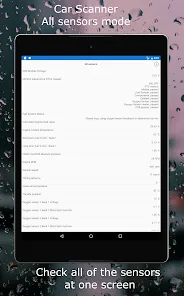
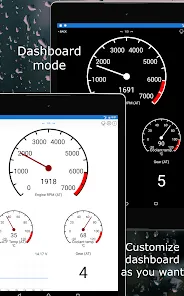
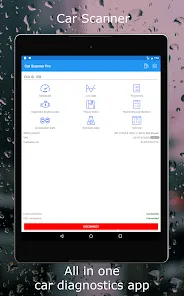
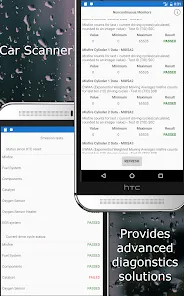
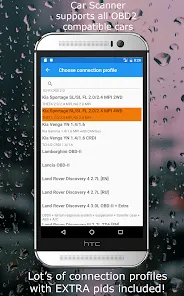
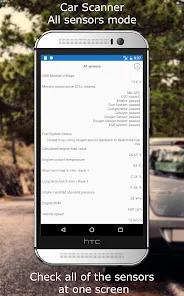
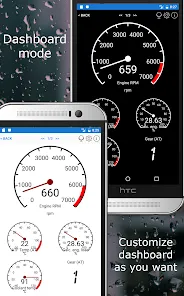
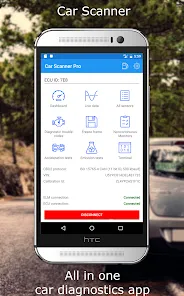
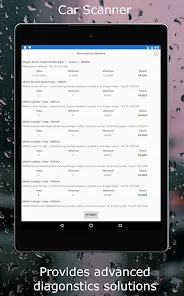
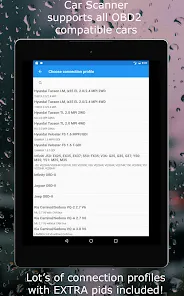
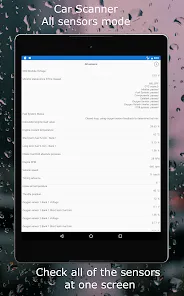
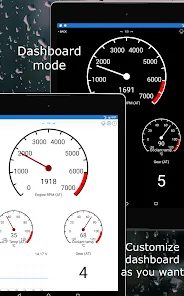
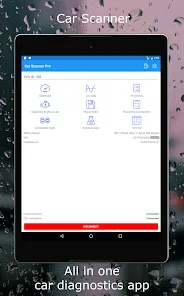
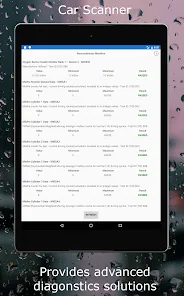
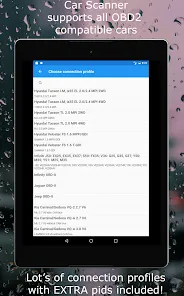
Car Scanner ELM OBD2 is a mobile application designed for vehicle diagnostics and performance monitoring using an OBD2 (On-Board Diagnostics) adapter. Compatible with most vehicles manufactured after 1996, the app connects to a car’s OBD2 system via Bluetooth or Wi-Fi to read and analyze real-time data. Users can monitor engine parameters, detect fault codes, and perform emissions tests. The app provides comprehensive diagnostic reports, graphs, and customizable dashboards for both casual drivers and automotive enthusiasts. Car Scanner ELM OBD2 helps users identify issues early, monitor fuel efficiency, and track vehicle performance, offering a practical tool for car maintenance and troubleshooting.
Pros and Cons of Car Scanner ELM OBD2
Pros:
Real-time vehicle diagnostics using OBD2 adapters.
Supports most vehicles manufactured after 1996.
Read and clear fault codes, helping prevent expensive repairs.
Customizable dashboards to monitor engine and performance data.
Provides emission testing and efficiency analysis.
Graphs and detailed reports for easier understanding of vehicle health.
Compatible with both Android and iOS devices.
Useful for automotive enthusiasts and everyday drivers alike.
Cons:
Requires a compatible OBD2 adapter to function.
Some advanced features are available only in the paid version.
Connectivity may vary depending on the car’s system and adapter quality.
Complex data may be confusing for beginners without technical knowledge.
Mobile device battery consumption can be high during prolonged use.
Not all vehicles support every diagnostic feature.
Graphical displays may require calibration for accurate readings.
Key Features of Car Scanner ELM OBD2
Real-time data monitoring for engine, fuel, and performance parameters.
Read, display, and clear diagnostic trouble codes (DTCs).
Emission readiness and testing for environmental compliance.
Customizable dashboards with gauges, graphs, and widgets.
Fuel efficiency tracking and optimization suggestions.
Support for multiple OBD2 protocols and vehicle makes.
Data logging and export for later analysis.
Integration with GPS for speed and location-based metrics.
Alerts for detected faults and performance anomalies.
Paid version offers enhanced features like advanced diagnostics and multi-language support.
Functions of Car Scanner ELM OBD2
Connect to your vehicle’s OBD2 system via Bluetooth or Wi-Fi adapter.
Read live sensor data including RPM, speed, temperature, and fuel usage.
Detect and clear engine fault codes to troubleshoot issues.
Track emissions readiness for vehicle compliance checks.
Create customizable dashboards and graphs to visualize performance.
Log data for trips, fuel consumption, and engine performance.
Receive notifications for critical faults or abnormal readings.
Export diagnostic data for further analysis or sharing with mechanics.
How to Use Car Scanner ELM OBD2
Click the button "Check All Versions" below to download and install it.
Download the Car Scanner ELM OBD2 app from the App Store or Google Play.
Purchase or connect a compatible OBD2 Bluetooth or Wi-Fi adapter.
Plug the OBD2 adapter into your vehicle’s diagnostic port (usually under the dashboard).
Open the app and pair it with the OBD2 adapter following on-screen instructions.
Select your vehicle make, model, and year for proper configuration.
Access real-time data, view live dashboards, and monitor engine parameters.
Read diagnostic trouble codes and clear them if necessary.
Track fuel efficiency, emissions readiness, and other vehicle performance metrics.
Customize dashboards and graphs to highlight the data most important to you.
Export logs or reports for sharing with mechanics or for personal tracking.

 0
0