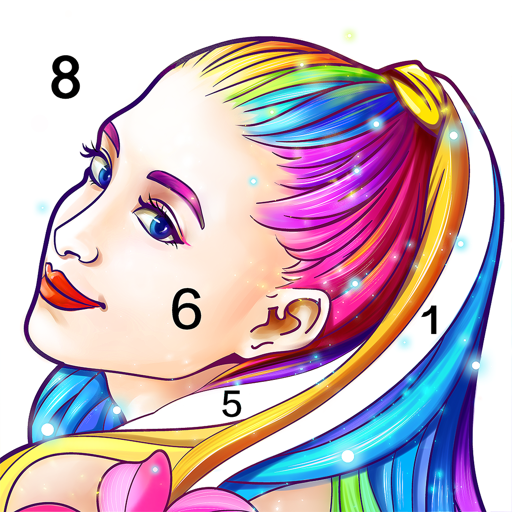
Coloring Fun: Color by Number is a creative and relaxing mobile app designed for users of all ages to enjoy digital coloring using a simple number-based system. The app transforms images into numbered sections, guiding users to fill each area with the corresponding color, making it easy for beginners and fun for experienced artists alike. With a wide variety of categories, from animals and landscapes to fantasy scenes and seasonal designs, Coloring Fun provides endless opportunities for artistic expression. Users can zoom in for detail, undo mistakes, and share completed artwork with friends or on social media. The app encourages mindfulness, focus, and stress relief while delivering an entertaining and rewarding coloring experience.
Key Features
Large library of coloring pages spanning animals, landscapes, characters, and more.
Number-guided color system for easy and accurate coloring.
Zoom and pan functionality for detailed and precise coloring.
Variety of color palettes and themes to suit different preferences.
Daily or seasonal updates with new images and challenges.
Undo and erase options for correcting mistakes.
Save completed artwork to your device or share on social media.
Offline mode allows coloring without an internet connection.
Relaxing music and sound effects to enhance the coloring experience.
Kid-friendly interface designed for intuitive navigation.
Pros & Cons
Pros:
Easy-to-follow color by number system suitable for all ages.
Large selection of images ensures variety and long-term engagement.
Encourages relaxation, focus, and stress relief.
Ability to save and share artwork provides a sense of accomplishment.
Regular updates keep the app fresh with new content.
Cons:
Some premium images and color palettes require in-app purchases.
Occasional ads may interrupt the coloring flow.
Limited creative freedom compared to freehand drawing apps.
Large image files may take up significant storage space.
Functions
Guides users to color numbered sections accurately using the provided palette.
Allows zooming in on sections for detailed coloring work.
Provides undo, erase, and reset functions to correct mistakes.
Enables saving and sharing finished artwork with friends and online platforms.
Tracks progress on daily challenges and completed coloring pages.
Offers themed coloring packs for special occasions and seasons.
Supports offline coloring for uninterrupted use anywhere.
Integrates relaxing music and sound effects to enhance user experience.
How to Use
Click the button “Check All Versions” below to download and install it.
Open the app and select a coloring page from the available categories.
Choose a color palette or follow the number guide for automatic coloring.
Tap on numbered sections to fill them with the corresponding colors.
Zoom in to color intricate details and use the undo option if needed.
Complete the image and make any final adjustments.
Save your artwork to your device or share it with friends and social media.
Explore additional coloring pages and participate in seasonal or daily challenges.
Repeat the process to enjoy continuous creative engagement and relaxation.


 0
0