



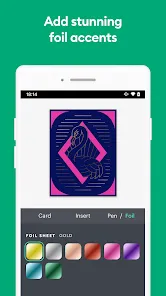
The Cricut Joy App is your ultimate crafting companion, bringing creativity to your fingertips. This mobile application is designed to work seamlessly with the Cricut Joy smart cutting machine, enabling you to design, cut, and craft from anywhere, anytime. It provides a streamlined , easy-to-use platform that simplifies the process of creating personalized DIY projects. Whether you're a seasoned crafter or just starting out, the Cricut Joy App is a game-changer, transforming crafting into a more accessible and enjoyable experience.
Features of the Cricut Joy App
1. Design Anywhere, Anytime: The app allows you to design and cut your creations whenever inspiration strikes. It's a crafting tool that fits into your pocket!
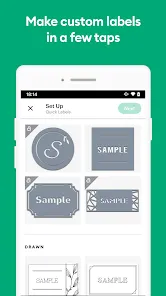
2. Ready-to-Make Projects: The Cricut Joy App comes packed with a multitude of pre-designed projects. From personalized greeting cards to home décor items, it's all at your fingertips.
3. Easy to Use Interface: The app's interface is designed to be user-friendly and intuitive, making it a breeze to navigate even for first-time crafters.
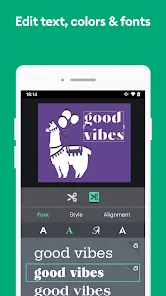
4. Customizable Designs: You can personalize each design with your own text and images, providing endless possibilities for unique creations.
5. Real-time Preview: The app provides a real-time preview of your designs before you cut them. This feature ensures your creation turns out exactly as you envision.
6. Bluetooth Connectivity: The app pairs easily with your Cricut Joy machine via Bluetooth, enabling a seamless, wireless crafting experience.
7. Direct Access to Cricut Store: The app provides direct access to the Cricut Store, where you can buy new materials and tools without leaving the app.
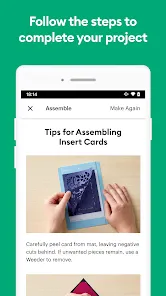
8. Step-by-step Tutorials: For those who need guidance, the app includes step-by-step tutorials to help you master the art of crafting.
Pros and Cons of the Cricut Joy App
- Portability: Its ability to design and cut anytime and anywhere adds a level of convenience for crafters on the go.
- User-friendly: Its intuitive interface makes it easy even for beginners to navigate.
- Personalized Projects: With customizable design options, users have a canvas to express their creativity.
- Real-time Previews: This feature allows users to fine-tune their designs before making a cut, reducing waste and increasing satisfaction.
- Limited to Cricut Joy Machine: This app is exclusively for the Cricut Joy machine. Owners of other Cricut machines can't benefit from this app.
- Internet Requirement: The app requires a stable internet connection, which may not always be accessible.
- Possible Technical Glitches: As with any software, occasional glitches and crashes may occur.
- Learning Curve: Although user-friendly, mastering the app's many features may take time and practice.
Functions of the Cricut Joy App
1. Design Creation: The app allows you to create your own designs from scratch or modify existing ones, offering a canvas for your creativity.
2. Material Selection: With the app, you can select the type of material you're using, ensuring the Cricut Joy machine cuts at the correct depth and pressure.
3. Project Preview: You can preview your designs in real-time before sending them to the Cricut Joy machine for cutting.
4. Connectivity: The app connects wirelessly to your Cricut Joy machine via Bluetooth, offering a seamless crafting experience.
5. Access to Cricut Store: The app functions as a portal to the Cricut Store, allowing you to purchase new materials and tools directly.
6. Tutorial Guides: It offers step-by-step tutorials, functioning as a learning guide to help you maximize the use of the Cricut Joy machine.
7. Project Management: The app allows you to manage your projects by saving, categorizing, and easily accessing your designs.
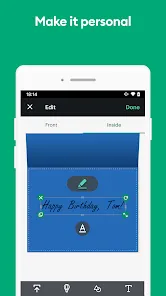
8. Personalization: The app functions as a tool for customization, enabling you to add personal touches to your projects with your own text and images.
How to Use the Cricut Joy App
1. Download and Install: Find the Cricut Joy App in your device's app store and install it.
2. Connect Your Device: Ensure your Cricut Joy machine is on, then connect your mobile device via Bluetooth.
3. Select a Project: Browse through the array of ready-to-make projects, or start one from scratch.
4. Customize Your Design: Use the design tools to add your own personal touches, adjusting colors, shapes, and sizes as desired.
5. Select Your Material: Choose the type of material you're working with in the app. This will set the cutting depth and pressure on the Cricut Joy machine.
6. Preview Your Design: Take advantage of the real-time preview feature to make sure your design is just right.
7. Send to Machine: Once satisfied, tap 'Make It' to send the project to your Cricut Joy machine.
8. Enjoy Crafting: Follow the on-screen prompts to complete your project. The app also offers step-by-step tutorials to guide you through any process. Happy crafting!



 0
0