
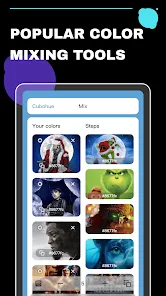
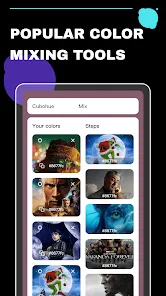
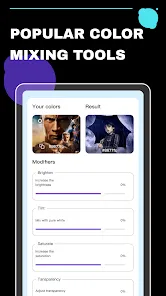
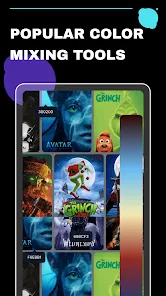
Cubohue is a versatile mobile application platform offering a variety of entertainment and creative tools for users. It is primarily known for apps focused on movies, TV series tracking, and puzzles, as well as tools for artists like color mixing and palette management. Users can discover movie and TV show information, stream content, play interactive movie-themed puzzles, or explore colors for design projects. Cubohue apps are available for Android and iOS devices, combining a user-friendly interface with engaging features that cater to both casual entertainment and creative tasks. Its range of apps makes Cubohue appealing for designers, movie enthusiasts, and puzzle game fans alike.
Pros and Cons of Cubohue
Pros:
Wide variety of apps covering entertainment and creative tools.
Movie and TV series tracking with personalized recommendations.
Puzzle and trivia games provide engaging entertainment.
Color mixing and palette apps assist designers and artists.
User-friendly interface for easy navigation across apps.
Regular updates for movies, TV shows, and game content.
Free to download with optional in-app features or upgrades.
Available on both Android and iOS platforms.
Interactive and social features such as chat or leaderboards.
Cons:
Different apps may have inconsistent quality or features.
Some content requires in-app purchases to unlock fully.
Apps focused on movies may depend on internet connectivity.
Occasional ads may disrupt free app usage.
Not all Cubohue apps are globally available in every region.
Users may need to install multiple apps to access all features.
Key Features of Cubohue
Movie and TV series tracking with watchlists and recommendations.
Puzzle games themed around movies and TV content.
Color mixing and palette creation tools for designers.
Interactive features like trivia games, leaderboards, and achievements.
Search and filter tools to find movies, TV shows, or color palettes easily.
Regular updates for content, new movies, shows, and puzzles.
Integration with device notifications for updates and alerts.
User-friendly navigation and customizable interfaces.
Support for both Android and iOS devices.
Optional in-app purchases for premium features and ad removal.
Functions of Cubohue
Provides information about movies and TV shows including release dates and streaming options.
Allows users to create watchlists and track viewing progress.
Engages users with interactive puzzle games and trivia.
Supports designers with tools to mix colors and manage palettes.
Delivers personalized recommendations based on user preferences.
Tracks achievements and scores in games for competitive engagement.
Enables social interaction through chat and multiplayer game modes.
Updates users with notifications about new content or features.
Encourages creative exploration through design and gaming tools.
Offers a centralized platform for entertainment and creative tasks.
How to Use Cubohue
Download the Cubohue app relevant to your interest (movies, puzzles, or design) from the App Store or Google Play.
Create an account or log in if required for personalized recommendations and progress tracking.
For movie apps: browse or search for TV shows and movies, add to watchlist, and check streaming options.
For puzzle apps: select a movie-themed puzzle and start solving using touch controls.
For design apps: use the color mixing tools to create and save color palettes.
Engage with interactive features like trivia games, leaderboards, or achievements to enhance the experience.
Enable notifications for updates on new movies, shows, or app features.
Use in-app purchases if you want premium content, ad-free experience, or additional tools.
Regularly update the app to access new content, improvements, and bug fixes.
Share favorite movies, puzzles, or color palettes with friends if the app supports social sharing.
Explore all sections of the app to fully utilize its features and functionalities.
Adjust app settings for notifications, interface preferences, and account management.


 0
0