
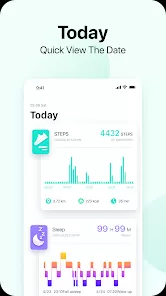
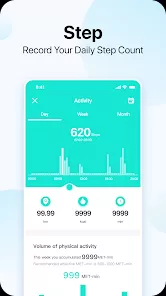
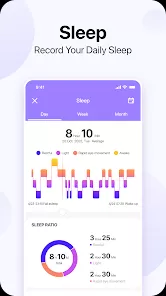
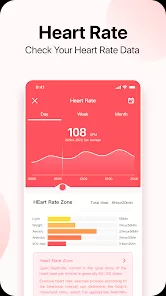
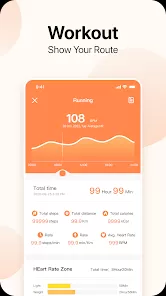
Da Fit is a popular health and fitness app designed to sync with various smartwatches and fitness trackers, helping users monitor their physical activity, health metrics, and sleep patterns. It provides a centralized platform to track daily steps, heart rate, calories burned, and workout routines, promoting a healthier lifestyle. With a user-friendly interface, Da Fit allows customization of device settings, notifications, and reminders for an enhanced fitness experience. Compatible with a range of wearable devices, it also supports real-time data syncing and detailed reports. Whether you are a beginner or an experienced fitness enthusiast, Da Fit offers essential tools to keep your wellness journey organized and motivating.
Pros & Cons
Pros:
Supports a wide variety of fitness trackers and smartwatches.
User-friendly interface with easy navigation.
Accurate tracking of steps, heart rate, sleep, and calories.
Customizable notifications and reminders.
Syncs data in real-time with the paired device.
Free to download and use with no mandatory subscription.
Offers detailed health and activity reports.
Cons:
Occasional syncing delays or connectivity issues.
Limited advanced features compared to premium fitness apps.
Some users report inconsistent heart rate monitoring.
App interface could use more customization options.
Lacks integration with popular third-party fitness platforms.
Ads may appear in the free version, affecting user experience.
Key Features
Step counting and daily activity tracking.
Heart rate monitoring with real-time updates.
Sleep analysis to monitor quality and duration of sleep.
Calorie consumption tracking based on activity levels.
Workout modes for running, cycling, walking, and more.
Custom alerts for calls, messages, and sedentary reminders.
Data synchronization with compatible smartwatches and fitness bands.
Goal setting and progress tracking to stay motivated.
Integration with phone camera and music control features.
Battery status monitoring for connected devices.
Functions
Monitor daily step count and distance covered.
Track heart rate continuously during exercise and rest.
Analyze sleep patterns, including deep, light, and awake phases.
Record workout sessions and provide performance summaries.
Receive notifications for incoming calls, texts, and app alerts.
Control music playback directly from the paired wearable device.
Set reminders to move or drink water to encourage healthy habits.
Sync data seamlessly between wearable device and smartphone.
Customize watch faces and device settings through the app.
How to Use Da Fit
Click the button "Check All Versions" below to download and install it.
Download and install Da Fit from Google Play Store or Apple App Store.
Open the app and create an account or log in if you already have one.
Enable Bluetooth on your smartphone and pair your compatible smartwatch or fitness tracker.
Grant necessary permissions such as location, notifications, and health data access.
Customize your profile by entering personal details like age, weight, and height for accurate tracking.
Explore the dashboard to view daily activity, heart rate, and sleep data.
Set fitness goals such as step targets or workout routines.
Use workout modes to start tracking specific exercises.
Adjust notification settings to receive alerts for calls, messages, or inactivity.
Regularly sync your device to ensure data is up to date.
Check progress reports and make adjustments to your fitness plan as needed.


 0
0