What is Decibel X; Pros and Cons; Key Features; Functions; How to Use
What is Decibel X
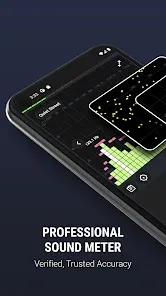
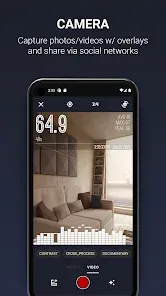
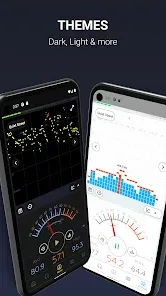
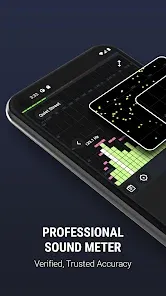
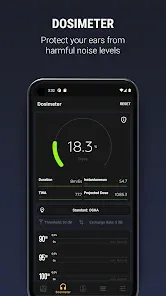
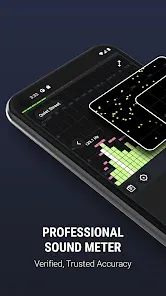
Decibel X is a mobile application designed to measure and monitor sound levels accurately using a smartphone’s microphone. It transforms your device into a professional-grade decibel meter, providing real-time readings of environmental noise in decibels (dB). The app is widely used by audiophiles, engineers, musicians, and individuals concerned with noise exposure. Decibel X features both fast and slow measurement modes, frequency-weighted readings, and graphical representations of sound levels over time. Available for iOS and Android, it allows users to monitor noise for occupational safety, environmental studies, or personal use. The app combines ease of use with professional-grade accuracy, making sound measurement accessible and practical for everyone.
Pros and Cons
- Pros:
- High-precision sound level measurements using smartphone microphones.
- Real-time decibel readings with fast and slow modes.
- Graphical representation of noise levels over time for analysis.
- Frequency-weighted readings to match professional sound measurement standards.
- User-friendly interface for beginners and professionals.
- Suitable for environmental monitoring, occupational safety, and music production.
- Export and save measurements for reports or future reference.
- Lightweight app with low battery consumption during usage.
- Cons:
- Accuracy depends on the smartphone microphone quality.
- Some advanced features require a premium subscription.
- Not as precise as professional dedicated sound meters in certain conditions.
- Background noise may affect readings in very noisy environments.
- Limited offline analysis for long-term monitoring without saving data.
- Calibration may be needed for consistent results across devices.
Key Features
- Accurate measurement of sound levels in decibels (dB).
- Fast and slow measurement modes for different environments.
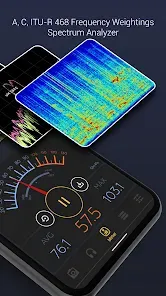
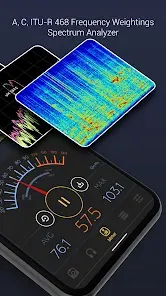
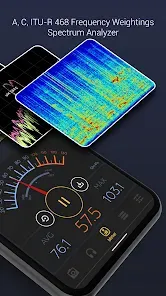
- Frequency-weighted (dBA, dBC) readings for professional use.
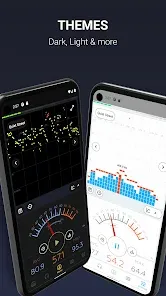
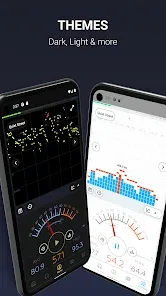
- Real-time graphical display of sound levels over time.
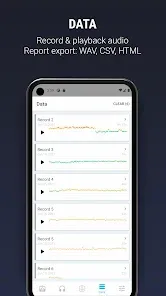
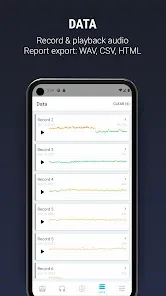
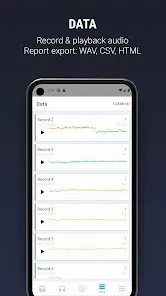
- Data recording, storage, and export options for reports.
- Calibration tools to adjust measurements according to device sensitivity.
- Lightweight interface optimized for mobile devices.
- Customizable alerts for exceeding defined noise thresholds.
- Supports measurement in occupational and recreational environments.
- Integration with other apps and tools for further analysis.
Functions
- Measure environmental noise levels in real-time using the device microphone.
- Display decibel readings in both numerical and graphical formats.
- Monitor frequency-weighted sound levels to match professional standards.
- Record and save sound measurements for documentation or analysis.
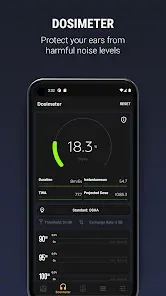
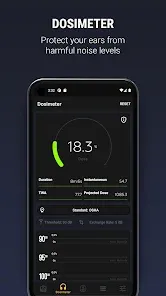
- Set alerts to warn of high or unsafe noise levels.
- Analyze trends and patterns in environmental noise over time.
- Export data for workplace safety, research, or personal projects.
- Calibrate measurements for consistent results across multiple devices.
- Compare sound levels across different locations or events.
- Support both casual monitoring and professional applications.
How to Use Decibel X
- Download Decibel X from the App Store or Google Play Store.
- Open the app and allow microphone access for accurate measurements.
- Select the measurement mode (fast or slow) based on your environment.
- Choose the frequency-weighting option (dBA, dBC) if required.
- Hold your device at the location where you want to measure sound levels.
- Observe real-time readings and monitor the graphical representation.
- Record measurements and save them for later analysis or export.
- Set alerts if you want to be notified of excessive noise levels.
- Calibrate your device if needed to ensure measurement accuracy.
- Review historical data to analyze trends and patterns in sound levels.


 0
0