What is Dolphin Browser: Fast, Private; Pros and Cons; Key Features; Functions; How to Use
What is Dolphin Browser?
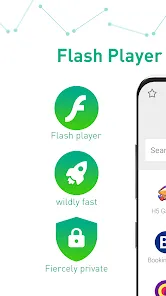
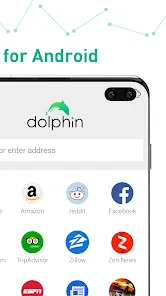
Dolphin Browser is a mobile web browser designed for speed, privacy, and user-friendly navigation on smartphones and tablets. It offers fast page loading, built-in ad-blocking, and incognito mode to ensure secure browsing without tracking. Dolphin Browser supports gesture-based controls, voice search, and customizable themes, providing a highly personalized experience. With features like tabbed browsing, bookmarks, and add-ons, users can efficiently manage multiple web pages and enhance functionality. The browser is lightweight, consumes minimal resources, and supports both Android and iOS devices. Dolphin Browser combines convenience, speed, and security, making it a preferred choice for users seeking a flexible and private mobile browsing experience.
Pros and Cons
- Pros:
- Fast page loading and smooth navigation for mobile devices.
- Built-in ad-blocker and incognito mode for privacy protection.
- Gesture controls and voice search for convenient browsing.
- Supports multiple tabs and customizable themes.
- Lightweight and optimized for performance on smartphones and tablets.
- Supports add-ons and extensions for enhanced functionality.
- Cons:
- Fewer extensions compared to desktop browsers like Chrome or Firefox.
- Some features may be limited on iOS devices.
- Occasional crashes reported on older devices or outdated OS versions.
- Less frequent updates compared to major browsers.
- Customizable features may require time to fully explore.
Key Features
- Fast and lightweight mobile browsing experience.
- Built-in ad-blocking and privacy protection features.
- Gesture-based navigation and voice search support.
- Tabbed browsing and bookmark management for efficiency.
- Customizable themes and personalized browser settings.
- Support for add-ons and extensions to enhance functionality.
- Incognito mode for secure, untracked browsing.
- Cross-platform availability on Android and iOS devices.
Functions
- Load web pages quickly and navigate multiple tabs efficiently.
- Enable privacy and security with incognito mode and ad-blocking.
- Use gesture controls or voice commands for hands-free browsing.
- Customize browser appearance and layout with themes.
- Manage bookmarks, history, and tabs for organized browsing.
- Enhance browser functionality using add-ons and extensions.
- Access websites securely without tracking or unwanted ads.
How to Use Dolphin Browser
- Download Dolphin Browser from the App Store or Google Play Store.
- Open the app and explore the default homepage and quick access tools.
- Use the search bar to visit websites or perform voice searches.
- Open multiple tabs to browse different websites simultaneously.
- Enable ad-blocking and incognito mode for private browsing.
- Customize browser themes, gestures, and settings as desired.
- Install add-ons or extensions to enhance functionality.
- Bookmark favorite websites for quick access later.
- Close tabs or clear browsing history to maintain privacy and performance.








 0
0