What is Remini - AI Photo Enhancer; Pros and Cons; Key Features; Functions; How to Use
What is Remini - AI Photo Enhancer?
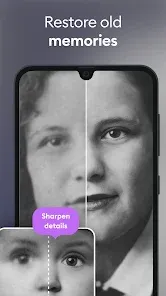
Remini is an AI-powered photo enhancement app designed to improve the quality of old, blurry, or low-resolution images. Using advanced artificial intelligence, it sharpens details, restores clarity, and brings new life to pictures that were previously hard to enjoy. Whether it's a treasured old family photo or a grainy image taken with an outdated phone, Remini can automatically enhance these photos to make them look clearer and more vibrant. Available for both Android and iOS, Remini's AI-based technology quickly transforms your images into high-definition versions with improved resolution and texture. It has become popular for those seeking to restore and refine memories captured in photos over the years.
Pros and Cons
- Pros:
- AI-Powered Enhancements: Remini utilizes advanced AI algorithms to enhance photos, improving sharpness, texture, and overall quality.
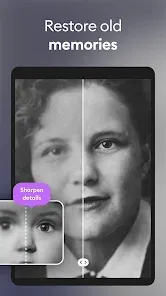
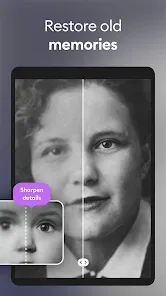
- Restores Old Photos: The app excels at transforming old, damaged, or low-resolution photos into high-quality images, making it ideal for photo restoration.
- Simple to Use: Remini is user-friendly and doesn't require any technical skills to enhance photos. Just upload an image, and the app handles the rest.
- Improves Detail and Clarity: The AI focuses on bringing out fine details in images, improving clarity, and eliminating blur, even in low-quality photos.
- Quick Results: Remini can enhance photos in just a few seconds, offering fast processing times without sacrificing quality.
- Free Version Available: The app has a free version that allows users to try out the basic enhancements before committing to premium features.
- Cons:
- Limited Free Enhancements: The free version offers a limited number of photo enhancements per day, with more advanced features locked behind a paywall.
- Dependence on Internet Connection: Since Remini uses cloud-based AI processing, a stable internet connection is required for processing images, which could be problematic in areas with poor connectivity.
- Quality Variation: While most photos improve significantly, some images may not achieve the desired enhancement results, especially if the photo is too low-quality to begin with.
- Subscription Costs: The premium version can be relatively expensive for users who need regular access to unlimited photo enhancement features.
- Watermark on Free Version: Enhanced images may come with a watermark in the free version, which can be removed by upgrading to the premium version.
Key Features
- AI-Driven Enhancement: Remini uses artificial intelligence to analyze and enhance your photos, improving sharpness and clarity in seconds.
- Photo Restoration: It can restore old, blurry, or pixelated images to high-definition quality, reviving memories captured in low-resolution formats.
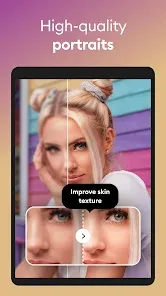
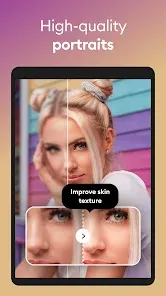
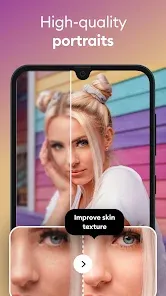
- Portrait Enhancement: The app offers specific tools to enhance portraits by refining facial features, adding depth, and improving overall image quality.
- Color and Detail Enhancement: Remini’s AI restores the original colors of faded photos and enhances fine details, including textures, edges, and skin tones.
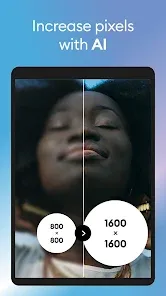
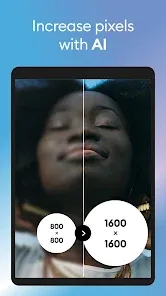
- HD Upscaling: It offers a feature to upscale photos to high-definition (HD) resolution, allowing them to be printed or shared in better quality.
- Fast Processing: The app processes photos quickly, allowing users to see results almost instantly after uploading an image.
- Easy-to-Use Interface: With a straightforward interface, Remini is accessible to users of all ages and tech expertise levels.
- Cloud-Based AI Processing: The app runs on a cloud platform, using advanced machine learning models to process images remotely and enhance them efficiently.
Functions
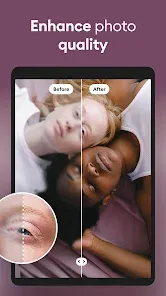
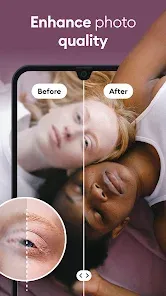
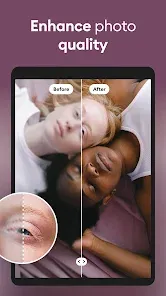
- Enhance Photos: The core function of Remini is to enhance low-resolution or blurry photos by making them sharper, clearer, and more vibrant with the help of AI algorithms.
- Restore Old Photos: Remini is particularly effective at restoring aged or damaged photos, cleaning up noise, and restoring clarity to older images.
- Portrait Enhancement: The app offers special portrait enhancement tools that allow users to improve facial features, making them look more polished while maintaining natural appearances.
- HD Upscaling: Remini can upscale photos to HD quality, which is especially useful for people who want to print or display images at a larger size.
- Remove Blurriness: One of the standout features is the ability to remove blur from photos, making them much clearer and easier to view, especially for photos taken with shaky hands or poor-quality cameras.
- Color Correction: Remini can automatically correct faded colors in old photos, making them look more vibrant and true to life.
- Noise Reduction: It helps reduce noise and graininess in images, especially in photos taken in low light or with older phones.
- Batch Processing (Premium): For users with a premium subscription, the app allows batch processing of multiple images at once, saving time when restoring large collections of photos.
How to Use Remini
- Step 1 - Download and Install: Download Remini from the Google Play Store or Apple App Store, depending on your device. Install the app and open it.
- Step 2 - Create an Account (Optional): You can sign up for an account to save your edited images and access additional features. Alternatively, you can proceed without an account.
- Step 3 - Select a Photo: Tap on the “Enhance” button to choose the photo you want to improve. Select an image from your device’s gallery.
- Step 4 - Enhance the Image: Once you’ve selected the photo, Remini will automatically start processing it. You can preview the result before applying the changes.
- Step 5 - Review the Enhanced Photo: After processing, Remini will show the enhanced version of the photo. You can compare it with the original to see the improvements.
- Step 6 - Save or Share: Once you’re satisfied with the results, save the enhanced photo to your device or share it directly on social media or with friends.
- Step 7 - Upgrade for More Features (Optional): If you need more enhancements, such as batch processing or higher-quality outputs, consider upgrading to Remini Premium for additional features.
- Step 8 - Use Regularly: Remini can be used for multiple photos, but free users are limited to a set number of enhancements each day. Premium users have unlimited access to the app’s features.









 0
0