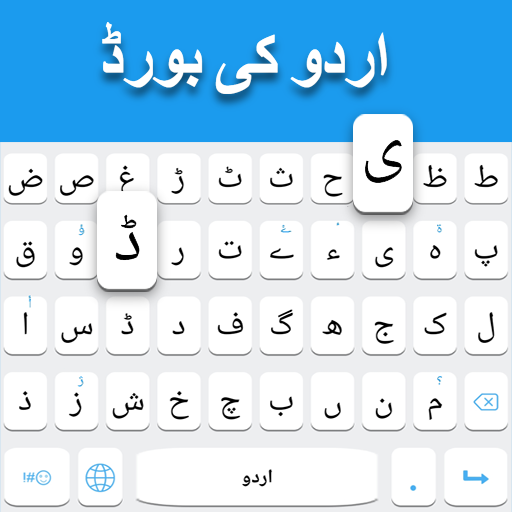
Urdu Keyboard is a user-friendly mobile and desktop application designed to facilitate typing in the Urdu language efficiently. It provides a versatile virtual keyboard layout, supporting both standard and phonetic input, allowing users to write Urdu seamlessly across messaging apps, social media platforms, and documents. The app includes predictive text, auto-correct features, and customizable keyboard themes to enhance the typing experience. With integrated emoji and special character support, Urdu Keyboard makes communication expressive and convenient. Its intuitive interface is suitable for beginners and advanced users alike, offering quick language switching, seamless integration with popular apps, and reliable performance, making Urdu typing accessible and enjoyable for daily digital communication.
Key Features
Phonetic and standard Urdu keyboard layouts for flexible typing.
Predictive text suggestions and auto-correct to improve typing speed and accuracy.
Customizable themes, fonts, and keyboard sizes for a personalized experience.
Integrated emoji and special character support for expressive communication.
Quick language switching between Urdu, English, and other supported languages.
Seamless integration with social media, messaging apps, and documents.
Swipe typing and gesture support for faster input.
Offline functionality for typing without internet access.
Clipboard support for easy copy and paste of text.
Regular updates with improved dictionaries and language support.
Pros & Cons
Pros:
Easy to use for both beginners and experienced Urdu typists.
Supports both phonetic and traditional layouts for versatile typing.
Customizable interface enhances user comfort and aesthetic appeal.
Offline capabilities allow typing without internet connectivity.
Integration with multiple apps ensures smooth communication across platforms.
Cons:
Predictive text may occasionally suggest incorrect words in Urdu.
Some advanced customization features may require in-app purchases.
May take time to get accustomed to phonetic layout for new users.
Limited support for regional Urdu dialects or slang terms.
Functions
Enables typing in Urdu using phonetic or standard keyboard layouts.
Provides word suggestions and auto-correct to reduce errors and improve speed.
Allows quick switching between multiple languages without closing apps.
Supports emojis, symbols, and special characters for expressive messaging.
Customizes keyboard appearance, size, and theme to suit personal preferences.
Maintains a clipboard history for copying and pasting frequently used text.
Operates offline, ensuring reliable performance without an internet connection.
How to Use
Click the button “Check All Versions” below to download and install it.
Open the app and grant necessary permissions for full keyboard access.
Select Urdu Keyboard as your default input method in device settings.
Choose your preferred layout: phonetic or standard Urdu keyboard.
Customize the keyboard with themes, font sizes, and colors for comfort.
Start typing in any messaging app, document editor, or social media platform.
Use predictive text and auto-correct features to enhance typing accuracy.
Switch languages seamlessly using the keyboard language toggle button.
Access emojis and special characters for expressive communication.
Regularly update the app for new words, improved dictionaries, and additional features.


 0
0