What is Vocabulary Builder – Test Prep; Pros and Cons; Key Features; Functions; How to Use
What is Vocabulary Builder – Test Prep
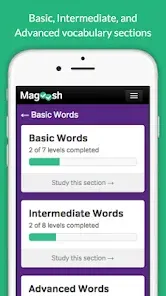
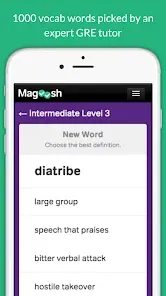
Vocabulary Builder – Test Prep is a mobile application designed to help students, professionals, and language enthusiasts expand their vocabulary and enhance language skills. The app offers curated word lists, quizzes, and exercises tailored for test preparation, including exams like GRE, SAT, TOEFL, and IELTS. Users can practice using words in context, track progress, and improve retention through interactive flashcards and games. Vocabulary Builder emphasizes learning through repetition and practical application, making it effective for both exam readiness and daily language improvement. Its intuitive interface and personalized learning paths allow users to build a strong vocabulary systematically and efficiently.
Pros and Cons
- Pros:
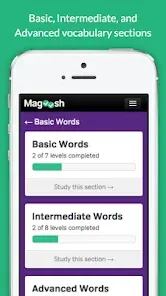
- Curated word lists for test preparation and language improvement.
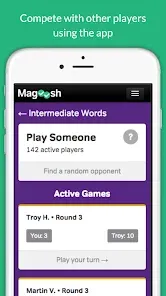
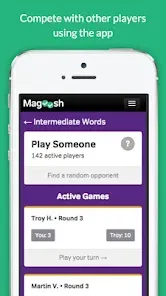
- Interactive quizzes, flashcards, and games for engaging learning.
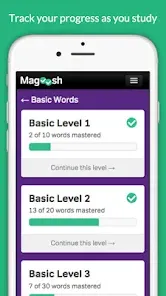
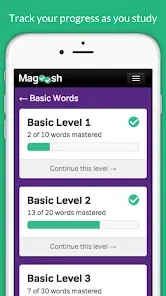
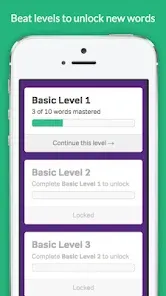
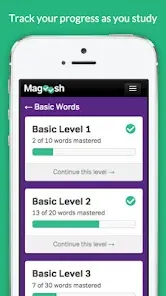
- Track progress and measure improvement over time.
- Personalized learning paths based on skill level and goals.
- Effective retention strategies through repetition and context usage.
- User-friendly interface suitable for students and professionals.
- Offline mode available for learning without internet connection.
- Cons:
- Some advanced features may require a subscription or in-app purchase.
- Limited word lists in the free version compared to premium access.
- Requires consistent practice for maximum effectiveness.
- May not cover all specialized vocabulary for niche exams.
- Notifications can become distracting if not managed.
Key Features
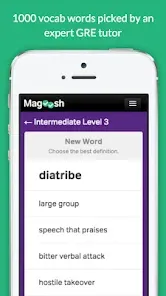
- Curated vocabulary lists for GRE, SAT, TOEFL, IELTS, and other exams.
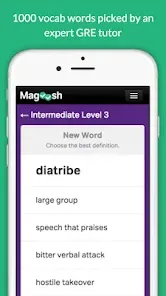
- Interactive flashcards for effective word memorization.
- Quizzes and games to practice words in context.
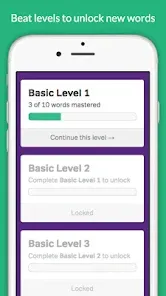
- Personalized learning paths based on skill level and goals.
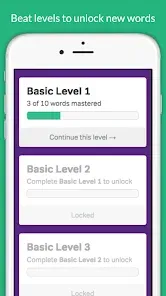
- Progress tracking and performance analytics.
- Offline access for uninterrupted learning.
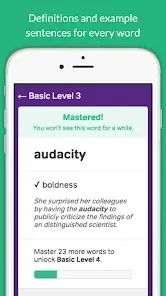
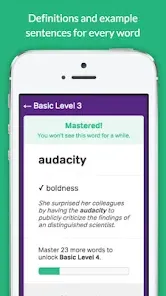
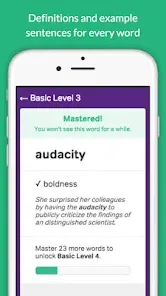
- Word usage examples to improve practical application.
- Daily word challenges to encourage consistent learning.
- Customizable reminders to stay on track with vocabulary goals.
- Regular updates with new words, quizzes, and exercises.
Functions
- Learn and memorize new vocabulary using flashcards and quizzes.
- Practice words in context to improve understanding and usage.
- Track progress to identify strengths and areas needing improvement.
- Participate in daily word challenges and timed exercises.
- Create personalized study plans based on individual goals.
- Access curated word lists for standardized tests and exams.
- Use offline mode for learning without internet connectivity.
- Set reminders to maintain consistent practice habits.
- Review past performance to reinforce retention and learning.
- Explore new words regularly through app updates and challenges.
How to Use
- Download Vocabulary Builder – Test Prep from the App Store or Google Play.
- Install the app and create an account or log in.
- Select your learning goals and target exams.
- Browse curated word lists or start personalized learning paths.
- Practice vocabulary using interactive quizzes, flashcards, and games.
- Track your progress and performance analytics.
- Set reminders for daily word practice and challenges.
- Review word usage examples to improve contextual understanding.
- Participate in daily challenges to reinforce learning.
- Keep the app updated to access new words, quizzes, and features.


 0
0