



What is WordBrain; Pros and Cons; Key Features; Functions; How to Play
What is WordBrain
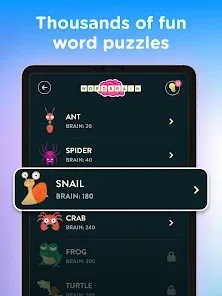
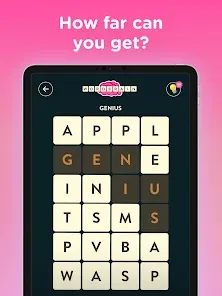
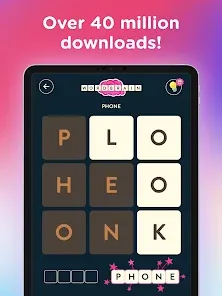
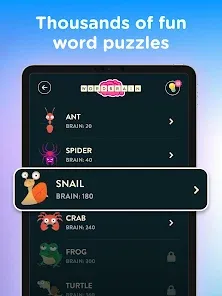
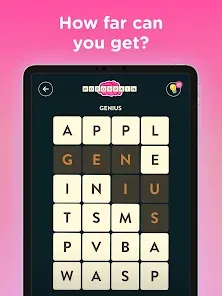
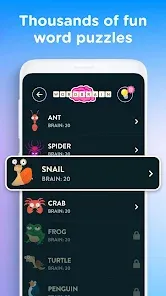
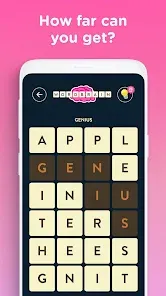
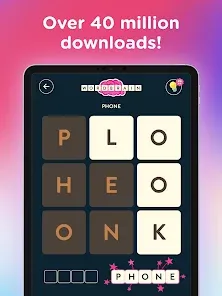
WordBrain is a mobile word puzzle game designed to challenge and enhance vocabulary, spelling, and problem-solving skills. Available on both Android and iOS platforms, the game presents players with a grid of letters from which they must form hidden words to progress through levels. Each level increases in difficulty, requiring strategic thinking and careful planning to uncover all the words. WordBrain combines fun gameplay with brain exercise, making it suitable for casual gamers and those looking to improve language skills. The game’s intuitive interface, vibrant design, and progressive challenges keep players engaged, while offering a rewarding experience as they advance through increasingly complex puzzles.
Pros and Cons
- Pros:
- Engaging gameplay that improves vocabulary and problem-solving skills.
- Increasingly challenging levels provide long-term entertainment.
- Simple, intuitive interface suitable for all ages.
- Offline play available, so it can be played without internet.
- Colorful graphics and smooth animations enhance user experience.
- Encourages critical thinking and cognitive development.
- Cons:
- Some levels may become too challenging or require hints.
- Ads in free versions can interrupt gameplay.
- Limited social or multiplayer features.
- Progress may slow without using in-app purchases for hints.
- Repetitive gameplay may feel monotonous after extended play.
Key Features
- Grid-based letter puzzles with hidden words to discover.
- Multiple levels with increasing difficulty and complexity.
- Hints system to assist in challenging puzzles.
- Vibrant and user-friendly interface suitable for all ages.
- Offline mode available for playing anywhere.
- Progress tracking with achievement milestones and rewards.
- Regular updates with new levels and puzzle packs.
- Supports multiple languages depending on device settings.
Functions
- Enhances vocabulary and spelling skills through gameplay.
- Challenges players to think strategically to uncover all hidden words.
- Provides a relaxing and entertaining mental exercise.
- Tracks user progress and encourages completion of levels.
- Offers hints and assistance to maintain gameplay flow.
- Allows replaying levels for practice and mastery.
- Acts as a fun alternative to traditional word games and puzzles.
- Supports cognitive development and problem-solving abilities in a gamified environment.
How to Play WordBrain
- Download WordBrain from Google Play Store or Apple App Store.
- Open the game and select your preferred language or level pack.
- Swipe across letters in the grid to form hidden words for the level.
- Complete all words to advance to the next level.
- Use hints if you get stuck on challenging words.
- Track your progress through the level map and achievements.
- Replay previous levels to improve scores and accuracy.
- Enjoy regular updates with new puzzles and challenges to stay engaged.


 0
0