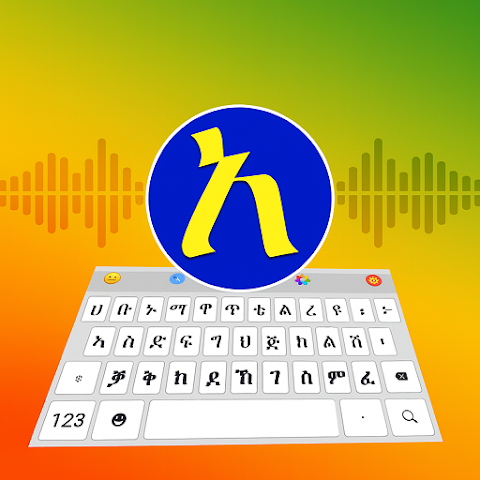
Amharic Keyboard is a specialized typing application designed to help users write accurately and comfortably in the Amharic language on mobile devices. Built with Ethiopia’s unique Ge’ez script in mind, it offers intuitive key layouts, smart predictions, and automated transliteration for users who prefer typing phonetically. The keyboard focuses on delivering smooth linguistic support, allowing users to switch between Amharic and other languages quickly while maintaining a natural writing flow. It includes customization options, gesture controls, and accessibility tools so that both native speakers and learners can communicate clearly across messaging apps, email platforms, and social media. Amharic Keyboard serves as a practical tool that simplifies digital communication in one of Africa’s most widely spoken languages.
Key Features
Dedicated Ge’ez script layout designed specifically for efficient Amharic typing.
Smart transliteration that converts phonetic Latin input into accurate Amharic characters.
Word prediction and auto-correction tailored to common Amharic vocabulary and grammar patterns.
Multiple keyboard themes that allow users to personalize color, key size, and background style.
Emoji and symbol integration for flexible expression across messaging platforms.
Gesture typing options that enable quick letter entry using swipes and directional movements.
Language switcher for seamless transitions between Amharic, English, and other installed languages.
Clipboard tools including history management, text shortcuts, and quick-copy options.
Built-in voice typing for hands-free input using supported Amharic recognition tools.
Offline functionality so users can type in Amharic anytime without needing an active internet connection.
Pros & Cons
Pros:
Provides an easy way to type in a complex script without requiring prior keyboard adaptation.
Transliteration support helps beginners type correctly even if they are still learning Ge’ez characters.
Lightweight and responsive, making it suitable for older or lower-spec devices.
Highly customizable interface with options that improve comfort and accessibility.
Enhanced accuracy thanks to built-in Amharic vocabulary suggestions and adaptive corrections.
Cons:
Some advanced features may require additional downloads or optional permissions.
Prediction accuracy may vary depending on user typing habits and dialect differences.
Users unfamiliar with transliteration may need time to understand phonetic input rules.
Functions
Transforms phonetic Latin characters into Amharic script automatically, reducing typing effort.
Stores frequently used phrases and words to provide faster suggestions over time.
Allows customization of keyboard height, width, and button spacing to improve usability.
Supports multilingual typing, enabling users to draft messages that combine Amharic and English seamlessly.
Offers gesture shortcuts for deleting text, inserting punctuation, or switching layouts quickly.
Captures voice input and converts it into Amharic text where supported by the device.
Provides an integrated clipboard manager for pasting repeated text fragments efficiently.
Maintains local dictionaries and prediction models without requiring cloud-based processing.
How to Use
Click the button "Check All Versions" below to download and install it.
Open the app and follow the setup prompts to enable the keyboard in your device’s input settings.
Select Amharic as your primary or secondary typing language depending on your preference.
Choose a keyboard theme and adjust key size to make typing more comfortable.
Test the transliteration feature by typing Amharic words phonetically using Latin letters.
Use the language toggle button whenever you need to switch between Amharic and English.
Enable gesture typing or voice input if you prefer faster or hands-free communication.
Explore additional settings for prediction, clipboard management, and personalization to refine the typing experience.


 0
0