Amazon Photos is a cloud storage service provided by Amazon, allowing users to store an unlimited number of photos with a secure backup. It is available to Amazon Prime members as a benefit, while non-members can use it with limited storage capacity. Amazon Photos not only provides a place to store images but also organizes, shares, and accesses photos across various devices like smartphones, tablets, and desktops. Users can upload images from their mobile devices, cameras, or computers, and access them from any location. Additionally, the service offers advanced features like photo sharing, automatic backup, and seamless integration with other Amazon services, making it an ideal choice for managing digital photo collections.
Pros and Cons
Pros:
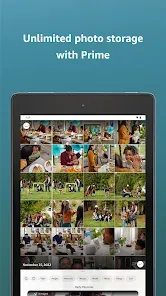
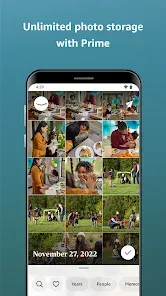
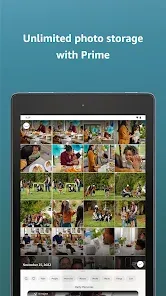
Unlimited Photo Storage: Amazon Prime members get unlimited photo storage, making it an excellent solution for anyone with a large collection of images.
Free for Prime Members: Prime members can use Amazon Photos for free, making it a valuable benefit for those already subscribed to Amazon Prime.
Cross-Device Access: Amazon Photos is accessible from any device, including mobile phones, tablets, and computers, allowing you to access your photos on the go.
Automatic Backup: Amazon Photos offers automatic photo and video backup, ensuring your memories are always safely stored without the need for manual uploads.
Easy Sharing: You can easily share photos and albums with friends or family, whether they are Amazon users or not, by generating shareable links.
High-Quality Images: The platform preserves the quality of photos, maintaining their resolution and clarity even after they are uploaded.
Cons:
Limited Video Storage: Non-Prime members have limited storage for videos, making it a less ideal solution for those with large video libraries.
Interface Can Be Clunky: Some users find the interface not as intuitive as other photo storage services, especially when managing large photo libraries.
Storage Costs for Non-Prime Members: While Prime members get unlimited photo storage, non-Prime users only get 5GB of free storage, and additional space requires a subscription.
Limited Photo Editing Features: While Amazon Photos allows for basic photo management, it lacks advanced photo editing tools available in other services.
Cloud Storage Focused on Photos: The service is primarily designed for photos and does not provide the same depth of cloud storage features for other file types like Google Drive or OneDrive.
Key Features
Unlimited Photo Storage (for Prime Members): Amazon Prime members can upload an unlimited number of photos to their Amazon Photos account without worrying about running out of space.
5GB Free Storage (for Non-Prime Users): Non-Prime users receive 5GB of free storage for both photos and videos, with the option to purchase additional storage if needed.
Automatic Backup: Amazon Photos automatically backs up your photos from devices like smartphones and tablets, ensuring your images are safely stored in the cloud.
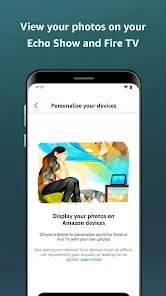
Cross-Device Synchronization: Your photos are accessible across all devices connected to your Amazon Photos account, including mobile devices, desktops, and Amazon devices like Fire TV or Echo Show.
Secure Cloud Storage: Photos are stored securely in Amazon’s cloud infrastructure, ensuring your data is safe from loss due to device failure or accidental deletion.
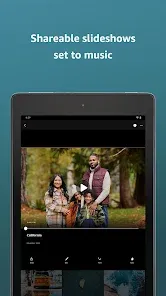
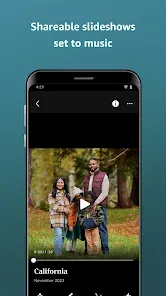
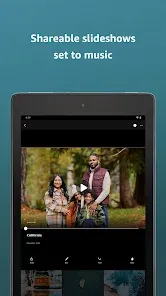
Easy Photo Sharing: You can share albums and individual photos with anyone via a shareable link, making it easy to send pictures to friends, family, or colleagues.
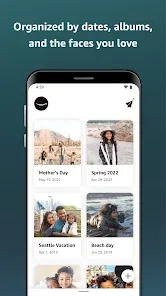
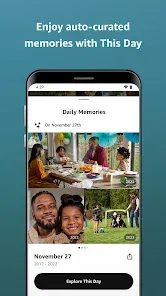
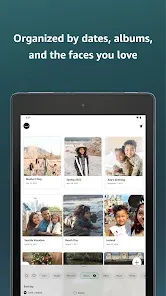
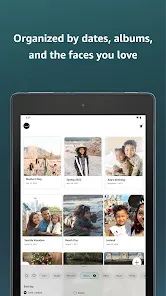
Organized Photo Albums: Amazon Photos automatically organizes your photos by date and allows you to manually create albums to keep your images sorted and easy to access.
Integration with Alexa: You can use Amazon Alexa-enabled devices like Echo Show to view your photos by simply asking Alexa to show specific albums or pictures.
Amazon Photos App: Available for both iOS and Android, the app lets you upload, access, and organize your photos, as well as share and manage them on the go.
Functions
Photo Storage: The primary function of Amazon Photos is to store and organize photos in the cloud, offering an easy way to safeguard your memories in a secure, accessible location.
Automatic Backup of Photos and Videos: Amazon Photos automatically backs up your photos and videos from your mobile device, providing an efficient way to ensure your files are always secure.
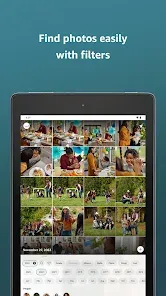
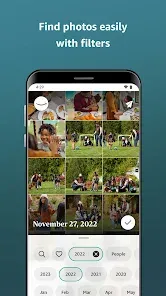
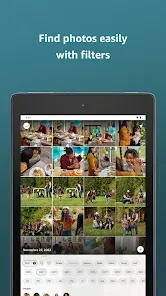
Search and Organization: Amazon Photos uses advanced search capabilities, allowing you to find photos by date, location, or even objects and faces in the image.
Sharing and Collaboration: You can share albums or individual photos with others, even if they don’t have an Amazon Photos account. This makes it easy to collaborate on photo collections with friends and family.
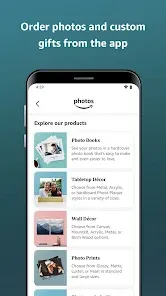
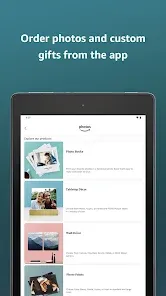
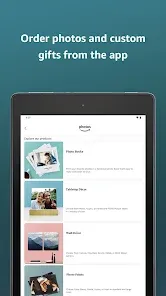
Personalized Features: Amazon Photos offers personalized photo recommendations, including suggestions for photo printing or gifts based on your collection.
Secure Storage with Encryption: Photos are stored securely with encryption, ensuring privacy and protection from unauthorized access.
Sync with Other Amazon Devices: If you have Amazon devices such as Fire TV or Echo Show, you can sync and view your photos directly on these devices, making it easy to share and showcase your pictures.
How to Use Amazon Photos
Click the button "Check All Versions" below to download and install it.
Step 1 - Sign Up or Log In: If you’re an Amazon Prime member, you can start using Amazon Photos immediately by logging into your Amazon account. Non-Prime users can sign up for a free Amazon account to get started.
Step 2 - Download the Amazon Photos App: Download the Amazon Photos app from the Google Play Store or Apple App Store, or access Amazon Photos through your computer’s web browser.
Step 3 - Upload Your Photos: Once logged in, you can upload photos manually from your device, or you can enable automatic backup to have your photos backed up to the cloud as you take them.
Step 4 - Organize Your Photos: You can create custom albums, sort photos by date, and use the search function to find specific images based on keywords, locations, or people.
Step 5 - Share Your Photos: Share photos or entire albums with others by generating a shareable link. You can send this link via email, messaging apps, or social media.
Step 6 - Access Your Photos Anywhere: Whether you’re at home or on the go, you can access your photo collection from any device with the Amazon Photos app or website.
Step 7 - Manage Your Storage: Keep track of your storage usage through the app or website. Prime members get unlimited photo storage, while non-members can manage their 5GB of free space or purchase additional storage if needed.









 0
0