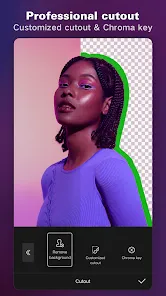

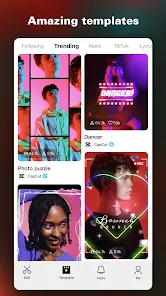
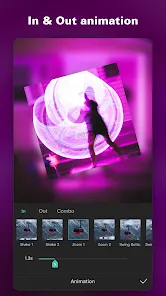
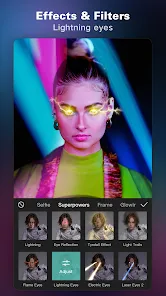
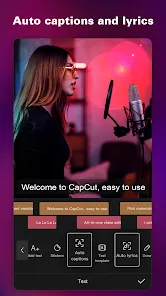
CapCut is a versatile and user-friendly video editing application designed primarily for mobile devices, though it is also available on desktop platforms. Developed by ByteDance, the creators of TikTok, CapCut offers a powerful suite of editing tools and creative effects that cater to both beginners and advanced users. The app allows users to create, edit, and enhance videos with ease by providing features such as trimming, merging, adding music, transitions, filters, and text overlays. Its integration with TikTok has made it a popular choice for content creators looking to produce polished videos quickly for social media sharing. CapCut’s intuitive interface and rich functionality make it a go-to app for editing short videos, vlogs, and creative projects without requiring advanced technical skills.
Pros and Cons of CapCut
Pros:
Free to download and use with a wide range of editing tools.
User-friendly interface that’s accessible for beginners and pros alike.
Extensive library of effects, filters, music, and transitions.
Supports high-resolution video exports with no watermarks on most exports.
Regular updates add new features and improvements.
Seamless integration with TikTok for easy sharing and uploading.
Offers multi-track editing for complex video projects.
Cons:
Some advanced features may require learning time for new users.
Occasional bugs or crashes reported on certain devices.
Limited desktop functionality compared to mobile version.
In-app ads can be intrusive in the free version.
Requires substantial storage space for larger video projects.
Key Features of CapCut
Video trimming, splitting, and merging tools for precise editing.
Wide range of visual effects, filters, and color correction options.
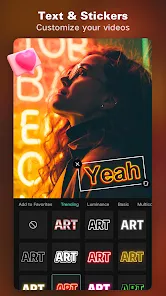
Text overlays with customizable fonts, colors, and animations.
Music library and sound effects with options to import personal audio.
Speed control to create slow-motion or time-lapse videos.
Transition effects to create smooth scene changes.
Stickers, emojis, and animated elements to enhance videos.
Multi-layer timeline for audio and video tracks.
Export options supporting HD quality and various aspect ratios.
Functions of CapCut
Create and edit videos for social media platforms, especially TikTok.
Combine multiple video clips into a seamless sequence.
Adjust video speed for creative effects like slow motion or fast forward.
Add music, voiceovers, and sound effects to enhance videos.
Apply filters and color adjustments to improve video aesthetics.
Insert text and animated titles to convey messages or enhance storytelling.
Export videos in different formats and resolutions suited for various platforms.
Save drafts and revisit projects for continuous editing.
How to Use CapCut
Step 1: Download and install the CapCut app from the App Store or Google Play Store.
Step 2: Open the app and tap on “New Project” to start editing.
Step 3: Import the video clips or photos you want to edit from your device’s gallery.
Step 4: Use trimming and splitting tools to cut your clips to the desired length.
Step 5: Add transitions between clips for smoother flow.
Step 6: Apply filters, effects, and adjust colors to enhance the video look.
Step 7: Insert text, stickers, and animations where needed to highlight key moments.
Step 8: Add background music or voiceovers using the audio tools.
Step 9: Preview your video and make final adjustments.
Step 10: Export the edited video in your preferred resolution and format.
Step 11: Share your video directly to social media platforms like TikTok, Instagram, or save it locally.


 0
0