


What is Classic Words With Friends
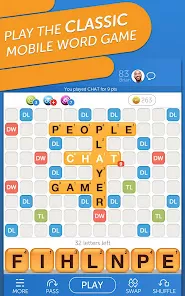
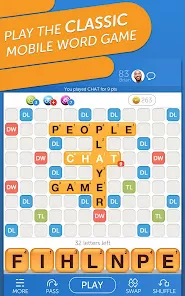
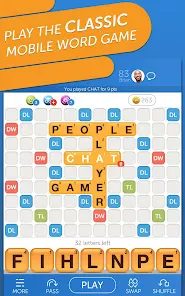
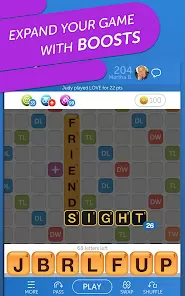
Classic Words With Friends is a popular mobile word game that allows players to challenge friends or random opponents in a turn-based Scrabble-like experience. Developed by Zynga, it combines strategic thinking and vocabulary skills as players create words on a virtual board to score points. The game features multiplayer modes, social connectivity, and daily challenges to keep players engaged. With a simple interface and fun graphics, Classic Words With Friends caters to casual gamers and word enthusiasts alike. Players can track their progress, earn rewards, and participate in tournaments. Available on iOS and Android devices, the app provides an entertaining, competitive, and educational way to play word games anytime, anywhere.
Pros and Cons of Classic Words With Friends
- Pros:
- Fun and engaging word game for players of all ages.
- Supports multiplayer matches with friends or random opponents.
- Turn-based gameplay allows for relaxed pacing and asynchronous play.
- Daily challenges and events provide rewards and keep gameplay fresh.
- User-friendly interface with simple drag-and-drop word placement.
- Educational benefits by enhancing vocabulary and strategic thinking.
- Track stats and progress, including win-loss records and achievements.
- Chat functionality enables social interaction with opponents.
- Available on both iOS and Android for cross-device play.
- Free to play with optional in-app purchases for power-ups and extra features.
- Cons:
- Ads in the free version can interrupt gameplay and reduce enjoyment.
- In-app purchases may feel necessary to remain competitive in higher levels.
- Occasional connection issues can affect online multiplayer matches.
- Limited offline functionality; you need an internet connection for multiplayer.
- AI opponents in solo mode may be predictable and less challenging.
- Some players report occasional app crashes or slow performance.
- Notifications can be excessive if not managed in settings.
- Game can become repetitive over extended play sessions.
- Leaderboard competition may favor paying users due to extra power-ups.
- Smaller screen devices may make word placement less intuitive.
Key Features of Classic Words With Friends
- Multiplayer Gameplay: Challenge friends or random opponents in turn-based matches.
- Daily Challenges: Complete puzzles and earn rewards to keep engagement high.
- Chat Functionality: Communicate with opponents during games.
- Achievements & Leaderboards: Track progress and compete globally.
- Customizable Board: Themes and visual effects enhance gameplay experience.
- Smart Matchmaking: Matches you with players of similar skill levels.
- Solo Play: Practice against AI opponents to improve skills.
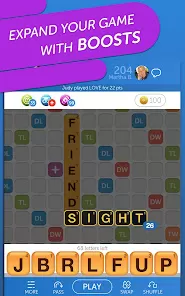
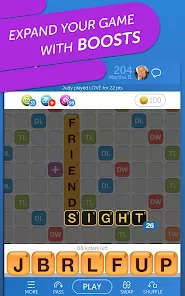
- Power-Ups & Boosts: Optional tools to enhance gameplay and increase points.
- Cloud Sync: Preserve games across devices and resume play anywhere.
- Intuitive Interface: Easy drag-and-drop word placement and clear scoring.
Functions of Classic Words With Friends
- Facilitates competitive word gameplay against friends or global opponents.
- Enhances vocabulary and strategic thinking through word creation.
- Provides asynchronous gameplay, allowing turns to be played at convenience.
- Tracks player statistics, achievements, and leaderboard rankings.
- Offers daily challenges and solo puzzles for additional practice and rewards.
- Supports in-game communication through chat for social interaction.
- Syncs progress across devices for uninterrupted play.
- Enables use of power-ups and hints to optimize word placement and scoring.
- Manages multiple concurrent games for flexible scheduling.
- Maintains a safe and moderated gaming environment for players of all ages.
How to Use Classic Words With Friends
- Download Classic Words With Friends from the Google Play Store or Apple App Store.
- Open the app and sign in using your account or create a new Zynga account.
- Select to start a new game with a friend or match with a random opponent.
- Drag and place tiles on the board to form valid words and score points.
- Take turns with your opponent until the game ends or the board is filled.
- Use power-ups or hints strategically to maximize your score when needed.
- Check daily challenges or solo puzzles to earn rewards and improve skills.
- Access your profile to view achievements, stats, and ongoing games.
- Use chat features to communicate with opponents or friends during gameplay.
- Enjoy cross-device play by signing into your account on multiple devices.



 0
0