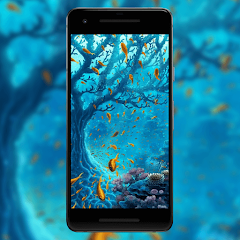
Cool Wallpaper is a dynamic mobile application that allows users to discover, download, and set high-quality wallpapers for their devices. The app offers a diverse collection of images, including nature, abstract, minimalistic, and trending themes, tailored for smartphones and tablets. With a user-friendly interface, Cool Wallpaper enables seamless browsing, instant previews, and easy application of wallpapers to home and lock screens. The app is designed to optimize image resolution based on device display, ensuring sharp visuals without distortion. Additionally, users can save favorites, explore curated collections, and refresh their device’s look daily, making Cool Wallpaper an ideal tool for personalizing mobile devices with minimal effort.
Key Features
Extensive library of high-resolution wallpapers.
Instant preview before applying images.
Daily trending and featured wallpaper collections.
Categories including nature, abstract, minimal, and more.
Favorites section for saving preferred wallpapers.
Optimized resolution for different screen sizes.
One-click application to home or lock screen.
Simple and intuitive browsing interface.
Regular updates with new wallpapers.
Lightweight app performance with minimal storage use.
Pros & Cons
Pros:
Large variety of high-quality wallpapers.
Daily updates keep the app fresh and interesting.
Easy to navigate and apply wallpapers instantly.
Minimal storage usage with optimized performance.
Favorites feature helps organize preferred images.
Cons:
Requires internet connection for browsing new wallpapers.
Some wallpapers may not perfectly fit all screen sizes.
Ads may appear in the free version.
No built-in image editing or cropping tools.
Functions
Browse and explore wallpapers by categories.
Preview images before setting as wallpaper.
Apply wallpapers to home or lock screens instantly.
Save favorite wallpapers for quick access.
Download wallpapers for offline use.
Check trending and featured wallpapers daily.
Optimize image resolution automatically for device screens.
Refresh device appearance frequently with new images.
How to Use
Click the button ""Check All Versions"" below to download and install it.
Open the app and browse available wallpaper categories.
Select a wallpaper to preview on your screen.
Tap the apply button to set as home or lock screen wallpaper.
Use the favorites option to save preferred wallpapers.
Download wallpapers to your device if offline use is needed.
Return anytime to explore new or trending images.


 0
0