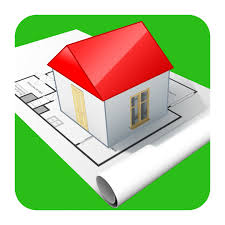
Home Design 3D: Draw & Plan is a versatile interior design and home planning app that allows users to create floor plans, furnish spaces, and visualize interior layouts in 3D. It is suitable for homeowners, designers, and DIY enthusiasts who want to experiment with room arrangements, decor, and furniture placement before making real-world changes. The app provides an intuitive drag-and-drop interface, realistic 3D renderings, and customizable furniture and materials. Users can plan entire homes or individual rooms, experiment with color schemes, and generate realistic visualizations. Home Design 3D makes the design process interactive, enabling users to visualize concepts and make informed decisions for renovations or new builds.
Key Features
Create detailed floor plans with accurate dimensions.
3D visualization for realistic room previews.
Drag-and-drop furniture and decor items.
Customizable materials, colors, and textures.
Supports multi-story building designs.
Save and share projects easily.
User-friendly interface suitable for beginners and professionals.
Pros & Cons
Pros:
Easy-to-use 3D design tools.
Offers realistic visualization of spaces.
Supports creative experimentation with layouts and styles.
Good for both planning and educational purposes.
Cons:
Advanced features may require a premium version.
Rendering complex designs may slow down older devices.
Limited library of furniture in free version.
Functions
Draw floor plans with precise measurements.
Furnish rooms using drag-and-drop tools.
Preview interiors in 3D mode.
Customize colors, materials, and textures.
Save and share design projects with others.
How to Use
Click the button "Check All Versions" below to download and install it.
Open the app and create a new project or floor plan.
Draw room layouts with measurement tools.
Add furniture, decor, and textures to each space.
Switch to 3D mode to preview the design.
Save your project or share it with others.


 0
0