

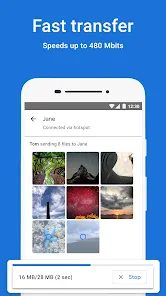
Files by Google is a versatile file management app designed to help users organize, clean, and share files on Android devices efficiently. Developed by Google, the app provides tools for freeing up storage space by identifying unused apps, duplicate files, and large media. It also offers secure file sharing without an internet connection, allowing users to send documents, photos, videos, and other files quickly and safely. With a simple interface, Files by Google makes browsing, searching, and managing files easy, while supporting cloud integration and offline access. The app also includes intelligent recommendations for optimizing storage and keeping devices organized. By combining file management, storage optimization, and seamless sharing features, Files by Google is a comprehensive solution for maintaining device efficiency.
Pros and Cons
Pros:
Efficient file organization and easy navigation through device storage.
Tools to free up space by removing duplicates, junk, and unused apps.
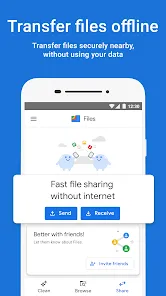
Offline file sharing with nearby devices safely and quickly.
Intelligent recommendations for storage optimization.
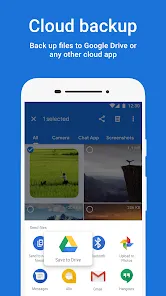
Supports cloud integration for backup and syncing.
User-friendly interface suitable for beginners and advanced users.
Lightweight app that doesn’t consume excessive system resources.
Cons:
Limited to Android devices; no dedicated iOS app.
Some advanced storage management features are basic compared to specialized apps.
File sharing requires proximity and Bluetooth or Wi-Fi Direct.
Cloud backup options are dependent on third-party services like Google Drive.
App may prompt frequent suggestions to clean storage that some users find intrusive.
Key Features
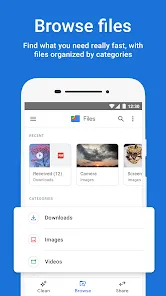
File browsing and organization by type, size, and date.
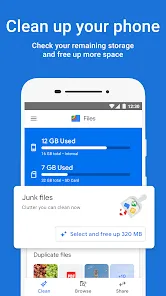
Storage management tools including junk, duplicate, and large file removal.
Offline file sharing via Wi-Fi Direct with nearby devices.
Smart recommendations for freeing up space and optimizing storage.
Support for cloud integration and file backup.
Simple search functionality for quick file location.
Preview files including images, videos, and documents without opening them separately.
Secure deletion and privacy-focused file handling.
Lightweight and optimized for low-resource usage.
Notifications for storage alerts and space-saving suggestions.
Functions
Organizes files into categories such as images, videos, documents, and downloads.
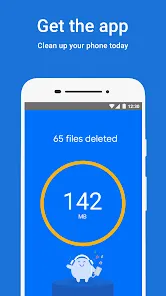
Identifies and removes duplicate or unnecessary files to free storage space.
Shares files offline securely with nearby devices.
Integrates with cloud storage for backup and syncing across devices.
Provides search and preview options for quick access to files.
Offers smart recommendations for cleaning and optimizing device storage.
Tracks storage usage and sends alerts when space is running low.
Supports deletion or transfer of large files to external storage.
Maintains privacy and security of shared or deleted files.
Helps users efficiently manage both internal and external device storage.
How to Use
Click the button "Check All Versions" below to download and install it.
Download and install Files by Google from the Google Play Store.
Open the app and allow necessary permissions for file access.
Browse files by categories such as images, videos, audio, or documents.
Use the search feature to quickly locate specific files.
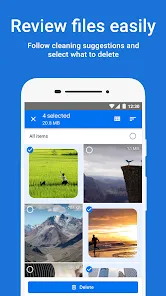
Free up storage by following smart recommendations to remove junk, duplicates, and large files.
Share files offline by selecting files and choosing “Share” to connect with nearby devices.
Preview files without opening them to verify content quickly.
Move files between internal storage, SD card, or cloud storage.
Regularly check storage suggestions to maintain device performance.
Manage multiple files simultaneously using bulk actions like delete, move, or share.
Customize app settings to control notifications and storage alerts.
Keep the app updated to access new features, improvements, and optimizations.


 0
0